 European company based in France
Excellent4.9/5Trustpilot1,800+ reviews Lifetime replacement guarantee
Email support 24/7
European company based in France
Excellent4.9/5Trustpilot1,800+ reviews Lifetime replacement guarantee
Email support 24/7
European company based in France
Excellent4.9/5Trustpilot1,800+ reviews Lifetime replacement guarantee
Email support 24/7
European company based in France
Excellent4.9/5Trustpilot1,800+ reviews Lifetime replacement guarantee
Email support 24/7

Bring a PC refused by Windows 11 back to life: genuine Windows 10 Home license from €8.90, delivered by email within minutes.
Authentic Microsoft licenses, delivered by email within minutes
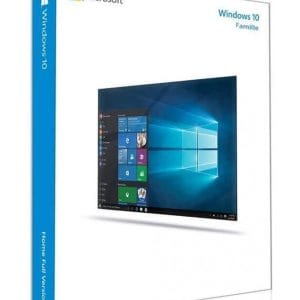
Windows 10 Home - Genuine official Microsoft license. Instant delivery by email.
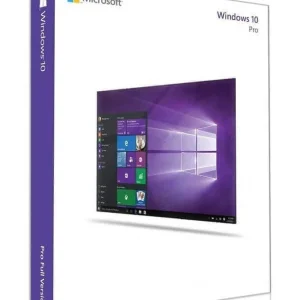
Official Windows 10 Professional license. Instant delivery by email. Activation on Microsoft servers. Lifetime warranty. Support included.
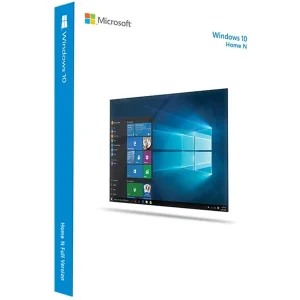
Windows 10 Home N - Official Microsoft license. Instant delivery by email.
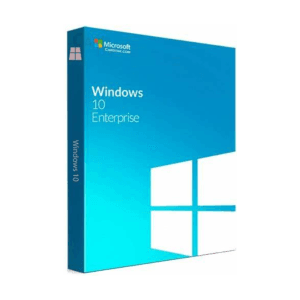
Windows 10 Education - Official Microsoft license. Instant delivery by email.
Your license activated in 3 steps
Card, Apple Pay, Google Pay or Bancontact, SSL-encrypted payment with 3D Secure verification.
Secure paymentYour key arrives by email within minutes, with step-by-step activation instructions.
Learn moreWindows 10 Home remains the simplest system to put back into service on a machine that does not accept Windows 11. Many computers built before 2018 are blocked by the latest version’s requirements: a TPM 2.0 chip, Secure Boot or a processor missing from the official compatibility list. On these PCs, a genuine Windows 10 Home key gives you an activated, clean and fully working system at a modest price.
In each of these cases, the license is the only missing piece: Windows 10 version 22H2 can be downloaded free of charge from Microsoft, and your 25-character key activates it without any additional software.
The Home edition covers most home uses: office work, browsing, gaming, multimedia, several user accounts, Windows Hello and Microsoft Defender. What it lacks belongs to the business world: BitLocker encryption, domain join, Remote Desktop hosting, Hyper-V and group policies.
| Edition | For whom | Key difference | Price (1 PC) |
|---|---|---|---|
| Windows 10 Home | Individuals, PCs not compatible with Windows 11 | All consumer features, without business tools | €8.90 |
| Windows 10 Home N | European edition without media apps | Identical, without Windows Media Player and media apps | €9.49 |
| Windows 10 Pro | Freelancers and small businesses | Adds BitLocker, domain join, Remote Desktop and Hyper-V | €9.90 |
| Windows 10 Education | Schools and students | Advanced management and security features for education | €10.99 |
The rule is simple: if your machine passes the compatibility check, Windows 11 Home is the more durable choice. If not, Windows 10 Home remains the official way to run an activated Windows without changing hardware. Our guide Windows 10 Home vs Pro vs Enterprise compares the editions in detail.
Two editions deserve a word. Windows 10 Home N is the European version without Windows Media Player; Microsoft’s free Media Feature Pack adds the missing media components if you need them. Windows 10 Education is designed for schools and students: note that Microsoft’s consumer ESU program covers the Home and Pro editions, not Education.
Windows 10 Home version 22H2, the final release, needs a 1 GHz processor, 2 GB of RAM for the 64-bit version and about 32 GB of disk space. The same key activates either the 32-bit or the 64-bit version. Download the installation media from Microsoft’s website, then make sure you select the Home edition during setup: a Home key does not activate a Pro or Enterprise edition.
Before you install
On older machines, check that the manufacturer still provides chipset, network and graphics drivers for Windows 10. Without them, some functions will run in a degraded mode, whatever the license.
To be transparent: standard support for Windows 10 ended on 14 October 2025. Security updates continue through the Extended Security Updates (ESU) program for personal devices, which Microsoft has extended until 12 October 2027. In the European Economic Area, enrollment is free: you sign in with a Microsoft account from Windows Update. After that date the system will keep working, but a move to a newer system is worth planning for PCs exposed to the internet. Our page on Windows 10 end of support explains every option.
Because these are genuine pre-owned licenses, not improvised codes. In its UsedSoft judgment (C-128/11), the Court of Justice of the European Union confirmed that a software license sold for an unlimited period in the EU can be resold: the publisher’s distribution right is exhausted after the first sale. The original owner must stop using the license before it changes hands. You therefore pay a second-hand market price, not a new-product price.
The result is the same Windows 10 Home, activated on Microsoft’s servers and receiving the same updates as any other licensed copy. If a key does not activate, it is replaced free of charge for the lifetime of the license.
Our team answers by email 7 days a week within 2 hours on average if you need help with installation or activation, and every order comes with a VAT invoice.
Everything you need to know before ordering
Yes. Windows 10 requires neither a TPM 2.0 chip, nor Secure Boot, nor a latest-generation processor. It needs a 1 GHz processor, 2 GB of RAM for the 64-bit version, about 32 GB of free space and available drivers for the chipset and graphics card. Most PCs built since 2010 meet these conditions and activate without difficulty.
Standard support ended on 14 October 2025. Since then, security fixes are delivered through the ESU program for personal devices, which Microsoft has extended until 12 October 2027 and which is free for consumers in the European Economic Area who sign in with a Microsoft account. After that date the system remains usable, but without fixes: plan a move if the PC is exposed to the internet.
Yes, in both cases without reinstalling. For Pro, enter a Pro key in Settings, Update & Security, Activation: Windows changes edition and keeps your files and software. For Windows 11, Microsoft still offers the upgrade free of charge to machines that meet the hardware requirements, and your Home license carries over to the new version.
The only version still distributed is 22H2, available in 32-bit and 64-bit on Microsoft's official website, through the Media Creation Tool or as an ISO file. Choose 64-bit whenever the processor allows it, and make sure you select “Windows 10 Home” during installation: a Home key will not activate a Pro edition.
Our team answers by email 24/7, within 2 hours on average.
Response time: within 2 hours on average

