



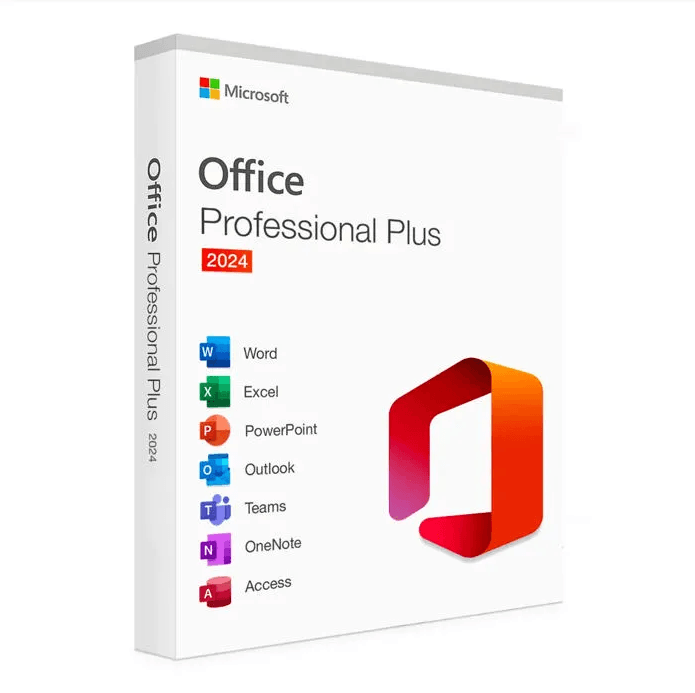
Included applications
Word 2024
Professional word processing
- Professional templates
- Built-in dark mode
- Real-time collaboration
Excel 2024
Advanced spreadsheet
- New functions
- PivotTables
- Power Query
PowerPoint 2024
Dynamic presentations
- Screen recording
- Advanced animations
- Presenter mode
Outlook 2024
Professional email
- Integrated calendar
- Contact management
- Task organizer
Access 2024
Database
- Predefined templates
- Complex queries
- Custom reports
Recent purchases
Updated in real timeMore than 50,000 customers already trust us
Microsoft Office 2024 Pro Plus
Perpetual license - PC installation - Activation
Only 90 licenses left at this price
Official Microsoft license verified on Microsoft servers.
Pourquoi choisir Office 2024 Pro Plus ?
- All the essential applications (Word, Excel, PowerPoint, Outlook, Access)
- One-time purchase, no monthly or annual subscription to pay
- Perpetual license valid for life, even in case of reinstallation
- The latest Office features with security updates
- Compatible with Windows 10 and Windows 11
- 100% activation via Microsoft servers
Microsoft Office 2024 Pro Plus
Microsoft Office 2024 Pro Plus is the latest version of the world’s most popular productivity suite. With a perpetual license, you enjoy all the essential Office applications with no monthly subscription.
This complete suite includes Word, Excel, PowerPoint, Outlook and Access in their newest and most powerful 2024 versions. Every application has been optimized to deliver new features that boost your everyday productivity.
Office 2024 Pro Plus is built to fit perfectly with Windows 10 and Windows 11, offering a modern, intuitive interface along with optimal compatibility with the latest Microsoft technologies.
Businesses
Boost your team’s productivity with professional tools for document creation, data analysis and communication.
Students
Create high-quality academic work, organize your notes and prepare impressive presentations to succeed in your studies.
Home Users
Manage your personal documents, family budgets and creative projects with powerful, easy-to-use tools.
Professionals
Improve your daily efficiency with tools tailored to the needs of freelancers and consultants.
New Features in Office 2024
Dark Mode
Reduce eye strain with the new dark theme available across all applications
XLOOKUP Functions
A powerful upgrade over VLOOKUP with greater flexibility in Excel
PowerPoint Recording
Record your presentations with narration and annotations
Built-in Translation
Translate text into more than 70 languages directly from Word
Office 2024 vs Microsoft 365
| Feature | Office 2024 Pro Plus | Microsoft 365 |
|---|---|---|
| License Type | Perpetual (one-time purchase) | Monthly/annual subscription |
| Office Applications | Included | Included |
| Cloud Storage | Not included | 1 TB OneDrive included |
| Feature Updates | Fixed (2024 version) | Ongoing |
| Security Updates | Included | Included |
| Long-Term Cost | Affordable (one-time payment) | Higher (recurring payments) |
Technical specifications
System requirements
| Processor | 1.6 GHz or higher, 2 cores |
| RAM | 4 GB RAM (64-bit) |
| Disk space | 4 GB of available disk space |
| Display | 1280 x 768 pixels |
| Operating system | Windows 10 or Windows 11 |
| Browser | Microsoft Edge, Chrome, Firefox or Safari |
| Internet | Internet connection for activation |
License information
| License type | Perpetual (lifetime) |
| Users | 1 user (standard license) |
| Devices | 1 PC |
| Reinstallations | Unlimited on the same device |
| Language | Multilingual (French included) |
| Activation | Online via Microsoft servers |
| Support | 24/7 technical support |
| Updates | Security updates included |
Included applications
Microsoft Word 2024
Word processor with advanced layout tools, grammar and spell checking, review mode and collaboration.
Microsoft Excel 2024
Spreadsheet with new XLOOKUP functions, dynamic charts, Power Query and advanced analysis features.
Microsoft PowerPoint 2024
Create presentations with animations, transitions, recording and an improved presenter mode for professional slideshows.
Microsoft Outlook 2024
Email client with email management, calendar, contacts and tasks. Improved interface and automatic sorting features.
Microsoft Access 2024
Relational database management system with templates, forms, reports and improved SQL connectivity.
Differences from previous versions
| Feature | Office 2024 | Office 2024 |
|---|---|---|
| Dark mode | ||
| XLOOKUP in Excel | ||
| LET and LAMBDA functions | ||
| Advanced built-in translation | ||
| Graphics performance | Standard | Improved |
| Recording in PowerPoint | Basic | Advanced |
Verified customer reviews
Bought Office 2024 Pro from Euro Shop Key. Super fast email delivery, activation without a hitch. Support even helped me set up Outlook. Great service!
Got Office 2024 Pro Plus by email within 2 hours. Activation went through with no problem on the Microsoft site. Word, Excel, PowerPoint, everything works perfectly. Thanks Euro Shop Key!
Very happy with my Office 2024 Pro Plus purchase. Detailed step-by-step install, support available by email. Word, Excel, Access, Publisher, everything's included and working.
Leave your review
Share your experience with this product to help other customers.
Installation guide
Installing and activating your Office 2024 Pro Plus license takes just a few simple steps. Follow this guide for a quick and trouble-free setup.
Downloading the software
Go to Microsoft's official website and download Office 2024 Pro Plus. Use the link provided in the email you received after your purchase.
Installing the program
Run the downloaded installation file and follow the on-screen instructions. Installation may take a few minutes depending on your Internet connection.
Activating your license
Once the installation is complete, open any Office application (such as Word or Excel). An activation window will appear automatically.
- Click "Activate Office"
- Select "I have a product key"
- Enter the key you received by email (be sure to include the hyphens)
- Follow the on-screen instructions to complete the activation
Verifying the activation
To verify that your Office is properly activated, open any Office application, click "File" then "Account". Your product should be shown as activated.
Need help?
How It Works
Get and activate your Microsoft license in just 3 simple steps
Choose
Select your Microsoft Office 2024 Pro Plus license or your Pack and add it to your cart.
Pay
Make a 100% secure payment through our partner Paypal.



Activate
Receive your key instantly by email with a detailed installation guide. Our support is available 7/7 if needed.
Frequently asked questions
How do I receive my Office 2024 Pro Plus license?
After your purchase, you will instantly receive (usually in less than 5 minutes) an email containing your activation key as well as a link to download Office 2024 from the official link we provide. You can then follow the installation instructions and activate your software.
Is the license 100% genuine?
How long is the license valid for?
Can I install Office on multiple PCs?
You might also like
Office 2021 Home and Student (bind)
Office 2021 Home and Student (bind) - Genuine Microsoft license. Instant delivery by email.
Office 2021 Professional
Office 2021 Professional - Genuine Microsoft license. Instant delivery by email.
Office 2019 Professional Plus (5 PC)
Office 2019 Professional Plus (5 PC) - Genuine Microsoft license. Instant delivery by email.
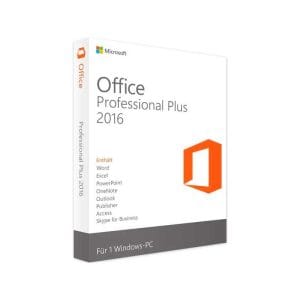
Office 2016 Professional Plus
Office 2016 Professional Plus - Genuine Microsoft license. Instant delivery by email.