 European company based in France
Excellent4.9/5Trustpilot1,800+ reviews Lifetime replacement guarantee
Email support 24/7
European company based in France
Excellent4.9/5Trustpilot1,800+ reviews Lifetime replacement guarantee
Email support 24/7
Genuine Microsoft Office suites from €9.99: lifetime license or 12-month subscription, key delivered by email within minutes.
Authentic Microsoft licenses, delivered by email within minutes
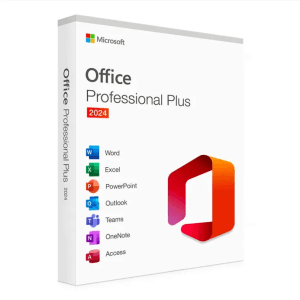
Microsoft Office 2024 Pro Plus Microsoft Office 2024 Pro Plus is the latest version of the world’s most popular productivity...
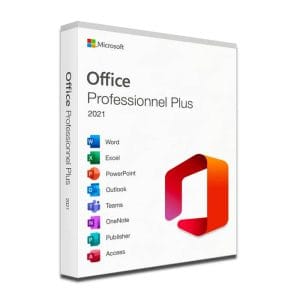
Microsoft Office 2021 Pro Plus Microsoft Office 2021 Pro Plus is the latest version of the world’s most popular office...
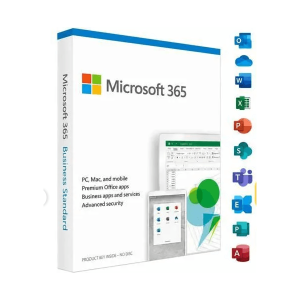
Office 365 - 12 Months / 5 Devices - Official Microsoft license. Instant delivery by email.
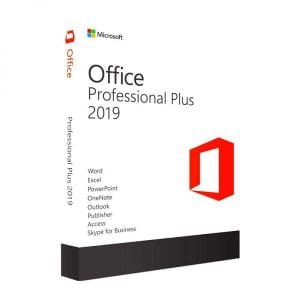
Genuine Office 2019 Professional Plus license. Instant delivery by email. Activation on Microsoft servers. Lifetime warranty. Support included.
Your license activated in 3 steps
Card, Apple Pay, Google Pay or Bancontact, SSL-encrypted payment with 3D Secure verification.
Secure paymentYour key arrives by email within minutes, with step-by-step activation instructions.
Learn moreChoosing an office suite in 2026 is less about features than about the license that comes with them. This comparison puts Microsoft’s Office editions side by side, lifetime licenses and subscription, so you can see what each one includes, how long it is supported and what it costs, along with the free alternative.
An office suite brings together the programs that structure everyday work: word processor, spreadsheet, presentation tool and, depending on the edition, email, database and desktop publishing. Their features have been mature for a long time and change little from one generation to the next. In 2026, the choice therefore comes down to four very concrete criteria:
| Suite | License | Apps | Devices | Price |
|---|---|---|---|---|
| Office 2024 Professional Plus | Lifetime, one-time purchase | Word, Excel, PowerPoint, Outlook, Access | 1 PC | €24.90 |
| Office 2021 Professional Plus | Lifetime, one-time purchase | Word, Excel, PowerPoint, Outlook, Access, Publisher | 1 PC | €19.90 |
| Office 2019 Professional Plus | Lifetime, one-time purchase | Word, Excel, PowerPoint, Outlook, Access, Publisher | 1 PC | €12.90 |
| Office 365 (Microsoft 365) | 12-month subscription | The full suite, desktop and online | 5 devices | €9.99 |
| LibreOffice | Free and open source | Writer, Calc, Impress, no Outlook equivalent | Unlimited | Free |
The Microsoft prices above are those of our genuine second-hand licenses, legally resold in the European Union under the UsedSoft judgment of the Court of Justice of the European Union (case C-128/11). Each edition is detailed in our Office catalog, and our LibreOffice vs Microsoft Office comparison looks at the free alternative in depth.
A perpetual license is bought once and stays usable for as long as the computer runs: no yearly charge, no risk of losing access to your documents the day you stop paying. In return, the version stays frozen and will not gain new features.
The subscription brings new features continuously and covers several devices. It makes sense if you equip a whole family or switch between computer, tablet and mobile. Over three years and on a single computer, the one-time purchase almost always costs less: our guide to the lifetime Office license as an alternative to the subscription details the calculation, while the 12-month multi-device plan answers the opposite need.
Do not overlook the support period. Office 2019 has not received security updates since October 2025 and Office 2021 reached the end of its cycle on 13 October 2026, while Office 2024 is supported until October 2029. For a computer that is online and used every day, choose the 2024 generation, such as Office 2024 Professional Plus; earlier editions remain worthwhile on a secondary computer or for occasional use.
The real criterion is not the software, it is the file format. Files in .docx, .xlsx and .pptx format open almost everywhere, including in free suites and online services. Differences appear with demanding documents: precise layout, VBA macros, PivotTables, mail merge, comments and tracked changes. If you exchange this kind of file with others, a Microsoft suite saves you last-minute reformatting.
Before ordering, check three simple points:
One more habit: uninstall any earlier version before installing the new one. Two versions side by side are a frequent cause of activation problems, far more often than the key itself.
Every Microsoft license comes with a VAT invoice, delivery by email usually within minutes and the lifetime replacement of a faulty key. If your team already works online, you can also compare Office 2024 and Google Workspace before you choose.
Everything you need to know before ordering
The core is the same everywhere: a word processor (Word), a spreadsheet (Excel) and a presentation tool (PowerPoint). Complete or professional editions add Outlook for email, Access for databases and, up to the 2021 generation, Publisher for page layout. Home editions are often limited to the core trio, so check the list of included apps before ordering.
To write a letter or check a table, yes. They show their limits as soon as the work gets serious: no offline use, no VBA macros, no mail merge or add-ins, restricted layout options and limited storage. If you spend more than an hour a day in these tools, a suite installed on your computer is much faster and more complete.
Microsoft applies a cycle of about five years to its recent perpetual versions. Office 2019 has not received security updates since October 2025, Office 2021 reached the end of its cycle on 13 October 2026, and Office 2024 is supported until October 2029. The software keeps working afterwards, but without new fixes: on a connected computer, prefer the 2024 generation.
Yes. Word, Excel and PowerPoint open ODF files (.odt, .ods, .odp) and can save them again in that format. Plan a quick check anyway: custom styles, Basic macros and some charts can shift during conversion. A reliable method is to reopen your important documents, check them, then save them as .docx or .xlsx.
A lifetime license such as Office 2024 Professional Plus activates on one computer at a time: each additional PC needs its own key, and several product pages offer packs for more PCs. If you need the suite on several devices, the Office 365 subscription covers up to 5 devices, including Mac, tablet and mobile, for 12 months at €9.99.
Our team answers by email 24/7, within 2 hours on average.
Response time: within 2 hours on average