 European company based in France
Excellent4.9/5Trustpilot1,800+ reviews Lifetime replacement guarantee
Email support 24/7
European company based in France
Excellent4.9/5Trustpilot1,800+ reviews Lifetime replacement guarantee
Email support 24/7
Office 2013 no longer receives security updates: see what still works, what to watch out for, and move to a recent Office license from €12.90, delivered by email within minutes.
Authentic Microsoft licenses, delivered by email within minutes
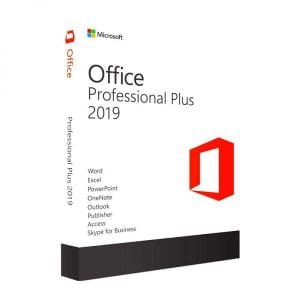
Genuine Office 2019 Professional Plus license. Instant delivery by email. Activation on Microsoft servers. Lifetime warranty. Support included.
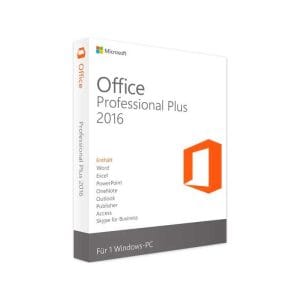
Office 2016 Professional Plus - Genuine Microsoft license. Instant delivery by email.
Microsoft Office 2021 Pro Plus Microsoft Office 2021 Pro Plus is the latest version of the world’s most popular office...
Microsoft Office 2024 Pro Plus Microsoft Office 2024 Pro Plus is the latest version of the world’s most popular productivity...
Your license activated in 3 steps
Card, Apple Pay, Google Pay or Bancontact, SSL-encrypted payment with 3D Secure verification.
Secure paymentYour key arrives by email within minutes, with step-by-step activation instructions.
Learn moreMicrosoft ended support for Office 2013 on 11 April 2023. Word, Excel, PowerPoint and Outlook 2013 still start and your files still open, but Microsoft no longer publishes any security fix for this version. Office 2010 has been in the same situation since October 2020.
Many computers still run Office 2013, often without their users realizing it. This page sets out the facts without drama: what still works, what is genuinely risky, and how to upgrade without changing your habits.
The software works; that is not the question. The real issue is security: since April 2023, any vulnerability found in Office 2013 stays open for good.
In practice, on an offline computer used for local data entry, staying on Office 2013 can be defended. On a machine that receives attachments or handles sensitive data, upgrading is the reasonable decision.
Designed in the days of Windows 7 and 8, Office 2013 still runs on Windows 10. Microsoft does not support it on Windows 11: installation sometimes succeeds, but with no assurance that it will last, and a system update can trigger crashes or error messages overnight.
Plan ahead when you change computers: new PCs ship with Windows 11, and many users discover during the move that their old suite cannot be put back into service. It is better to know before spending hours on it.
Office 2010 lost support in October 2020, two and a half years before Office 2013. Every flaw discovered since then remains open on an even older technical base, Excel 2010 lacks even more of the recent functions, and Office 2010 is not supported on Windows 11 either. If your computer still runs it, the advice on this page applies even more strongly.
As long as the suite stays installed, it works. Trouble starts with reinstallation, usually after a change of computer or a Windows reset.
If you are stuck at this stage, there is no point in insisting: a recent license that activates on Microsoft’s official servers costs from €12.90, and from €24.90 for the Office 2024 generation, which is still supported.
Good news: the .docx, .xlsx and .pptx formats have not changed since Office 2007. A document created today with Office 2024 opens in Word 2013, and vice versa. The limits lie in the content of the files:
For viewing files from time to time, Office 2013 still does the job. For daily exchanges with people who use recent versions, the friction adds up.
The ribbon interface of Office 2013 has remained in later versions: moving to Office 2016, 2019, 2021 or 2024 means finding the same menus, shortcuts and habits with no learning period. In 2026, the real difference between these versions is security support.
| Version | Security updates | Modern Excel functions (XLOOKUP) | Windows supported | Price |
|---|---|---|---|---|
| Office 2013 | Ended April 2023 | No | Windows 7 to 10 | Not sold |
| Office 2016 Professional Plus | Ended October 2025 | No | Windows 7 to 11 | €16.99 |
| Office 2019 Professional Plus | Ended October 2025 | No | Windows 10 and 11 | €12.90 |
| Office 2021 Pro Plus | Ended 13 October 2026 | Yes | Windows 10 and 11 | €19.90 |
| Office 2024 Pro Plus | Until October 2029 | Yes | Windows 10 and 11 | €24.90 |
Our advice follows from the table. On a computer connected to the internet, Office 2024 Pro Plus is the only version on this page that still receives security updates, until October 2029. If budget comes first and the computer is mainly used offline, Office 2019 Professional Plus already offers far better compatibility than Office 2013, but without security updates. All the versions are presented on our Microsoft Office page.
All of these are one-time purchases: the license is perpetual and paid once. You pay by card, Apple Pay, Google Pay or Bancontact, you receive a VAT invoice, and the key arrives by email within minutes, 48 business hours at most as stated on our delivery page, with activation on Microsoft’s official servers.
Replacing Office 2013 with a recent version takes a few simple steps, to follow in this order:
Our Office 2024 activation guide details each screen, from entering the key to the first launch of Word. A defective key is replaced for the lifetime of the license, and our team answers by email 7 days a week, within 2 hours on average.
Everything you need to know before ordering
Yes, the apps start and your files open normally. However, Office 2013 has not received any security fix since 11 April 2023. It remains usable on an offline computer, but becomes risky on a connected machine that receives documents from outside, because every vulnerability found since then stays open.
Sometimes, but it has become unreliable. Reactivating an old Office 2013 license after a change of computer can fail, and Microsoft no longer offers support for this version if it does. If you are blocked, a recent license that activates on Microsoft's official servers is the simpler route, from €12.90 for Office 2019 Professional Plus.
That is the weak point: a clean official installer has become hard to obtain, and the installation files offered by third-party sites are a known source of malware. Avoid them. If a reinstallation is unavoidable, a recent version downloaded from Microsoft is the safer path, and it keeps your habits thanks to the same ribbon interface.
Yes. The .docx, .xlsx and .pptx formats have been the same since Office 2007: all your documents open as they are in Office 2016, 2019, 2021 or 2024, with no conversion and no loss of layout. Older .doc and .xls files created before 2007 also open, in compatibility mode.
On a computer connected to the internet, Office 2024 Pro Plus, the only version on this page still receiving security updates, until October 2029. If your budget is tight and the PC is mostly offline, Office 2019 Professional Plus keeps the same interface with much better file compatibility, but it has not received security updates since October 2025.
Yes, even more so. Office 2010 support ended in October 2020, two and a half years before Office 2013, and it is not supported on Windows 11. The recommendations on this page apply in full, and upgrading is more urgent. Your .docx and .xlsx files will open unchanged in any recent version.
Our team answers by email 24/7, within 2 hours on average.
Response time: within 2 hours on average