 European company based in France
Excellent4.9/5Trustpilot1,800+ reviews Lifetime replacement guarantee
Email support 24/7
European company based in France
Excellent4.9/5Trustpilot1,800+ reviews Lifetime replacement guarantee
Email support 24/7
European company based in France
Excellent4.9/5Trustpilot1,800+ reviews Lifetime replacement guarantee
Email support 24/7
European company based in France
Excellent4.9/5Trustpilot1,800+ reviews Lifetime replacement guarantee
Email support 24/7

The complete Office 2016 suite, activated for life from €16.99 and delivered by email within minutes: a light choice for older computers.
Authentic Microsoft licenses, delivered by email within minutes
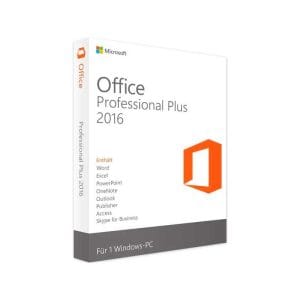
Office 2016 Professional Plus - Genuine Microsoft license. Instant delivery by email.
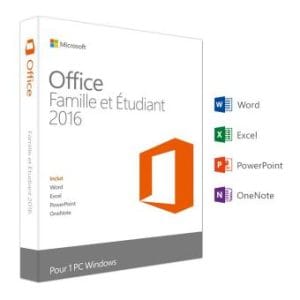
Genuine Office 2016 Home & Student license. Instant delivery by email. Activation on Microsoft servers. Lifetime warranty. Support included.
Office 2016 Professional Plus (5 PC) - Genuine Microsoft license. Instant delivery by email.
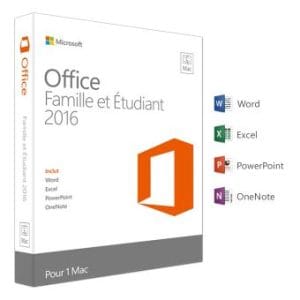
Office 2016 Home and Business for Mac - Genuine Microsoft license. Instant delivery by email.
Your license activated in 3 steps
Card, Apple Pay, Google Pay or Bancontact, SSL-encrypted payment with 3D Secure verification.
Secure paymentYour key arrives by email within minutes, with step-by-step activation instructions.
Learn moreAn Office 2016 key unlocks a complete and fully local office suite: once installed, it works without a permanent connection, without a subscription and without an account to renew. On a computer from the early 2010s that struggles with recent suites, it is often the comfortable choice: the interface loads quickly and documents open without lag.
You get everything daily work requires: a word processor with track changes and mail merge, a spreadsheet with PivotTables, Power Query and over 400 functions, presentations and, depending on the edition, email, calendar and note-taking. The features released since then (real-time co-authoring, AI assistants, dynamic array formulas) are missing, but many users never need them.
Why does a genuine Office 2016 license cost so little? These are pre-owned licenses, resold within the framework confirmed by the Court of Justice of the European Union in its UsedSoft ruling (case C-128/11): software bought outright can be resold once the first owner stops using it. Add a logical age discount: a suite released in 2015 is not worth the price of a 2024 version.
The editions differ only in the applications they include, never in performance or supported formats. The real questions are therefore: do you need Outlook, Access or Publisher, and do you work on Windows or on a Mac?
| Office 2016 edition | Included apps | Recommended for | Price |
|---|---|---|---|
| Home and Student | Word, Excel, PowerPoint, OneNote | Homework, letters, personal accounts (non-commercial use) | from €19.99 |
| Professional Plus | The above plus Outlook, Publisher, Access and Skype for Business | Small businesses, databases, a fleet of identical PCs | from €16.99 |
| Home and Business for Mac | Word, Excel, PowerPoint, OneNote, Outlook | Older Macs that cannot run recent versions | from €29.99 |
One license covers one computer. To equip several older PCs in a single order, the offers above also include a Professional Plus multi-PC option. The prices in this table are always those currently shown in our shop.
This is the main argument for Office 2016: it installs where recent suites refuse to start.
For documents, there is no break: the .docx, .xlsx and .pptx formats of Office 2016 are the same as those of Office 2024 and Microsoft 365, so you open and send back your contacts’ files without conversion. Two limits are worth knowing: recent Excel formulas (XLOOKUP, LAMBDA, dynamic arrays) appear as _xlfn errors when the sender used them, and real-time co-authoring in the cloud is not available. If your computer runs Windows 10 or 11 and you prefer a slightly newer suite, see our page on the Office 2019 key.
To be transparent: extended support for Office 2016 ended on 14 October 2025. The suite still installs, activates and works normally, but it no longer receives security updates. Since October 2023, Microsoft has also stopped supporting Outlook 2016 connections to Microsoft 365 services: a mailbox hosted on Exchange Online may cause problems, whereas a standard IMAP account (Gmail, your internet provider’s mailbox) works as before.
Office 2016 therefore remains good value in several situations:
On the other hand, if the computer is highly exposed (attachments received all day, customer data, compliance obligations), it is worth paying a little more for a version that is still maintained, such as Office 2024 Professional Plus, supported until 9 October 2029. All available versions are listed in our Office catalog, and our comparison of a lifetime license versus a subscription will help you decide.
The Mac edition, Office 2016 Home and Business for Mac, is a separate license from the Windows versions: a Windows key will not activate it, and vice versa. Microsoft stopped updating Office 2016 for Mac in October 2020, so this edition is aimed at older Macs that cannot run recent versions. Check your macOS version before ordering and, if in doubt, ask our support team by email.
For a small office, a school or an association with several older computers, the Professional Plus multi-PC option lets you equip every machine with the same version in a single order, with one invoice showing VAT. Each computer is activated separately, and lifetime replacement of a defective key applies to every license.
Everything you need to know before ordering
Yes. An Office 2016 license still activates on Microsoft's servers and the applications work without restriction. Extended support ended on 14 October 2025, however, so no more security fixes are published. That is perfectly acceptable for local office work or a secondary computer, much less so for a machine that opens unknown attachments every day.
Windows 7 SP1 or later, a 1 GHz processor with SSE2, 1 GB of RAM for the 32-bit version (2 GB for 64-bit), 3 GB of disk space and a 1280 × 800 screen. A computer from 2011 or 2012 with a mechanical hard drive runs it correctly; even an entry-level SSD mainly speeds up the time it takes to open files.
On an older PC or under a 32-bit Windows, choose the 32-bit version: it uses less memory and stays compatible with older add-ins, VBA macros and ActiveX controls. The 64-bit version is only useful for very large Excel workbooks. You make the choice when downloading, and the same key activates either version.
Yes, in both directions: Office 2016 already uses the current .docx, .xlsx and .pptx formats. Two caveats: recent Excel formulas such as XLOOKUP or LAMBDA appear as _xlfn errors if your contact used them, and real-time co-authoring in the cloud is not supported. For files shared by email or on a USB stick, nothing special is needed.
Yes, Office 2016 installs and activates on Windows 11 and runs normally. Microsoft no longer supports this combination, since Office 2016 support ended in October 2025, so no fix will be published for an issue specific to Windows 11. On a recent Windows 11 computer used every day, a newer suite such as Office 2024 is the more durable choice.
Our team answers by email 24/7, within 2 hours on average.
Response time: within 2 hours on average

