European company based in France


Office 2024 for Mac
Office 2024 for Mac, Microsoft's current suite for macOS, in Home and Student, Home and Business and LTSC Standard editions, native on Apple silicon.
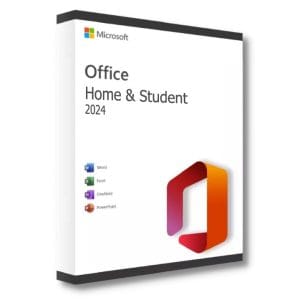
Office 2024 Home and Student for Mac
Official Office 2024 Home and Student for Mac license. Instant delivery by email. Activation on Microsoft servers. Lifetime warranty. Support…
Office 2024 Home and Business for Mac
Office 2024 Home and Business for Mac - Official Microsoft license. Instant delivery by email.
Office 2024 LTSC Standard for Mac
Office 2024 LTSC Standard for Mac - Official Microsoft license. Instant delivery by email.
Office 2024 for Mac: the current suite for macOS
Office 2024 for Mac brings Word, Excel, PowerPoint and OneNote to macOS as a one-time purchase, with Outlook in the Home and Business and LTSC Standard editions. It runs natively on Apple silicon and is supported by Microsoft until October 2029. For other versions, see our Office for Mac category or the Office for Mac buying guide.
Frequently asked questions
What does Apple silicon optimization change?
Office 2024 for Mac is compiled natively for Apple M-series chips. Opening large files and recalculating heavy Excel workbooks is noticeably faster than with older versions that run through Rosetta translation, and MacBook battery life benefits as well, especially during long working sessions.
How well does it integrate with macOS?
It supports dark mode, Continuity Camera, sharing through AirDrop and saving directly to iCloud Drive. Documents stay in the .docx, .xlsx and .pptx formats, so you can exchange them freely with colleagues who work on Windows, without conversion or loss of formatting.
Which macOS version do I need?
Office 2024 for Mac supports the three most recent versions of macOS at the time of each update and needs about 10 GB of free disk space. On an older Mac that cannot run a recent macOS, look at the older editions listed in our Office for Mac category before ordering.
Which edition should I choose?
Home and Student covers Word, Excel, PowerPoint and OneNote for personal use. Home and Business adds Outlook for professional email, and LTSC Standard for Mac is aimed at organizations that need a fixed version. Questions? Our support team answers by email 7 days a week within 24 hours.
Complete your setup
These licenses go well together. Delivered by email within minutes, lifetime replacement of a faulty key.