Included applications
Word 2019
Word processing
- Professional documents
- Automatic correction
- Collaboration
Excel 2019
Advanced spreadsheet
- Advanced formulas
- PivotTables
- Data analysis
PowerPoint 2019
Presentations
- Animations
- Transitions
- Presenter mode
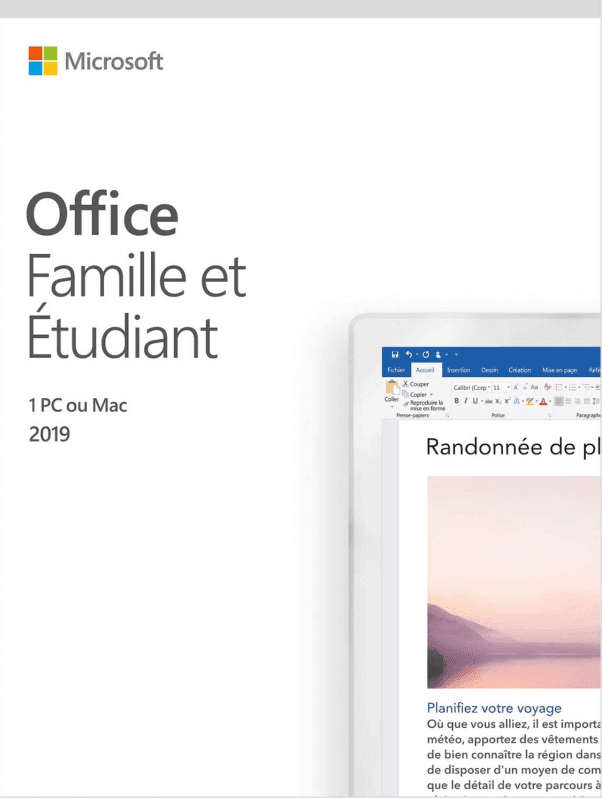
Office 2019 Home & Student (bind)
Perpetual license - PC installation - Activation
Only 55 licenses left at this price
Official Microsoft license verified on Microsoft servers.
Pourquoi choisir Office 2019 Famille & Étudiant ?
- Word, Excel and PowerPoint for the whole family
- One-time purchase at a reduced price, no subscription
- Perfect for homework, courses and personal projects
- Perpetual lifetime license on 1 PC
- Simple and intuitive interface
- Official activation via Microsoft
Office 2019 Home & Student
Office 2019 Home & Student is a proven and reliable version of Microsoft Office. With a perpetual license, you get the three core productivity apps without any monthly subscription.
This suite includes Word, Excel and PowerPoint in stable, high-performance versions. Each application is designed to meet the demands of everyday work, whether you need to create documents, analyze data or stay in touch with your contacts.
This Bind license is tied to your Microsoft account. The benefit: you can easily reinstall from your Microsoft account, even if you switch to a new PC.
Businesses
Boost your team’s productivity with professional tools for document creation, data analysis and communication.
Students
Create polished academic work, organize your notes and prepare impactful presentations to succeed in your studies.
Individuals
Manage your personal documents, household budgets and creative projects with powerful, easy-to-use tools.
Professionals
Work more efficiently every day with tools tailored to the needs of freelancers and consultants.
What’s new in Office 2019
New visuals
SVG icons, 3D models and modern visual effects in your documents.
Advanced charts
New chart types in Excel: funnel, 2D map, timeline.
Digital ink
Write and draw with a stylus directly in your documents.
Translation
Built-in translation feature in Word and PowerPoint.
Office 2019 vs Microsoft 365
| Feature | Office 2019 | Microsoft 365 |
|---|---|---|
| License type | Perpetual (one-time purchase) | Monthly/annual subscription |
| Office applications | Included | Included |
| Cloud storage | Not included | 1 TB OneDrive included |
| Feature updates | Fixed (2019 version) | Ongoing |
| Security updates | Included | Included |
| Long-term cost | Affordable (one-time payment) | Higher (recurring payments) |
Technical specifications
System requirements
| Processor | 1.6 GHz or higher |
| RAM | 4 GB RAM |
| Disk space | 4 GB available |
| Display | 1280 x 768 pixels |
| System | Windows 10 or higher |
| Browser | Edge, Chrome, Firefox or Safari |
| Internet | Connection required for activation |
License information
| License type | Perpetual (lifetime) |
| Users | 1 user |
| Devices | 1 PC |
| Reinstalls | Unlimited on the same device |
| Language | Multilingual (English included) |
| Activation | Online via Microsoft servers |
| Support | 24/7 technical assistance |
| Updates | Security updates included |
Applications included in Office 2019 Home & Student
Microsoft Word 2019
Professional word processing with layout tools, proofing and real-time collaboration.
Microsoft Excel 2019
Advanced spreadsheet with formulas, pivot tables, charts and data analysis tools.
Microsoft PowerPoint 2019
Create impactful presentations with animations, transitions and presenter mode.
Verified customer reviews
Perfect service and communication at Euro Shop Key. Nothing to say except that everything was flawless from start to finish.
Nothing to complain about with Euro Shop Key! Fast delivery, competitive price, clear activation documentation. I highly recommend this seller.
Very attractive price on Euro Shop Key. Fast shipping, efficient customer service. I recommend this seller!
Leave your review
Share your experience with this product to help other customers.
Installation guide
Installing Office 2019 Home & Student takes just a few minutes. Follow these steps to get up and running quickly.
Download
After your purchase, you receive an email with your activation key. Go to the Microsoft installation portal to download Office 2019 Home & Student.
Installation
Run the downloaded file and wait while it installs. The process is fully automatic.
License activation
Open any application (Word, Excel...). The activation window appears automatically.
- Click « Activate Office »
- Select « I have a product key »
- Enter your key (mind the dashes)
- Follow the instructions to finish
Verification
To confirm activation, open an Office application and go to File > Account. The status should show « Product activated ».
Need help?
How It Works
Get and activate your Microsoft license in just 3 simple steps
Choose
Select your Office 2019 Home & Student (bind) license or your Pack and add it to your cart.
Pay
Make a 100% secure payment through our partner Paypal.



Activate
Receive your key instantly by email with a detailed installation guide. Our support is available 7/7 if needed.
Frequently asked questions
How do I receive my Office 2019 Home & Student license?
Your activation key is sent by email within minutes of your purchase. You will also receive a download link and the installation instructions. If needed, our support is available 7 days a week.
What does a Bind license (tied to the account) mean?
What's the difference between Office 2019 Home & Student and Microsoft 365?
Are updates included?
Can I reinstall in case of failure or formatting?
You might also like
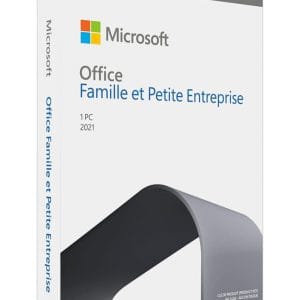
Office 2021 Home and Business (bind)
Office 2021 Home and Business (bind) - Genuine Microsoft license. Instant delivery by email.
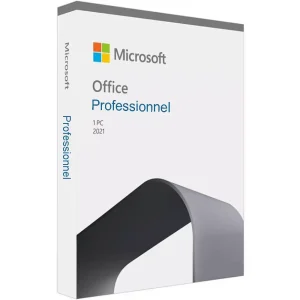
Office 2021 Professional
Office 2021 Professional - Genuine Microsoft license. Instant delivery by email.
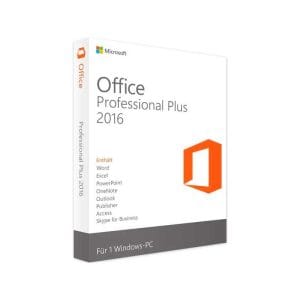
Office 2016 Professional Plus (bind)
Office 2016 Professional Plus (bind) - Genuine Microsoft license. Instant delivery by email.
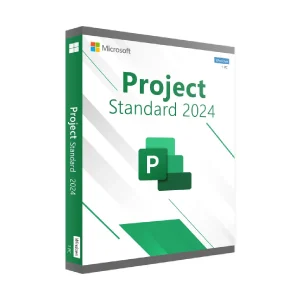
Project 2024 Standard (bind)
Project 2024 Standard (bind) - Official Microsoft license. Instant delivery by email.