 European company based in France
Excellent4.9/5Trustpilot1,800+ reviews Lifetime replacement guarantee
Email support 24/7
European company based in France
Excellent4.9/5Trustpilot1,800+ reviews Lifetime replacement guarantee
Email support 24/7
European company based in France
Excellent4.9/5Trustpilot1,800+ reviews Lifetime replacement guarantee
Email support 24/7
European company based in France
Excellent4.9/5Trustpilot1,800+ reviews Lifetime replacement guarantee
Email support 24/7

Genuine Windows 11 Pro licenses from €9.90: BitLocker, Remote Desktop and Hyper-V, with your key delivered by email within minutes.
Authentic Microsoft licenses, delivered by email within minutes
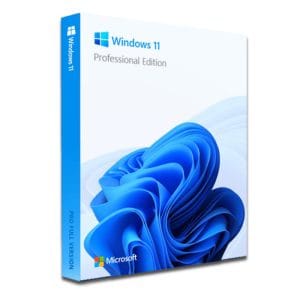
Windows 11 Pro – The Ultimate Professional Operating System Windows 11 Pro is the latest version of Microsoft’s operating system,...
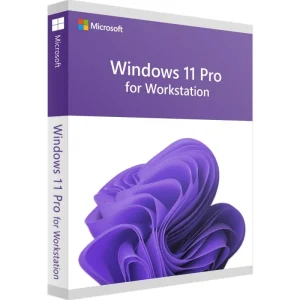
Windows 11 Pro for Workstations - Genuine Microsoft license. Instant delivery by email.
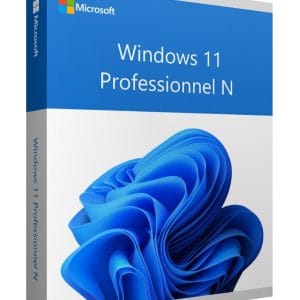
Windows 11 Professional N - Genuine Microsoft license. Instant delivery by email.
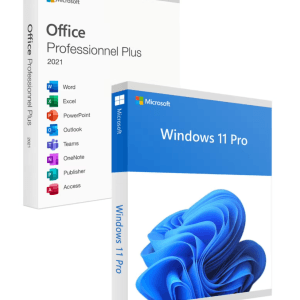
Official Windows 11 Pro + Office 2021 Pro Plus bundle license. Instant delivery by email. Activation on Microsoft servers. Lifetime...
Your license activated in 3 steps
Card, Apple Pay, Google Pay or Bancontact, SSL-encrypted payment with 3D Secure verification.
Secure paymentYour key arrives by email within minutes, with step-by-step activation instructions.
Learn moreWindows 11 Pro is not a “faster” Windows: the core, the interface and the performance are identical to Windows 11 Home. What a Windows 11 Pro key unlocks are security, management and virtualization features that are already in the system but locked in the Home edition.
If none of these lines applies to you, a Windows 11 Home license is enough: there is no point paying for tools you will never open.
BitLocker encrypts the entire system drive, as well as USB sticks and external drives with BitLocker To Go. The recovery key is saved to your Microsoft account or to your organization’s directory: if the laptop is stolen, the data remains unreadable. The Pro edition also opens the Local Group Policy Editor and lets you defer updates with Windows Update for Business.
Remote Desktop hosting is only available in Pro, and it is the controlled machine that needs it: the device you connect from can run Windows 11 Home, or be a Mac, an iPad or an Android tablet. Hyper-V and Windows Sandbox, a disposable desktop that resets every time you close it, let you open a suspicious program or an old application without touching your main installation.
Windows 11 Home is limited to 128 GB of RAM, one physical processor and 64 cores; Pro goes up to 2 TB of RAM, two processors and 128 cores. A decisive detail if you are building a workstation.
All these editions include the professional features described above. The choice depends on your market, your hardware and whether you also need an office suite.
| Edition | Profile | What it brings | Price (1 PC) |
|---|---|---|---|
| Windows 11 Pro | Freelancers, remote work, laptops on the move | BitLocker, Remote Desktop, Hyper-V, Sandbox, domain join, group policies | €9.90 |
| Windows 11 Pro N | European edition without built-in media apps | Same Pro features, without Windows Media Player and some media apps | €10.49 |
| Windows 11 Pro for Workstations | Multi-processor workstations, very large memory | ReFS, persistent memory, SMB Direct, up to 4 processors and 6 TB of RAM | €17.99 |
| Windows 11 Pro + Office 2021 Pro Plus | A work PC to equip completely | Windows 11 Pro plus Word, Excel, PowerPoint and Outlook, both as one-time purchases | €24.90 |
One license covers one PC: for several computers, order one key per machine, or choose a multi-PC option where the product page offers one.
Windows 11 Pro needs a compatible 64-bit processor (1 GHz, 2 cores), 4 GB of RAM, 64 GB of storage, UEFI firmware with Secure Boot and a TPM 2.0 chip. The key is not tied to a display language or to an annual version: it activates current releases such as 24H2 and 25H2 as well as the updates that follow. Three situations cover almost every case:
Already on Windows 11 Home?
No need to reinstall: open Settings, System, Activation, choose “Upgrade your edition of Windows” and enter the Pro key. The edition changes in place after one restart, and your files, apps and settings stay where they are.
Not sure which edition fits? Our comparison Windows 11 Home vs Pro goes through every difference, and our Windows 11 key guide covers requirements and activation in detail.
These keys come from genuine perpetual licenses resold on the European second-hand software market, a channel confirmed by the Court of Justice of the European Union (UsedSoft judgment, case C-128/11). The price reflects the resale of existing licenses, not a workaround: the key activates on Microsoft’s servers, the activation is recognized as genuine and security updates arrive normally.
Your Windows 11 Pro key is delivered by email within minutes (48 business hours at most), with the activation steps and a VAT invoice. Our team answers by email 7 days a week within 2 hours on average, and a defective key is replaced free of charge for the lifetime of the license.
Everything you need to know before ordering
Yes. Open Settings, System, Activation, choose “Upgrade your edition of Windows”, then “Change product key”, and enter your Pro key. The system switches to the Pro edition within minutes after a simple restart: your documents, apps and settings are kept. No USB stick and no clean install are needed.
Only the PC you control must run Windows 11 Pro, because it hosts the Remote Desktop service. The device you connect from can stay on the Home edition, or be a Mac, an iPad or an Android tablet with a Remote Desktop client. A single Pro license is therefore enough to reach your computer from elsewhere.
Windows 11 already requires TPM 2.0 to install, so the condition is met on any compatible machine, and BitLocker uses the chip to unlock the drive at startup. On a PC whose TPM cannot be used, encryption remains possible through a local policy, but you will have to enter a password at every startup. Always keep your recovery key in a safe place.
No, they are optional features. Once the Pro license is activated, search for “Turn Windows features on or off” in the Start menu, tick “Hyper-V” or “Windows Sandbox”, then restart. Requirements: a 64-bit processor with SLAT, virtualization (VT-x or AMD-V) enabled in the BIOS/UEFI and at least 4 GB of RAM, 8 GB being more comfortable.
Pro N is the European version of Windows 11 Pro without Windows Media Player and some preinstalled media apps. All professional features are identical: BitLocker, Remote Desktop, Hyper-V and domain join. If you need the missing media components, Microsoft provides them free of charge in the Media Feature Pack, which you can add later from the optional features in Settings.
Our team answers by email 24/7, within 2 hours on average.
Response time: within 2 hours on average

