Key features
BitLocker
Disk encryption
- Data protection
- AES 256-bit encryption
- TPM/PIN unlock
Remote Desktop
Remote access
- Native RDP connection
- Access from any device
- File transfer
Hyper-V
Virtualization
- Virtual machines
- Environment isolation
- Testing and development
Advanced security
Enhanced protection
- Windows Defender
- Smart firewall
- Real-time protection
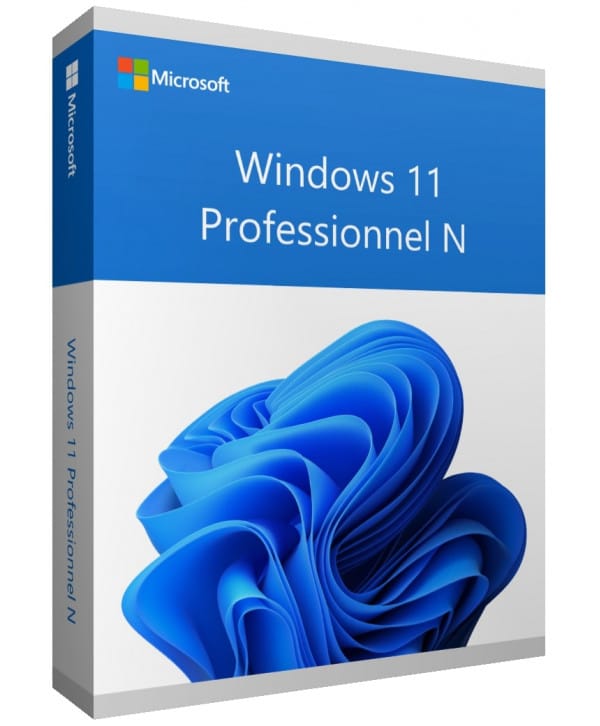
Windows 11 Professional N
Perpetual license - PC installation - Official Microsoft online activation
Only 42 licenses left at this price
Official Microsoft license verified on Microsoft servers.
Pourquoi choisir Windows 11 Professionnel N ?
- BitLocker encryption to protect your professional data
- Built-in Remote Desktop to work from anywhere
- Hyper-V to create virtual machines without additional software
- Join an Active Directory or Azure AD domain with ease
- Perpetual license with no recurring subscription
- Official activation via Microsoft servers
Windows 11 Professional N
Windows 11 Professional N is the professional edition of Windows 11, built for those who need to go beyond the consumer version. It includes BitLocker encryption, Remote Desktop, Hyper-V and domain join — practical tools to work efficiently, whether you are a freelancer or a business.
With a perpetual license, you pay once and keep your system for life. Activation is done online directly on Microsoft’s servers, in just a few clicks.
The N edition is identical to the standard version, without the pre-installed multimedia apps (Windows Media Player, Movies & TV). You can add them for free via the Media Feature Pack if needed.
Self-Employed & Freelancers
Work with professional tools (BitLocker, Remote Desktop) without the complexity of an enterprise license.
SMBs & Small Businesses
Equip your team with a system that integrates with Active Directory and professional management tools.
Developers
Test your applications in isolated environments thanks to natively integrated Hyper-V.
Remote Workers
Access your workstation remotely via Remote Desktop, from any device.
The advantages of Windows 11 Professional N
Snap Layouts
Organize your windows in a single click with preset layouts for multitasking.
Enhanced security
TPM 2.0, Secure Boot and Windows Hello for native hardware-level protection.
DirectStorage
Ultra-fast game loading by sending data directly from the SSD to the GPU.
Android Apps
Install and use Android apps directly on your PC.
Technical specifications
System requirements
| Processor | 1 GHz or faster, 2 cores minimum (64-bit) |
| RAM | 4 GB minimum |
| Disk space | 64 GB minimum |
| Display | 720p HD screen, 9 inches minimum |
| TPM | TPM module version 2.0 |
| Secure Boot | UEFI with Secure Boot |
| Graphics card | DirectX 12 compatible with WDDM 2.0 driver |
| Internet | Connection required for activation |
License information
| License type | Perpetual (lifetime) |
| Users | 1 user |
| Devices | 1 PC |
| Reinstallations | Unlimited on the same device |
| Language | Multilingual (French included) |
| Activation | Online via Microsoft servers |
| Support | 24/7 technical support |
| Updates | Security updates included |
Features of Windows 11 Professional N (N edition)
BitLocker
Full hard drive encryption to secure all your sensitive data against theft or loss.
Remote Desktop
Connect to your PC from anywhere thanks to the natively integrated RDP protocol.
Hyper-V
Create and manage virtual machines directly from your workstation, with no third-party software.
Advanced management
Group policies, Azure AD Join and device management for professional environments.
Verified customer reviews
Excellent! Fast and intuitive thanks to Euro Shop Key's instructions. Done in 5 minutes!
Order processed very quickly by Euro Shop Key. Key received by email, activation worked on the first try. Professional and responsive customer service.
Top notch, fast and quality delivery from Euro Shop Key. I 100% recommend this reliable seller!
Leave your review
Share your experience with this product to help other customers.
Installation guide
Activating your Windows 11 Professional N license takes just a few minutes. Here is the step-by-step procedure to follow.
Check compatibility
First of all, make sure your computer meets the requirements for Windows 11 Professional N. You can use Microsoft's PC Health Check tool to verify this quickly.
Download Windows 11 Professional N
Go to the official Microsoft website to download the media creation tool or the Windows 11 Professional N ISO image.
Install the system
Launch the installer and follow the instructions. Choose your language, accept the terms and select the type of installation you want.
Activate your license
Once the installation is complete, go to Settings > System > Activation. Click « Change product key » and enter the key you received by email.
Need help?
How It Works
Get and activate your Microsoft license in just 3 simple steps
Choose
Select your Windows 11 Professional N license or your Pack and add it to your cart.
Pay
Make a 100% secure payment through our partner Paypal.



Activate
Receive your key instantly by email with a detailed installation guide. Our support is available 7/7 if needed.
Frequently asked questions
How do I activate my Windows 11 Professional N license?
After your purchase, you receive your key by email within a few minutes. Go to Settings > System > Activation, click « Change product key » and enter your key. Activation is done online via Microsoft servers.
What are the advantages over the Home version?
Is the Windows 11 Professional N license perpetual?
Can I reinstall Windows 11 Professional N after formatting?
What does the N version mean?
What happens if I have an issue during activation?
You might also like
Windows 11 Enterprise
Windows 11 Enterprise - Genuine Microsoft license. Instant delivery by email.
Windows 11 Home
Windows 11 Home - Genuine Microsoft license. Instant delivery by email.
Windows 10 IoT Enterprise 2021 LTSC
Windows 10 IoT Enterprise 2021 LTSC - Genuine Microsoft license. Instant delivery by email.
Windows 10 Education
Windows 10 Education - Official Microsoft license. Instant delivery by email.