 European company based in France
Excellent4.9/5Trustpilot1,800+ reviews Lifetime replacement guarantee
Email support 24/7
European company based in France
Excellent4.9/5Trustpilot1,800+ reviews Lifetime replacement guarantee
Email support 24/7
European company based in France
Excellent4.9/5Trustpilot1,800+ reviews Lifetime replacement guarantee
Email support 24/7
European company based in France
Excellent4.9/5Trustpilot1,800+ reviews Lifetime replacement guarantee
Email support 24/7

Windows 11 Education explained and compared, with the matching genuine license from €10.99 delivered by email in a few minutes.
Authentic Microsoft licenses, delivered by email within minutes
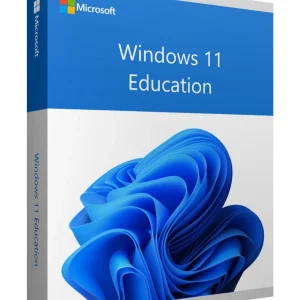
Windows 11 Education - Genuine Microsoft license. Instant delivery by email.
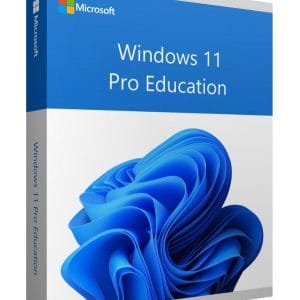
Windows 11 Pro Education - Genuine Microsoft license. Instant delivery by email.
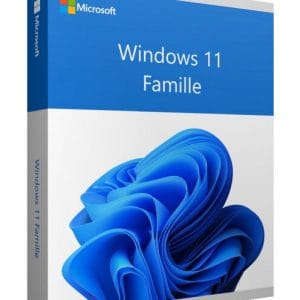
Windows 11 Home - Genuine Microsoft license. Instant delivery by email.
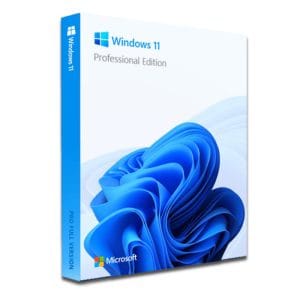
Windows 11 Pro – The Ultimate Professional Operating System Windows 11 Pro is the latest version of Microsoft’s operating system,...
Your license activated in 3 steps
Card, Apple Pay, Google Pay or Bancontact, SSL-encrypted payment with 3D Secure verification.
Secure paymentYour key arrives by email within minutes, with step-by-step activation instructions.
Learn moreBefore you buy a Windows 11 Education key, know that schools use two dedicated editions that are often mixed up. Windows 11 Education is technically a variant of the Enterprise edition: it inherits its advanced security and management features, with default settings designed for computer labs. Windows 11 Pro Education starts from the Pro edition and adds school settings: no promotional suggestions in the Start menu and no consumer apps preinstalled.
Microsoft distributes these editions mainly through academic agreements with schools and universities, such as the Microsoft 365 A3 and A5 plans. The school’s IT department deploys them on its PCs and may give students access through their school account. You can also buy a genuine Windows 11 Education or Pro Education key for a single PC on our store, from €10.99.
| Edition | Intended for | What it brings | On our store |
|---|---|---|---|
| Windows 11 Home | Students, personal use | Office work, online classes, video calls; no BitLocker or domain join | From €8.90 |
| Windows 11 Pro | IT students, apprentices, freelancers | BitLocker, Hyper-V, Remote Desktop host, Group Policy, domain join | From €9.90 |
| Windows 11 Pro Education | Student PCs managed by a school | The Pro base, with school settings applied by default | From €13.99 |
| Windows 11 Education | Universities, managed computer labs | The Enterprise base: application control, update caching between PCs, identity protection | From €10.99 |
In practice, the gap between Pro and Education only concerns fleet management tools: application allow-lists, update caching between PCs with BranchCache, locked shared sessions and Credential Guard. On a personal computer you will probably never turn them on.
If none of these features matter to you, Windows 11 Home already does the job for coursework.
If your school provides Windows 11 Education, use it: it is the simplest route, and the school’s IT team handles support. Otherwise (a second-hand PC, a self-built machine, a private course that is not covered, a family computer to bring back into service), Windows 11 Pro covers the same real-world uses: disk encryption, virtual machines for lab work, remote access and fine-grained account management. For office work, video lessons and browsing, Windows 11 Home is more than enough. Our Windows 11 key page compares these two options in detail.
One point that comparisons often miss: in many schools, Windows is activated through the school’s subscription or device management. When your school account is closed at the end of your studies, or when the PC leaves the school’s management, its activation status can change. A perpetual license bought in your own name stays with your PC, with no expiry date and no yearly renewal.
All editions share the same minimum configuration: a compatible 64-bit processor, 4 GB of RAM, 64 GB of storage, UEFI firmware with Secure Boot and a TPM 2.0 chip. A computer rejected by Windows 11 Home will be rejected by Education too: no edition bypasses the hardware requirements.
If you start from a fresh installation, our Windows 11 installation guide explains how to create the USB drive, enable Secure Boot and activate online. Allow about thirty minutes, including a backup of your documents. Before and after the change, the same Settings > System > Activation page shows your current edition and whether Windows is activated, which lets you confirm that the new key was accepted.
Our Windows licenses are genuine perpetual licenses from the European second-hand market, resold under the UsedSoft ruling of the Court of Justice of the European Union (case C-128/11). Your key arrives by email, usually within a few minutes of payment, with a VAT invoice in your customer account, lifetime replacement of a faulty key and email assistance 7 days a week. For a family with several computers, order one key per PC: each key activates one device. Need Office for your studies as well? Read our guide Microsoft Office for students: which version to choose.
Everything you need to know before ordering
Windows 11 Pro Education is the Pro edition with school settings applied by default: no promotional content and no consumer apps. Windows 11 Education goes further: it derives from the Enterprise edition and adds application control, update caching between PCs and stronger identity protection such as Credential Guard. On an individual PC, the difference is hard to notice in daily use.
It depends on how your school activated Windows. When activation comes from the school's subscription or device management, leaving the school can change the PC's activation status, and personalization is blocked if Windows ends up unactivated. Windows keeps working, but you then need a perpetual license in your own name for a permanent activation. Ask your school's IT team before you leave.
Yes. Open Settings > System > Activation, choose Change product key and enter the Education key: the upgrade happens in place, your files and software are kept, and a restart completes it. Going back from Education to Home, on the other hand, requires a clean installation of Windows, so keep a backup of your documents.
Yes, slightly. The Education and Enterprise editions get 36 months of support for each annual release, compared with 24 months for Home, Pro and Pro Education. The monthly security fixes are the same in every case: installing the yearly feature update keeps you covered, whatever your edition.
If you need virtual machines, BitLocker or Remote Desktop for lab work, Windows 11 Pro covers it; Education adds fleet management tools you will rarely use on your own PC. Linux tools run through WSL 2 on every edition, Home included, but Hyper-V requires Pro or a higher edition. For coding and coursework, Pro is the simplest choice.
Our team answers by email 24/7, within 2 hours on average.
Response time: within 2 hours on average

