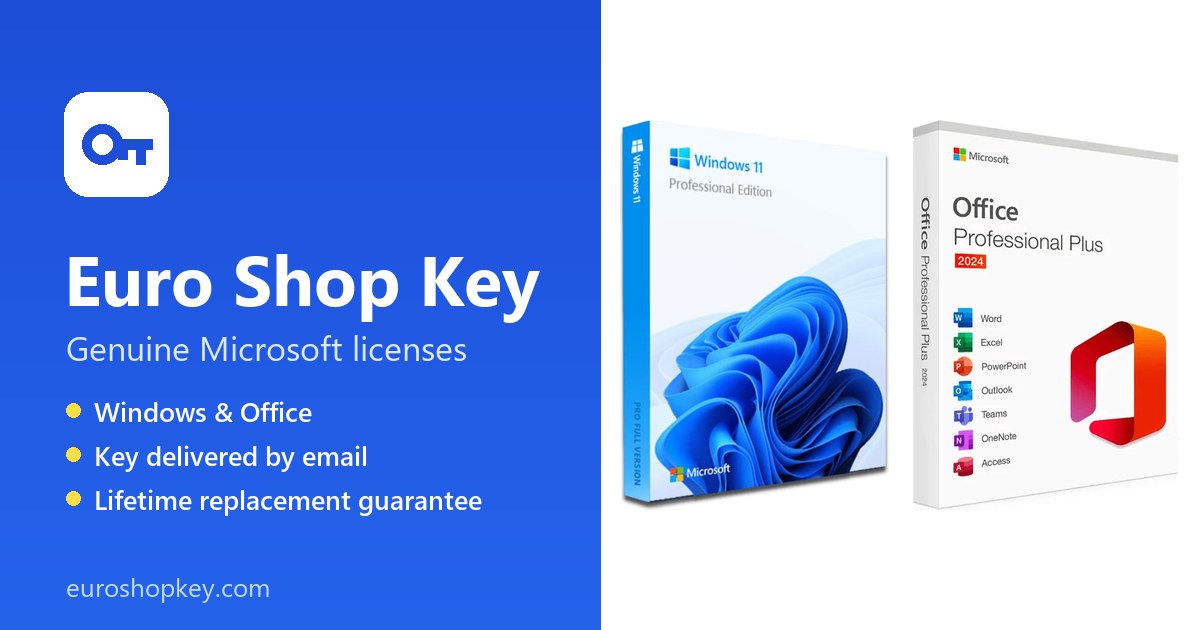
 European company based in France

How to Check a Windows Key Is Genuine: The 5 Checks
To check that a Windows key is genuine, run five checks: activation accepted by Microsoft’s servers in Settings > System > Activation, the output of the slmgr /dli and slmgr /xpr commands, an edition identical to the one installed, an invoice in the seller’s name with its company registration number, and a seller whose identity you can verify. The whole thing takes less than 10 minutes, from within Windows, with no third-party software. A low price is not in itself a sign of a scam, since the resale of second-hand software licenses is legal in the European Union. At Euro Shop Key, Windows 11 Pro costs 9,90€, delivered by email within minutes, with an invoice and a lifetime replacement guarantee.
Contents
- 1. The 5 checks
- 2. Activation status in Settings
- 3. The slmgr /dli and slmgr /xpr commands
- 4. The edition must match
- 5. The invoice and the seller
- 6. A key that stops working later
- 7. The three types of sellers
- 8. Changing the motherboard
- Why buy from Euro Shop Key
- How it works at Euro Shop Key
- Frequently asked questions
- Sources
- Related articles
1. The 5 checks that prove a Windows key is genuine
Five checks are enough, and none of them requires a tool from outside Windows: activation accepted by Microsoft, the slmgr output, an identical edition, a proper invoice and the seller’s identity.
Nothing in the appearance of a 25-character key tells you whether it is valid: all that counts is the answer from Microsoft’s servers and the traceability of the purchase.
| Check | Where | Expected result | Warning sign |
|---|---|---|---|
| 1. Activation | Settings > System > Activation | Windows is activated with a digital license | Still not activated after 24 hours |
| 2. Type of activation | slmgr /xpr | Permanent activation | An expiry date is displayed |
| 3. Edition | winver | Same edition as the order | Home on one side, Pro on the other |
| 4. Invoice | Order email | Invoice with the seller’s registration number and address | Anonymous receipt or no document at all |
| 5. Seller | The website’s legal notice | Identified company, reachable support | No company name, no address |
2. Reading the activation status in Windows Settings
Open Settings > System > Activation: the message “Windows is activated with a digital license” means that your key has been accepted by Microsoft’s servers.
The best message is the same one followed by “linked to your Microsoft account”. Create that link in Settings > Accounts, on the PC that is already activated: Microsoft writes that “it is essential that you link your Microsoft account with the Windows 11 digital license on your device”.
Microsoft “only keeps a record of product keys if you purchased from the Microsoft online store”. Anywhere else, your delivery email and your invoice are your only records. The detailed procedure is in our guide activating Windows 11 with a product key.
3. What the slmgr /dli and slmgr /xpr commands reveal
slmgr /dli displays the activated edition, the last five characters of the key and the license status, while slmgr /xpr tells you whether the activation is permanent or expires on a given date.
Press Windows + R, type cmd, then enter the two commands. Microsoft specifies that each of these operations “doesn’t require elevated privileges”.
On a personal computer, the only acceptable answer is a permanent activation: Microsoft’s documentation explains that the expiry date shown by /xpr is mainly useful for computers activated by an organization’s activation server, because the other types of activation are perpetual. An expiry date therefore signals a corporate-network activation, renewed periodically, which dies as soon as the computer leaves that network. The slmgr /dlv command also displays the license channel. If the key is rejected as soon as you enter it, the error codes are covered in the guide Windows key not working: what to do.
4. Why the edition must match exactly
Because a Windows 11 Pro key does not activate a Windows 11 Home installation, and vice versa: the edition must be identical, otherwise activation fails even with a perfectly valid key.
Check yours with the winver command, which shows Home, Pro, Education or Enterprise, sometimes followed by the letter N. Compare it with the product name on your order: it is the first cause of failure we see at support. Microsoft applies the same rule after a hardware repair: “Your digital license and product key will reactivate only if the edition remains the same.”
One clarification avoids a common misunderstanding: entered on a Home PC, a Pro key does not activate Home, it triggers an upgrade to Pro. Microsoft describes this operation as upgrading Windows Home to Windows Pro. The PC therefore changes edition instead of keeping its own, and our comparison Windows 11 Home or Pro details the differences.
5. The documents that prove a proper purchase
An invoice in the seller’s name, showing its company name, its address, its company registration or intra-EU VAT number and the product details, together with the time-stamped delivery email that contains the key.
These two documents prove the date and the price paid, identify the business responsible, and make the expense deductible for a self-employed buyer.
Then look at the website: a complete legal notice, readable terms of sale, support you can reach before buying. On our side, the company details are published on our About us page, and our support answers by email 7 days a week, within 2 hours on average.
6. Why a key that activates can stop working later
Because a successful activation is a check at a given moment, not a final contract: a key used more widely than its license allows can stop being accepted.
- The key is shared. Sold to several buyers, it exceeds the number of activations allowed. The first buyers to activate it keep their activation; the later ones are refused.
- The license is not the type advertised. A corporate-network activation sold as an individual license dies at the renewal period. Test it straight away with
slmgr /xpr. - The batch has been reported. A batch identified as irregular can be invalidated all at once.
The symptom is the same in all three cases: the Activate Windows watermark reappears at the bottom right of the screen. So run slmgr /xpr again thirty and then ninety days after the purchase. The seller’s commitment counts here as much as the key: at Euro Shop Key, a defective key is replaced for life, and our email support (7 days a week, reply within 2 hours on average) takes over.
7. The three types of Windows key sellers
There are three, and price alone is not enough to tell them apart: general marketplaces where the real seller is a third party, rock-bottom sellers with no verifiable identity, and identified specialist resellers that issue invoices and stand behind the activation.
On a marketplace, quality depends on a third-party seller who can disappear. Near-free offers also circulate, with no verifiable seller identity and no proper invoice. It is this lack of traceability, not the amount displayed, that should stop you.
| Type | Advertised price | Delivery | Proper invoice | Support in your language | PCs covered |
|---|---|---|---|---|---|
| Publisher, list price | Full price according to Microsoft | Immediate | Yes | Yes | 1 |
| General marketplace, third-party seller | Set by the third-party seller, with no reference price | Varies by seller | Varies | Rare | 1 |
| Rock-bottom seller | Near-free offers circulate | A few minutes | Usually not | No | 1 advertised |
| Specialist reseller, Euro Shop Key | 9,90€ | Within minutes, by email | Yes, with VAT | Yes, by email, 7 days a week | 1, or a multi-PC pack |
Microsoft list price: see the Windows 11 Pro page of the Microsoft Store cited in the sources, accessed on 31 August 2026. The other rows describe offers seen online on the same date, without a published survey, and do not target any particular seller.
8. Your key after a motherboard change
Windows deactivates: Microsoft explains that after significant hardware changes, such as replacing the motherboard, “Windows will no longer find a license that matches your device, and you’ll need to reactivate Windows to get it up and running.”
This is not proof that your key was bad: the digital license is associated with a hardware fingerprint in which the motherboard is the deciding component. Link your Microsoft account to the license before the operation. Then open Settings > System > Activation, run the troubleshooter and select “I changed hardware on this device recently”.
Two limits. The edition must stay the same, otherwise reactivation fails. And a license bought separately can be transferred after being uninstalled, whereas a preinstalled license stays attached to its computer. Our pages Windows not activated after a motherboard change and transferring a Windows license to a new PC cover both cases.
Why buy from Euro Shop Key
Euro Shop Key is an independent European online store specializing in genuine Microsoft licenses; its company details are published on our About us page. The key arrives by email within minutes, with the installation guide, the official Microsoft download link and an invoice with VAT. A defective key is replaced for life, and our support answers by email 7 days a week, within 2 hours on average. Prices are shown live: Windows 11 Pro 9,90€, Microsoft Office 2024 Pro Plus 24,90€. The licenses sold are official Microsoft licenses that activate on Microsoft’s servers, a mechanism explained in our guide cheap Windows key and genuine license.
How it works at Euro Shop Key
- You choose your license. Windows 11 Pro at 9,90€ for 1 PC, or a multi-PC pack.
- You order online. Secure payment, invoice with VAT.
- You receive the key by email within minutes. Automatic delivery, activation guide included.
- You activate, then you check. Settings > System > Activation, then
slmgr /xpr. If anything blocks, our email support takes over (7 days a week, reply within 2 hours on average), and a defective key is replaced for life.
Windows 11 Pro
Official Microsoft lifetime license for 1 PC. Key by email within minutes, invoice and lifetime replacement guarantee.
Windows 11 Pro for several PCs
Lifetime licenses for several computers, delivered by email with a single invoice.
Frequently asked questions
How do I know if my Windows key is genuine?
Check that Windows shows “Windows is activated with a digital license” in Settings > System > Activation, then run slmgr /xpr. Make sure the edition matches with winver, and that you hold an invoice in the seller’s name with its company registration number. Finally, check the seller’s identity in the website’s legal notice.
Can a cheap Windows key be genuine?
Yes. The resale of second-hand software licenses is legal in the European Union. What decides is the activation, the invoice and the seller’s identity, not the price. At Euro Shop Key, Windows 11 Pro costs 9,90€.
What does an expiry date returned by slmgr /xpr mean?
It means that your computer is activated by a corporate-network activation service, renewed periodically, and not by an individual license. Microsoft’s documentation states that the other types of activation are perpetual. On a personal PC, the only acceptable answer is a permanent activation.
Can my key stop working after several weeks?
Yes, if the key was sold to several buyers, if it comes from a different type of license than the one advertised, or if the original batch was invalidated. The visible sign is the return of the Activate Windows watermark. Running slmgr /xpr again after thirty and then ninety days detects it early.
Should you link your Windows license to a Microsoft account?
Yes. Microsoft states that it is essential to link your Microsoft account with the digital license, because this link lets you reactivate Windows with the troubleshooter after a hardware change. It is done in Settings > Accounts, on a PC that is already activated.
Sources
- Microsoft Learn, Slmgr.vbs options, accessed 31 August 2026.
- Microsoft Support, Activate Windows, accessed 31 August 2026.
- Microsoft Support, Reactivating Windows after a hardware change, accessed 31 August 2026.
- Microsoft Support, Find your Windows product key, accessed 31 August 2026.
- Microsoft Store, Windows 11 Pro page: official list price. Accessed 31 August 2026.
Related articles
- Windows key not working: error codes and solutions
- Cheap Windows key: why a license can be genuine
- The types of Windows licenses: which one to choose
🔑 Our best-selling licenses right now
 Microsoft Office 2024 Pro Plus€24.90 · key by email within minutesSee the offer
 Windows 11 Professional€9.90 · key by email within minutesSee the offer
 Windows 11 Home€8.90 · key by email within minutesSee the offer
Genuine Microsoft licenses · lifetime replacement guarantee · email support 24/7