European company based in France


Key features
Enhanced security
Advanced data protection
- BitLocker Drive Encryption
- Windows Hello
- Windows Defender
Remote Desktop
Professional remote access
- Remote Desktop
- Multi-session
- Full control
Network management
For professional environments
- Domain join
- Group Policy
- Azure AD
Hyper-V
Integrated virtualization
- Virtual machines
- Containers
- Sandboxing
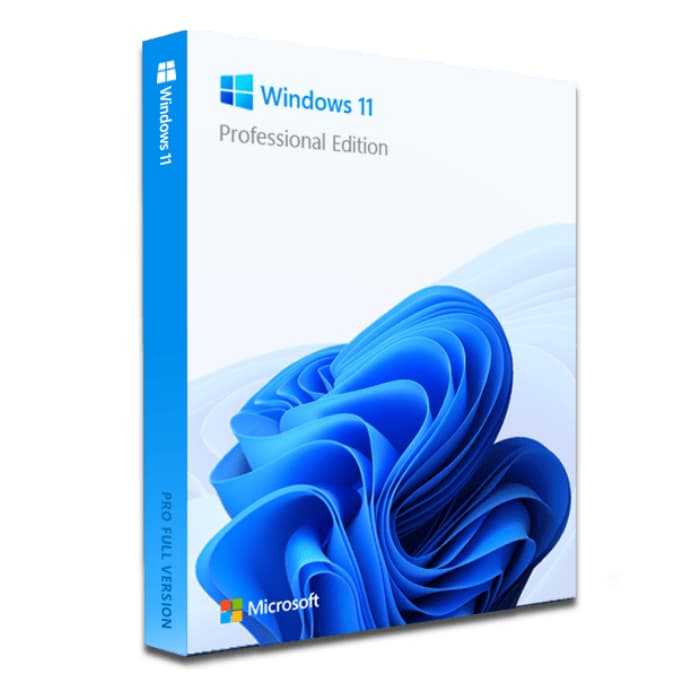
Windows 11 Pro – 3 PCs
Perpetual licenses - PC installation - Official Microsoft activation
A defective key is replaced free of charge for the lifetime of the license.






Why choose Windows 11 Pro for 3 PCs?
- 3 Windows 11 Pro licenses in a single order, one per PC
- BitLocker encryption to protect your professional data
- Built-in Remote Desktop to work from anywhere
- Hyper-V to create virtual machines without additional software
- Perpetual licenses with no recurring subscription
- Official activation via Microsoft servers
3-PC pack: 3 official Windows 11 Pro licenses to equip 3 computers in a single order.
Windows 11 Pro is the professional edition of Microsoft’s operating system: enhanced security (BitLocker, Windows Hello), Remote Desktop and optimized performance for both work and gaming. Official perpetual licenses, activated on Microsoft’s servers, with no subscription.
Delivery by email within minutes, with an installation guide. Activation guaranteed: a defective key is replaced for life, and our email support answers 7 days a week, within 2 hours on average.
Technical specifications
System requirements
| Processor | 1 GHz or faster, 2 cores minimum (64-bit) |
| RAM | 4 GB minimum |
| Disk space | 64 GB minimum |
| Display | 720p HD screen, 9 inches minimum |
| TPM | TPM module version 2.0 |
| Secure Boot | UEFI with Secure Boot |
| Graphics card | DirectX 12 compatible with WDDM 2.0 driver |
| Internet | Connection required for activation |
License information
| License type | Perpetual (lifetime) |
| Licenses | 3, 4 or 5 depending on the option chosen |
| Devices | One PC per license |
| Reinstallations | Unlimited on the same device |
| Language | Multilingual |
| Activation | Online via Microsoft servers |
| Support | Technical support by email, 7 days a week |
| Updates | Security updates included |
Windows 11 Pro features
BitLocker
Full hard drive encryption to secure all your sensitive data against theft or loss.
Remote Desktop
Connect to your PC from anywhere thanks to the natively integrated RDP protocol.
Hyper-V
Create and manage virtual machines directly from your workstation, with no third-party software.
Advanced management
Group policies, domain join (Active Directory, Microsoft Entra ID) and device management for professional environments.
Customer reviews
No customer reviews for this product yet.
Leave your review
Share your experience with this product to help other customers.
Installation guide
Activating your Windows 11 Pro licenses takes just a few minutes on each PC. Here is the step-by-step procedure to follow.
Check compatibility
First of all, make sure each computer meets the requirements for Windows 11 Pro. You can use Microsoft's PC Health Check tool to verify this quickly.
Download Windows 11 Pro
If Windows 11 is not installed yet, go to the official Microsoft website to download the media creation tool or the Windows 11 ISO image.
Install the system
Launch the installer and follow the instructions. Choose your language, accept the terms and select the type of installation you want.
Activate your license
Once the installation is complete, go to Settings > System > Activation. Click "Change product key" and enter the key you received by email, then do the same on each of your other PCs. Our step-by-step guide covers every case.
Need help?
How It Works
Get and activate your Microsoft license in just 3 simple steps
Choose
Select your Windows 11 Pro – 3 PCs license or your Pack and add it to your cart.
Pay
Pay securely by card, Apple Pay, Google Pay or Bancontact.






Activate
Receive your key instantly by email with a detailed installation guide. Our support answers by email 24/7 if needed.
Frequently asked questions
How do I activate my Windows 11 Pro licenses?
After your purchase, you receive your licenses by email within a few minutes. On each PC, go to Settings > System > Activation, click "Change product key" and enter your key. Activation is done online via Microsoft servers.
What are the advantages over the Home version?
Are the Windows 11 Pro licenses perpetual?
Can I reinstall Windows 11 Pro after formatting?
Can I use these licenses on several PCs?
What happens if I have an issue during activation?
You might also like

Windows 10 IoT Enterprise
Windows 10 IoT Enterprise - Genuine Microsoft license. Instant delivery by email.
Windows 11 Pro Education
Windows 11 Pro Education - Genuine Microsoft license. Instant delivery by email.
Windows 11 Home N
Windows 11 Home N - Genuine Microsoft license. Instant delivery by email.