 European company based in France
Excellent4.9/5Trustpilot1,800+ reviews Lifetime replacement guarantee
Email support 24/7
European company based in France
Excellent4.9/5Trustpilot1,800+ reviews Lifetime replacement guarantee
Email support 24/7
European company based in France
Excellent4.9/5Trustpilot1,800+ reviews Lifetime replacement guarantee
Email support 24/7
European company based in France
Excellent4.9/5Trustpilot1,800+ reviews Lifetime replacement guarantee
Email support 24/7

Genuine Windows 10 licenses from €8.90: Home, Pro or Enterprise LTSC, delivered by email within minutes and activated on Microsoft's servers.
Authentic Microsoft licenses, delivered by email within minutes
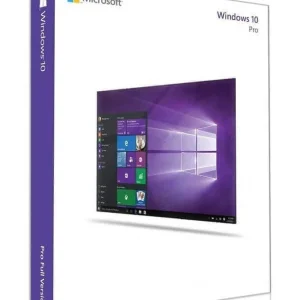
Official Windows 10 Professional license. Instant delivery by email. Activation on Microsoft servers. Lifetime warranty. Support included.
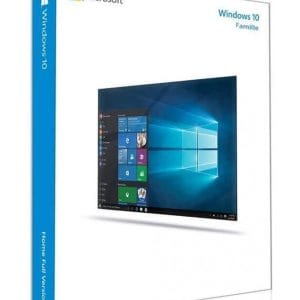
Windows 10 Home - Genuine official Microsoft license. Instant delivery by email.
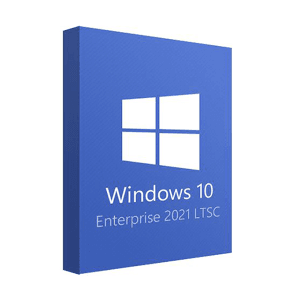
Official Windows 10 Enterprise 2021 LTSC license. Instant delivery by email. Activation on Microsoft servers. Lifetime warranty. Support included.
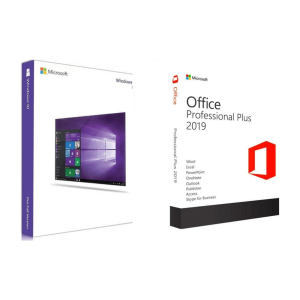
Official Windows 10 Pro + Office 2019 Pro Plus bundle license. Instant delivery by email. Activation on Microsoft servers. Lifetime...
Your license activated in 3 steps
Card, Apple Pay, Google Pay or Bancontact, SSL-encrypted payment with 3D Secure verification.
Secure paymentYour key arrives by email within minutes, with step-by-step activation instructions.
Learn moreYour PC is not compatible with Windows 11, or you depend on software and drivers validated only on Windows 10? A genuine Windows 10 key brings the machine back to an activated, fully working system. Choose Windows 10 Home for personal use, Windows 10 Pro for work, or Windows 10 Enterprise LTSC 2021 for dedicated machines. Your key is delivered by email within minutes and activates on Microsoft’s official servers.
All editions share the same interface and run the same software. The differences lie in business features and in how long Microsoft keeps shipping security fixes.
| Edition | For whom? | What to know | Price (1 PC) |
|---|---|---|---|
| Windows 10 Home | Personal use, family PCs | All consumer features: Microsoft Defender, Windows Hello, several user accounts | €8.90 |
| Windows 10 Pro | Freelancers, small businesses | Adds BitLocker, Remote Desktop hosting, Hyper-V and domain join | €9.90 |
| Windows 10 Enterprise LTSC 2021 | Dedicated machines: kiosks, workshop or lab PCs | Fixed feature set without feature updates, Microsoft security updates until 12 January 2027 | €29.99 |
| Windows 10 Pro + Office 2019 Pro Plus | A work PC to equip completely | The Pro system plus Word, Excel, PowerPoint and Outlook | €44.99 |
For most people, the choice is between Home and Pro. Pro is only worth it if you need disk encryption, remote access to this PC, virtual machines or a company network; for everything else, Home does the job. Our guide Windows 10 Home vs Pro vs Enterprise details every difference.
Every edition activates on Microsoft’s servers in the same way; only the features differ. One license covers one PC: for several computers, order one key per machine, or choose a multi-PC option where the product page offers one.
Check your edition first
A Home key activates Home and a Pro key activates Pro. To see which edition is installed, open Settings, System, About. To move from Home to Pro later, you simply enter a Pro key: no reinstall is needed.
Microsoft ended standard support for Windows 10 on 14 October 2025. Your system keeps working, and security updates remain available through the Extended Security Updates (ESU) program:
Windows 10 therefore remains a sensible choice for a computer that cannot run Windows 11, provided you plan the move when the hardware is replaced. Our article Windows 10 end of support: your options compares every solution, and if your PC is compatible, our Windows 11 key page explains how to switch.
Before a clean install, back up your files: the process erases the system drive. And if the PC becomes compatible with Windows 11 later, for example once TPM 2.0 is enabled in the BIOS, your Windows 10 Home or Pro license carries over to the same edition of Windows 11 through Microsoft’s free upgrade.
Once activated, the license stays with your PC: after a reinstall on the same machine, Windows 10 reactivates automatically when it goes online. If a key does not activate, write to our support team with your order number: we reply by email 7 days a week within 2 hours on average.
These keys are genuine licenses resold on the European second-hand software market. In its UsedSoft judgment (case C-128/11), the Court of Justice of the European Union ruled that a perpetual software license sold in the EU can be resold, provided the original owner no longer uses it. You therefore pay a second-hand market price, not the price of a new boxed copy.
What you install does not change: Windows 10 activated by Microsoft’s servers, without any third-party tool or “activator”. Be wary, on the other hand, of free “generic keys” shared on forums: they can start an installation, but they never activate Windows.
Everything you need to know before ordering
Yes. The end of standard support does not stop the system from working. To stay protected, enroll your PC in the Extended Security Updates program, available for personal devices until 12 October 2027, or plan a move to Windows 11 if your hardware allows it. Our guides explain both options step by step.
If your PC meets the Windows 11 requirements (TPM 2.0, Secure Boot, supported processor), Microsoft offers the upgrade free of charge from an activated Windows 10 license, and your edition carries over. If it does not, Windows 10 stays activated and usable. You can also switch later with a dedicated Windows 11 key, for example after replacing your hardware.
Yes. Download the official Windows 10 version 22H2 from Microsoft, install the edition that matches your key, then enter it during setup or afterwards in the activation settings. The license remains valid for the same PC: after a later reinstall, Windows reactivates automatically once it is connected to the internet.
Install version 22H2, the final release and the only one covered by the ESU program. The same key activates both the 32-bit and the 64-bit version: you choose the architecture when you create the installation media. Choose 64-bit as soon as the PC has 4 GB of RAM or more; 32-bit is only useful for very old software.
LTSC 2021 suits dedicated machines that must not change: kiosks, workshop computers, test benches. It has no Microsoft Store and no feature updates, only security fixes, which Microsoft provides until 12 January 2027. For an everyday home or office PC, Windows 10 Home or Pro is the simpler choice, with ESU coverage for personal devices until 12 October 2027.
Our team answers by email 24/7, within 2 hours on average.
Response time: within 2 hours on average

