 European company based in France
Excellent4.9/5Trustpilot1,800+ reviews Lifetime replacement guarantee
Email support 24/7
European company based in France
Excellent4.9/5Trustpilot1,800+ reviews Lifetime replacement guarantee
Email support 24/7
Windows 7 is no longer secure: move to Windows 11 or Windows 10 from €8.90 with a lifetime license, delivered by email within minutes.
Authentic Microsoft licenses, delivered by email within minutes
Official Windows 10 Professional license. Instant delivery by email. Activation on Microsoft servers. Lifetime warranty. Support included.
Windows 10 Home - Genuine official Microsoft license. Instant delivery by email.
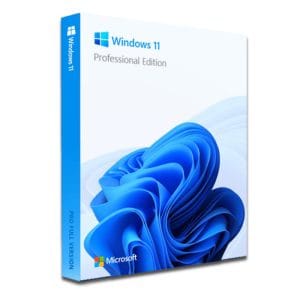
Windows 11 Pro – The Ultimate Professional Operating System Windows 11 Pro is the latest version of Microsoft’s operating system,...
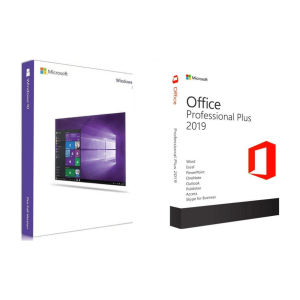
Official Windows 10 Pro + Office 2019 Pro Plus bundle license. Instant delivery by email. Activation on Microsoft servers. Lifetime...
Your license activated in 3 steps
Card, Apple Pay, Google Pay or Bancontact, SSL-encrypted payment with 3D Secure verification.
Secure paymentYour key arrives by email within minutes, with step-by-step activation instructions.
Learn moreLet us be clear: Euro Shop Key sells Microsoft licenses at low prices, but you will not find any Windows 7 key in our catalog. That is not an oversight, it is a deliberate choice.
Microsoft ended support for Windows 7 on 14 January 2020. Since then, the system has not received any security fix for home users: every vulnerability discovered stays open for good. Selling you a Windows 7 license would mean fitting a door without a lock.
The good news: most PCs bought with Windows 7 can run Windows 10, and the more recent ones Windows 11, for a real cost starting at €8.90. This page explains why it is time to move on, and how to do it without losing your files.
“My PC still works perfectly well.” That is often true, and it is exactly the trap: Windows 7 does not break down overnight, it quietly becomes vulnerable and increasingly isolated.
The textbook case remains the WannaCry ransomware: in 2017, it paralyzed hospitals and entire companies by exploiting a flaw in Windows systems that had not been updated. Microsoft had published a fix beforehand; on a Windows 7 PC today, a similar attack would meet no obstacle. More and more online services, banks first among them, also refuse browsers that are too old, and some pages simply stop displaying correctly.
A Windows 7 PC kept strictly offline, such as a workshop machine or isolated business software, can carry on. For a PC connected to the internet, the danger is real, not theoretical.
For Windows 10, the answer is yes in most cases: the minimum requirements are modest and within reach of most computers sold between 2009 and 2015.
| Requirement | Windows 10 (64-bit) | Windows 11 |
|---|---|---|
| Processor | 1 GHz | 1 GHz, 2 cores, recent compatible model |
| Memory (RAM) | 2 GB (4 GB recommended) | 4 GB |
| Storage | 32 GB | 64 GB |
| TPM 2.0 chip | Not required | Required |
| Typical Windows 7-era PC | Compatible in most cases | Rarely compatible |
In practice, with 4 GB of RAM and ideally an SSD, Windows 10 runs comfortably on a PC from the Windows 7 era. Windows 11, on the other hand, requires a TPM 2.0 chip and a recent processor: most machines built before 2018 do not pass that test.
Full transparency on Windows 10 as well: its standard support ended on 14 October 2025. Home users can still receive its security updates through Microsoft’s Extended Security Updates program, now extended until 12 October 2027, with a free enrollment option from Windows Update on Windows 10 version 22H2 and a Microsoft account. Microsoft has also announced Edge and Microsoft Defender updates on Windows 10 until at least October 2028.
The honest advice therefore fits in one sentence: if your PC is compatible with Windows 11, choose it directly, for example with Windows 11 Pro; if it is not, Windows 10 remains a major step up from Windows 7 and an affordable way to secure the machine today, while you plan its eventual replacement.
The upgrade can be launched directly from Windows 7 and keeps your documents. Allow one to two hours depending on the machine, in five steps.
Windows 11 cannot be installed over Windows 7 while keeping your applications: on a compatible PC, back up your files, perform a clean installation, then activate it with your Windows 11 key.
This is the main obstacle: many users imagine they will have to buy a new computer or an expensive license. In reality, if your PC is compatible, the move costs from €8.90.
| License | Price | For whom |
|---|---|---|
| Windows 10 Home | €8.90 | Personal use: web, office work, multimedia |
| Windows 10 Pro | €9.90 | Advanced features: Remote Desktop, BitLocker |
| Windows 11 Pro | €9.90 | Recent PCs compatible with TPM 2.0 |
| Windows 10 Pro + Office 2019 Pro Plus bundle | €44.99 | Complete refresh: system and office suite |
For a PC from the Windows 7 era, Windows 10 Home covers home use, and our Windows 10 key page compares the editions. If your machine is more recent and compatible, our Windows 11 key page helps you choose between Home and Pro.
A word on the Windows 10 Pro + Office 2019 Pro Plus bundle: it combines the system and the full office suite, with Word, Excel, PowerPoint and Outlook, in a single order, with one-time purchase licenses and no subscription. It suits the classic case of a Windows 7-era PC whose old Office is also at the end of the road. Keep in mind that Office 2019 itself stopped receiving security updates in October 2025.
You pay by card, Apple Pay, Google Pay or Bancontact, and every order comes with a VAT invoice. If a key ever proves defective, we replace it for the lifetime of the license.
“Download Windows 7” remains a frequent search. Our answer is straightforward: do not do it, not even for free, not even as a stopgap.
Do you depend on an old program that only runs on Windows 7? Windows 10 and 11 include a compatibility mode that runs most software from that era: the need to keep Windows 7 is much rarer than people think.
Everything you need to know before ordering
Technically yes, the system still starts. Online, it is strongly discouraged: no security fixes since January 2020, Chrome and Edge no longer updated since 2023, security software being withdrawn. Only a PC kept strictly offline can reasonably stay on Windows 7, for example to run an old workshop or business program.
No. Microsoft's free upgrade offer ended years ago, and Windows 7 product keys are no longer a reliable way to activate Windows 10 or 11, since Microsoft closed that route in 2023. You therefore need a Windows 10 license: Windows 10 Home costs €8.90 and Windows 10 Pro €9.90, delivered by email within minutes.
No: the installer offers to keep your personal files, which stay in place after the upgrade. Some older programs will need to be reinstalled. As a precaution, back up your important documents to an external drive before starting, as you would for any change of operating system.
Rarely. Windows 10 needs a 1 GHz processor, 2 GB of RAM for the 64-bit version and 32 GB of storage. Most PCs sold with Windows 7 meet these conditions, and with 4 GB of RAM and an SSD, the machine will even feel faster than before. Windows 11 is more demanding: TPM 2.0 chip and a recent processor.
Because a system without security fixes exposes its user, and we refuse to sell that risk. Instead, we offer Windows 10 and Windows 11 licenses: activation on Microsoft's official servers, a perpetual license, a key sent by email within minutes, and a replacement for the lifetime of the license if a key proves defective.
Only if your PC meets the Windows 11 hardware requirements, in particular the TPM 2.0 chip and a recent processor, which is rare for a machine of that generation. In that case, you perform a clean installation after backing up your files, and Windows 11 Pro costs €9.90. Otherwise, Windows 10 remains the practical route.
Our team answers by email 24/7, within 2 hours on average.
Response time: within 2 hours on average