 European company based in France
Excellent4.9/5Trustpilot1,800+ reviews Lifetime replacement guarantee
Email support 24/7
European company based in France
Excellent4.9/5Trustpilot1,800+ reviews Lifetime replacement guarantee
Email support 24/7
European company based in France
Excellent4.9/5Trustpilot1,800+ reviews Lifetime replacement guarantee
Email support 24/7
European company based in France
Excellent4.9/5Trustpilot1,800+ reviews Lifetime replacement guarantee
Email support 24/7

Windows 10 support ended on 14 October 2025: weigh your options calmly and move to Windows 11 from €8.90, with your key delivered by email within minutes.
Authentic Microsoft licenses, delivered by email within minutes
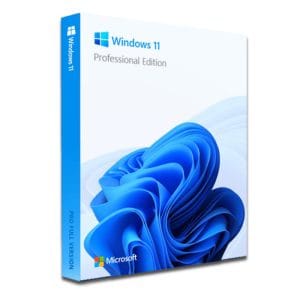
Windows 11 Pro – The Ultimate Professional Operating System Windows 11 Pro is the latest version of Microsoft’s operating system,...
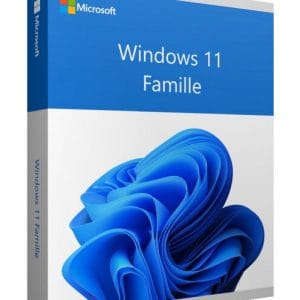
Windows 11 Home - Genuine Microsoft license. Instant delivery by email.
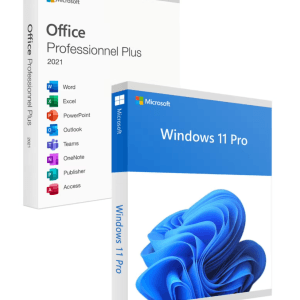
Official Windows 11 Pro + Office 2021 Pro Plus bundle license. Instant delivery by email. Activation on Microsoft servers. Lifetime...
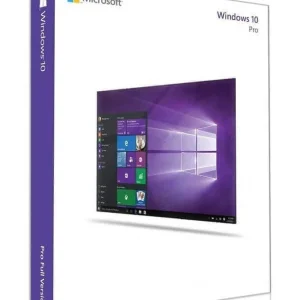
Official Windows 10 Professional license. Instant delivery by email. Activation on Microsoft servers. Lifetime warranty. Support included.
Your license activated in 3 steps
Card, Apple Pay, Google Pay or Bancontact, SSL-encrypted payment with 3D Secure verification.
Secure paymentYour key arrives by email within minutes, with step-by-step activation instructions.
Learn moreThe Windows 10 end of support took effect on 14 October 2025: on that date, Microsoft ended standard support for the system. It is the “end of life” of Windows 10 in the technical sense: the system keeps working, but Microsoft no longer maintains it.
Since that date, a Windows 10 PC no longer receives:
What does not change: the computer starts, your software opens, your files stay where they are. Nothing was switched off overnight; the real issue is security over time.
A Windows 10 PC remains fully functional. So the right question is not “does it still work?” but “what level of risk do I accept, and for how long?”.
Uses that handle sensitive data are the most exposed: online banking, shopping with a saved card, the email account that resets all your other passwords, tax or administrative procedures. Files stored on the machine matter just as much: photos, documents and archives are the favorite target of ransomware, which relies precisely on flaws that were never patched.
In practice, a backup PC that rarely goes online runs a limited risk. A main computer used daily for the web, email, banking or shopping is far more exposed.
No need for catastrophism: your machine will not stop tomorrow. There is, however, a decision to make between three scenarios.
| Option | Cost | Security | For whom? |
|---|---|---|---|
| Stay on Windows 10 without ESU | None | No more security fixes | Secondary PC, rarely or never online |
| ESU (Extended Security Updates) | Home users: free in the EEA with a Microsoft account, conditions or a fee elsewhere; paid for organizations | Security fixes only, announced until 13 October 2026 for home users | Those who needed time before migrating |
| Move to Windows 11 | €8.90 (Home) or €9.90 (Pro), or free if your Windows 10 is activated | Full, regular updates | Compatible PC used every day |
For a compatible PC used every day, the third option is the lasting one: a Windows 11 Home key costs €8.90, Windows 11 Pro costs €9.90, and the machine gets regular security updates again.
If you still choose to stay on Windows 10 for a while, reduce your exposure: keep your browser and antivirus up to date, back up your files regularly, protect your accounts with two-factor authentication and be extra careful with attachments and unexpected links.
ESU stands for Extended Security Updates, Microsoft’s official extension for systems past their end of support. For home users, Microsoft announced it for one year only, until 13 October 2026, with security fixes only: no new features and no technical support. In the European Economic Area, enrollment was free with a Microsoft account; elsewhere, Microsoft asked for a settings backup, Rewards points or a one-time fee. Organizations can pay for additional years through Microsoft’s commercial program. Our detailed article on Windows 10 end of support options and ESU covers the conditions. In every case, ESU only postpones the question: when it ends, the same decision comes back.
Before deciding, check your machine’s compatibility: it is free and quick.
Read the detailed result: each requirement is listed with its status, which avoids concluding too quickly that your PC is incompatible. If TPM 2.0 or Secure Boot is reported missing, the feature is often just disabled at the factory. Restart the PC, open the BIOS/UEFI (Del, F2 or F10 depending on the manufacturer), enable the TPM option (called “PTT” on Intel boards and “fTPM” on AMD), then run the check again: the verdict often changes.
Still negative, this time because of the processor or a TPM chip that is truly absent? All is not lost: our guide to installing Windows 11 without TPM 2.0 explains the possible workarounds and their limits. And if you choose to stay on Windows 10, a Windows 10 key such as Windows 10 Pro at €9.90 still lets you activate or reinstall the system properly.
If your Windows 10 is already activated and the PC is compatible, the upgrade itself is free and your license follows. You need a new key when Windows 10 is not activated, when you reinstall on a machine without a digital license, when you build or buy a PC without a license, or when you want to move from Home to Pro. At Euro Shop Key:
The key is sent by email within minutes and activates on Microsoft’s official servers. It is a perpetual license: paid once, valid for life on your machine, with no subscription. Payment is secure, by card, Apple Pay, Google Pay or Bancontact, and your invoice shows VAT.
Once Windows 11 is in place, let Windows Update download the latest fixes and drivers: that regular maintenance is exactly what Windows 10 no longer gets, and it is the whole point of the migration.
Prefer a fresh start? Follow our complete guide to formatting and reinstalling Windows 11. And if you are taking the opportunity to change computers, here is how to transfer your Windows license to a new PC.
Everything you need to know before ordering
No. End of support does not block anything: the PC starts, software and files remain accessible, and the system can still be activated or reinstalled. What stopped on 14 October 2025 are Microsoft's standard security fixes, updates and assistance; the ESU program only extended security fixes for a fixed period. The risk grows over time, as unpatched flaws accumulate.
ESU (Extended Security Updates) is Microsoft's program of extra security patches for Windows 10. For home users, it was announced for one year after the end of support, until 13 October 2026, and enrollment was free in the European Economic Area with a Microsoft account. It covers security fixes only: no new features and no technical assistance. Organizations can pay for further years.
Technically yes, and the risk is not immediate. It grows month after month, though: every flaw discovered after 14 October 2025 stays open on a system without security updates. For sensitive everyday use, the reasonable path is moving to Windows 11 to get full updates again, and in the meantime keeping your browser and antivirus strictly up to date.
If your Windows 10 is activated and the PC is compatible, the upgrade itself is free. If you need a license, it costs €8.90 for Windows 11 Home or €9.90 for Windows 11 Pro at Euro Shop Key. The key is sent by email within minutes, activates on Microsoft's official servers and remains valid for life.
No: the standard upgrade, started from Windows Update or the Installation Assistant, keeps your files, your applications and most of your settings. A backup beforehand is still recommended, as before any major change to the system, especially if the PC holds documents or photos you could not replace.
Three options: keep using Windows 10 while limiting sensitive uses, install Windows 11 despite the missing TPM 2.0 when the hardware allows it, or replace the machine. The second option takes a few technical steps and is not officially supported by Microsoft, so updates are not guaranteed. Our guide to Windows 11 without TPM details each path.
Our team answers by email 24/7, within 2 hours on average.
Response time: within 2 hours on average

