 Eurooppalainen yritys, kotipaikka Ranska
Erinomainen4.9/5Trustpilot1,800+ reviews Elinikäinen vaihtotakuu
Sähköpostituki 24/7
Eurooppalainen yritys, kotipaikka Ranska
Erinomainen4.9/5Trustpilot1,800+ reviews Elinikäinen vaihtotakuu
Sähköpostituki 24/7
Eurooppalainen yritys, kotipaikka Ranska
Erinomainen4.9/5Trustpilot1,800+ reviews Elinikäinen vaihtotakuu
Sähköpostituki 24/7
Eurooppalainen yritys, kotipaikka Ranska
Erinomainen4.9/5Trustpilot1,800+ reviews Elinikäinen vaihtotakuu
Sähköpostituki 24/7


Genuine Excel from 9,99 € inside a complete Office suite: lifetime license or 12-month subscription, key delivered by email within minutes.
Aidot Microsoft-lisenssit, toimitus sähköpostitse muutamassa minuutissa
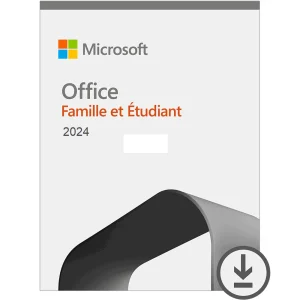
Official Office 2024 Home and Student license. Instant delivery by email. Activation on Microsoft servers. Lifetime warranty. Support included.
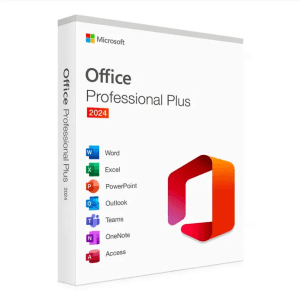
Microsoft Office 2024 Pro Plus Microsoft Office 2024 Pro Plus is the latest version of the world’s most popular productivity...
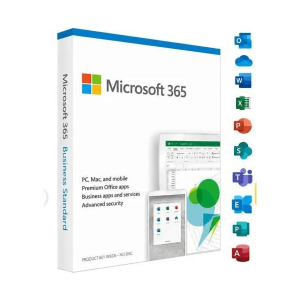
Office 365 - 12 Months / 5 Devices - Official Microsoft license. Instant delivery by email.
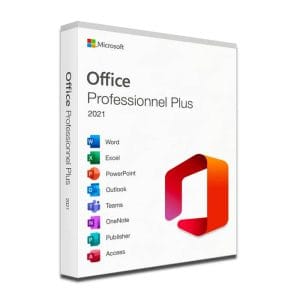
Microsoft Office 2021 Pro Plus Microsoft Office 2021 Pro Plus is the latest version of the world’s most popular office...
Lisenssi käyttöön kolmessa vaiheessa
Kortti, Apple Pay, Google Pay tai Bancontact, SSL-salattu maksu ja 3D Secure -varmennus.
Turvallinen maksuAvain saapuu sähköpostitse muutamassa minuutissa vaiheittaisten aktivointiohjeiden kanssa.
Lue lisääLooking to buy Microsoft Excel without a yearly subscription? Here, Excel comes inside a genuine Office suite: the same spreadsheet, in the same version as in any Office box, with a lifetime license or a 12-month subscription. This page helps you pick the right version for your formulas, your files and your budget.
Microsoft does sell a standalone Excel with a perpetual license, but at a price close to a complete suite bought new. The math is quick: a genuine second-hand Office suite costs much less and contains exactly the same spreadsheet, in the same version. You buy Excel, and Word, PowerPoint or Outlook come along with it.
You do not have to use everything. The default setup installs every app, but you can simply work in Excel alone. With the Professional Plus editions, the Office Deployment Tool and its XML configuration file even let you install only the spreadsheet on a computer with limited storage.
Every version below reads and writes .xlsx files and handles PivotTables, VBA macros and Power Query. The differences lie in the recent calculation functions, the apps that come with Excel and the license model.
| Offer | Excel version | What you gain in the spreadsheet | License | Price |
|---|---|---|---|---|
| Office 2021 Professional Plus | Excel 2021 | XLOOKUP, dynamic arrays (FILTER, SORT, UNIQUE), LET | Lifetime, 1 PC | 19,90 € |
| Office 2024 Professional Plus | Excel 2024 | Everything in 2021, plus TEXTSPLIT, VSTACK, HSTACK and pictures in cells | Lifetime, 1 PC | 24,90 € |
| Office 2024 Home and Student | Excel 2024 | The same Excel 2024, with Word and PowerPoint, for home use | Lifetime, 1 PC | 54,99 € |
| Office 365, 12 months | Always the current Excel | New functions delivered continuously, on up to 5 devices | 12-month subscription | 9,99 € |
The real turning point is Excel 2021: it introduced XLOOKUP and dynamic arrays, which replace most long array formulas, along with the LET function. Excel 2024 adds text-splitting and range-stacking functions and lets you place pictures inside cells with the IMAGE function. If you share workbooks with colleagues on Microsoft 365, aim for Excel 2021 at least, so that their formulas do not turn into #NAME? errors on your PC.
Microsoft stopped publishing security updates for Office 2021 on 13 October 2026; Excel 2021 keeps working exactly as before, and your workbooks are not affected.
Office 2024 Professional Plus is supported until October 2029, which makes it the long-term choice for a work computer. For home budgets and lists, Office 2021 Professional Plus remains the budget lifetime option.
For home use, such as a family budget, expense tracking, lists or school marks, any version on this page is more than enough: formulas, charts, conditional formatting and PivotTables work the same way.
For a freelancer or a small business, the focus shifts to quotes, bank reconciliation and CSV imports from a bank or an online shop. Power Query (Data tab, then Get Data) becomes the central tool for cleaning and refreshing these imports in one click, and it is built into every desktop version listed here. For large data models, Power Pivot is included in the Professional Plus editions.
In a team, one habit matters above all: align versions. A workbook built with Excel 2024 functions and opened in an older Excel will show errors, while the opposite works without any problem. To get more out of your formulas, see our guide to the essential Excel functions. And when a list turns into a real database, with duplicates and several people typing into it, Microsoft Access, included in the Professional Plus editions, is often the better tool: see how to buy Microsoft Access.
The lifetime suites on this page install on one Windows PC per key. If you work on a desktop, a laptop and a tablet, or on a Mac, the Office 365 subscription covers up to 5 devices for 12 months at 9,99 €, with Excel always up to date. Your .xlsx files move between Windows and macOS without conversion; only VBA macros that rely on Windows-specific features may need adjusting on a Mac.
The licenses we sell are neither cut-down versions nor generic keys: they are genuine Microsoft licenses from renewed European company equipment, put back into circulation on the second-hand market. The Court of Justice of the European Union confirmed this practice in its UsedSoft judgment (case C-128/11): a software license sold permanently in the European Union may be resold.
On the practical side, Excel 2021 and 2024 install on Windows 11 and Windows 10, in 32-bit or 64-bit, with Microsoft’s official installer. You activate in Excel, under File then Account, by entering the key received by email. Since .xlsx has been the standard format since 2007, your old workbooks open without conversion or loss of formatting. Each order comes with a VAT invoice, a faulty key is replaced for the lifetime of the license, and our support team answers by email 7 days a week, within 2 hours on average. Browse the complete Office catalog to compare every edition.
Kaikki, mitä on hyvä tietää ennen tilaamista
Microsoft sells a standalone Excel with a perpetual license, but it costs far more than a genuine second-hand Office suite containing exactly the same spreadsheet. If disk space is a concern, the Professional Plus editions let you install Excel alone with the Office Deployment Tool: a short XML configuration file leaves out Word, PowerPoint and Outlook.
XLOOKUP, FILTER, SORT, UNIQUE, SEQUENCE and LET require Excel 2021, Excel 2024 or Microsoft 365. Excel 2019 and earlier do not recognize them: the formulas show up with an _xlfn prefix and return a #NAME? error. If your workbooks come from colleagues on Microsoft 365, choose Excel 2021 at least, and Excel 2024 for the text and array functions added since.
The product key is the same for both; only the installer differs. 64-bit is recommended by default: it removes the memory limit of about 2 GB that applies to 32-bit Excel, which matters for workbooks with hundreds of thousands of rows or large data models. Stay on 32-bit only if you depend on old add-ins or 32-bit ActiveX controls.
Yes. VBA macros and the Visual Basic editor are included in Excel 2021, 2024 and Microsoft 365 on Windows, with no add-on to buy. Old .xls files open in Compatibility Mode; save them as .xlsm to keep their macros. Only Excel for the web cannot run VBA, so use the desktop app installed on your PC.
Our team answers by email 24/7, within 2 hours on average.
Vastausaika: within 2 hours on average
