 Eurooppalainen yritys, kotipaikka Ranska
Erinomainen4.9/5Trustpilot1,800+ reviews Elinikäinen vaihtotakuu
Sähköpostituki 24/7
Eurooppalainen yritys, kotipaikka Ranska
Erinomainen4.9/5Trustpilot1,800+ reviews Elinikäinen vaihtotakuu
Sähköpostituki 24/7
Eurooppalainen yritys, kotipaikka Ranska
Erinomainen4.9/5Trustpilot1,800+ reviews Elinikäinen vaihtotakuu
Sähköpostituki 24/7
Eurooppalainen yritys, kotipaikka Ranska
Erinomainen4.9/5Trustpilot1,800+ reviews Elinikäinen vaihtotakuu
Sähköpostituki 24/7


Genuine Office 2019 licenses from 12,90 €: installed on your PC, activated for life and delivered by email, usually within minutes.
Aidot Microsoft-lisenssit, toimitus sähköpostitse muutamassa minuutissa
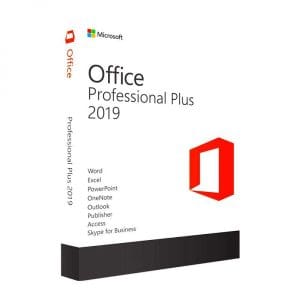
Genuine Office 2019 Professional Plus license. Instant delivery by email. Activation on Microsoft servers. Lifetime warranty. Support included.
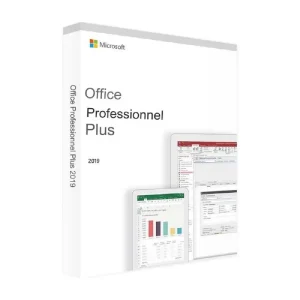
Office 2019 Professional Plus (5 PC) - Genuine Microsoft license. Instant delivery by email.
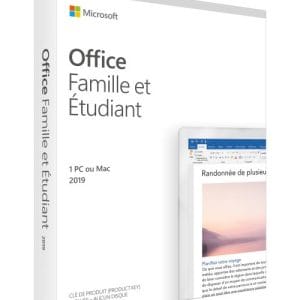
Office 2019 Home & Student - Genuine Microsoft license. Instant delivery by email.
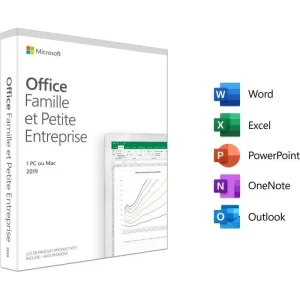
Office 2019 Home & Business - Genuine Microsoft license. Instant delivery by email.
Lisenssi käyttöön kolmessa vaiheessa
Kortti, Apple Pay, Google Pay tai Bancontact, SSL-salattu maksu ja 3D Secure -varmennus.
Turvallinen maksuAvain saapuu sähköpostitse muutamassa minuutissa vaiheittaisten aktivointiohjeiden kanssa.
Lue lisääAn Office 2019 key activates a perpetual version of Microsoft’s office suite: you buy it once, install it on one computer and keep using it for as long as that computer runs. There is no yearly renewal, no automatic payment and no risk of losing access to your documents because a subscription has lapsed. Our guide to the lifetime Office license as an alternative to Microsoft 365 explains this logic in detail.
Released in September 2018, Office 2019 gives you fixed versions of Word, Excel and PowerPoint and, depending on the edition, Outlook, Publisher and Access. Nothing has been added to it since launch, and that is precisely what many users are looking for: the menus stay where they are, keyboard shortcuts never change and in-house VBA macros run the same way on every computer.
The editions differ only in the applications they include. The engine, the file formats and the performance are exactly the same.
| Edition | Included apps | Recommended for | Price |
|---|---|---|---|
| Office 2019 Home and Student | Word, Excel, PowerPoint | Homework, letters, the family budget (non-commercial use) | from 29,99 € |
| Office 2019 Home and Business | Word, Excel, PowerPoint, Outlook | Freelancers and small businesses who manage their email on the PC | from 34,99 € |
| Office 2019 Professional Plus | Word, Excel, PowerPoint, Outlook, Publisher, Access, Skype for Business | Databases, mail merge, advanced and business use | from 12,90 € |
Compare the prices before you decide: Professional Plus contains every application of the other two editions, plus Publisher and Access. If you hesitate, it is often the rational choice, because you will never have to buy Outlook or Access separately six months later. Need Office 2019 on several computers? The offers above include a multi-PC option, and our page on Office for 5 PCs compares the possibilities.
Mac users should note that Office 2019 for Mac is a separate license: a key for Windows will not activate it. Check the platform before you complete your order.
What you receive
Your Office 2019 product key, the official download link and step-by-step activation instructions for your edition, by email. Activation takes place on Microsoft’s official servers, with no third-party tool.
One honest point first: since 14 October 2025, Microsoft no longer publishes security updates for Office 2019. The suite keeps installing, activating and working with no time limit and no remote deactivation, but it will not receive any further fixes.
To weigh Office 2019 against the generation that followed it, read our Office 2021 vs Office 2019 comparison, or go straight to our page on the Office 2024 key.
The price is not a temporary promotion: it reflects the market for pre-owned software licenses. In its UsedSoft ruling (case C-128/11), the Court of Justice of the European Union confirmed that a software license sold for an unlimited period within the EU can be resold, provided the original owner no longer uses it. The licenses we sell come from organizations that no longer need them, after a restructuring, a merger or a move to other tools.
What does not change is the product itself: a genuine Microsoft license that activates on Microsoft’s servers, exactly like a boxed copy, without the cost of packaging and distribution. Every order comes with:
Kaikki, mitä on hyvä tietää ennen tilaamista
No. Microsoft ended support for Office 2019 on 14 October 2025: no more security fixes or feature updates are published. The suite still installs, activates and works normally, with no time limit and no remote deactivation. For everyday office work or a mostly offline computer this is rarely a problem; for sensitive data, choose Office 2024, which receives security updates until 9 October 2029.
Yes. Office 2019 installs and activates on Windows 11, including recent versions of the system, as well as on Windows 10. Windows 7, 8 and 8.1 are not supported: the installer will not start. On the hardware side, 4 GB of RAM and 4 GB of free disk space are enough, which any computer able to run Windows 11 already has.
Yes, in the vast majority of cases: the formats (.docx, .xlsx, .pptx) are the same and documents open without conversion. There are two known limits: Excel functions added after 2019, such as XLOOKUP, FILTER or UNIQUE, return a #NAME? error, and Excel linked data types appear as plain text. Formatting, PivotTables and VBA macros are preserved.
It is technically possible but not recommended. Two suites installed side by side compete for file associations and shared components, which triggers repair prompts every time you open a document. Outlook in particular accepts only one version per computer. The clean method: uninstall the old suite from Windows Settings, restart, then install Office 2019 and enter your key.
Microsoft licenses Home and Student for personal, non-commercial use: private documents, schoolwork, household accounts. If you invoice clients, run a business or equip employees, choose Office 2019 Home and Business or Professional Plus, which allow commercial use. Nothing blocks the software technically, but the license terms do not cover professional use of Home and Student.
Our team answers by email 24/7, within 2 hours on average.
Vastausaika: within 2 hours on average
