 Eurooppalainen yritys, kotipaikka Ranska
Erinomainen4.9/5Trustpilot1,800+ reviews Elinikäinen vaihtotakuu
Sähköpostituki 24/7
Eurooppalainen yritys, kotipaikka Ranska
Erinomainen4.9/5Trustpilot1,800+ reviews Elinikäinen vaihtotakuu
Sähköpostituki 24/7
Eurooppalainen yritys, kotipaikka Ranska
Erinomainen4.9/5Trustpilot1,800+ reviews Elinikäinen vaihtotakuu
Sähköpostituki 24/7
Eurooppalainen yritys, kotipaikka Ranska
Erinomainen4.9/5Trustpilot1,800+ reviews Elinikäinen vaihtotakuu
Sähköpostituki 24/7


Project 2024 Professional with a lifetime license from 32,99 €, supported by Microsoft until October 2029, plus the 2021 and 2019 editions. Key by email within minutes.
Aidot Microsoft-lisenssit, toimitus sähköpostitse muutamassa minuutissa
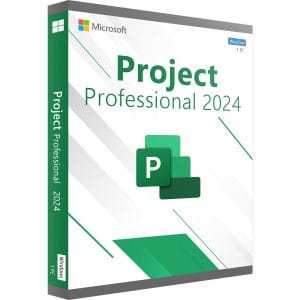
Project 2024 Professional - Official Microsoft license. Instant delivery by email.
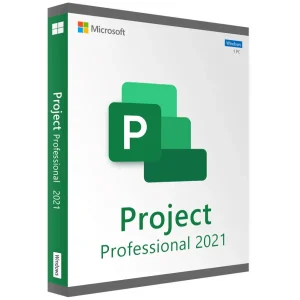
Project 2021 Professional - Official Microsoft license. Instant delivery by email.
Project 2021 Standard - Official Microsoft license. Instant delivery by email.
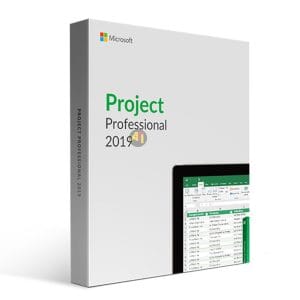
Official Project 2019 Professional license. Instant delivery by email. Activation on Microsoft servers. Lifetime warranty. Support included.
Lisenssi käyttöön kolmessa vaiheessa
Kortti, Apple Pay, Google Pay tai Bancontact, SSL-salattu maksu ja 3D Secure -varmennus.
Turvallinen maksuAvain saapuu sähköpostitse muutamassa minuutissa vaiheittaisten aktivointiohjeiden kanssa.
Lue lisääReleased in autumn 2024, Microsoft Project 2024 follows Project 2021 as Microsoft’s one-time-purchase version: with a Project 2024 key, you pay once and the license stays valid on your PC with no expiry date. To be clear, it is not a revolution. The scheduling engine is the one you know: Gantt chart, critical path, manual or automatic scheduling, multiple timelines, cost management and built-in reports. The changes are elsewhere:
That last point is the main reason to choose it today: Project 2024 gives you several more years of security fixes without paying again.
Microsoft publishes Project 2024 in two editions that share the same planning core. The offer on this page is Project 2024 Professional, at 32,99 € for one PC, and it contains every Standard feature.
| Features | Standard | Professional |
|---|---|---|
| Gantt chart, critical path, milestones, calendars | Yes | Yes |
| Costs, baselines, reports, PDF and Excel export | Yes | Yes |
| Team Planner and inactive tasks | No | Yes |
| SharePoint task list sync, Project Server connection | No | Yes |
In practice, if you run your projects on your own, Professional simply gives you features you may never use; as soon as several schedules compete for the same people or machines, Team Planner and inactive tasks pay off. If security updates are not a requirement for you, Project 2021 is also offered above, including Project 2021 Standard at 29,49 €; our Project Standard vs Professional guide compares both editions in detail.
This version targets professionals who must produce a dated, costed and defensible schedule rather than a simple task list:
For these uses, the long support window matters: a schedule started today for a project that lasts several years stays on a version that receives security fixes until 2029, and the same license keeps working afterwards.
The limits, plainly: a Project 2024 license is installed on one computer, offers no online co-editing and does not include Microsoft’s web planning tools. That is the counterpart of a one-time purchase, compared with a monthly bill per user for a subscription.
Project 2024 runs on Windows 11 and Windows 10, preferably in 64-bit; there is no macOS version. Your .mpp files from Project 2016, 2019 and 2021 open without conversion, and contacts still on those versions can read yours, since all of them share the same file format. Project 2024 installs next to Office; keep the same 32-bit or 64-bit architecture for all Office products on the PC. If you also need the office apps, see our Office 2024 keys.
Before installing, remove any trial version of Project already on the PC, and check whether your Office is 32-bit or 64-bit (in Word or Excel: File, Account, About) so that Project uses the same architecture.
Our Project licenses are pre-owned perpetual licenses. Their resale within the European Union is lawful since the UsedSoft ruling of the Court of Justice of the European Union (case C-128/11): once a perpetual license has been sold in the EU, the publisher’s distribution right is exhausted, provided the first owner stops using it. You receive a genuine key, activated with Microsoft, with no subscription.
To compare every version from 2016 to 2024, see our Microsoft Project buying guide, the Project 2021 key page and our complete Microsoft Project guide.
Kaikki, mitä on hyvä tietää ennen tilaamista
The scheduling engine is almost identical: Gantt chart, critical path, leveling and reports work the same way. Project 2024 brings the Office 2024 interface and a more recent code base. The decisive difference is the lifecycle: Microsoft supports Project 2024 until October 2029, while support for Project 2021 ended in October 2026.
No. Microsoft publishes no macOS version of Project, neither for 2024 nor for earlier editions. Mac users install Project 2024 in a Windows virtual machine, for example with Parallels Desktop, or work on a remote Windows PC. Microsoft's web planning tools run in a browser, but they require a subscription and offer fewer features than the desktop application.
Yes. Project 2024 opens .mpp files created with Project 2016, 2019 and 2021 directly, without conversion and without losing task links or resource assignments. In the other direction, a plan saved with Project 2024 remains readable by those versions, since they share the same format. For a recipient without Project, export the plan to PDF or Excel.
In most cases, yes. Project 2024 installs next to your Office applications, provided that all of them use the same architecture, 32-bit or 64-bit. If an older Office installation blocks the setup, the installer says so; our email support then tells you which step to take, 7 days a week with a reply within 2 hours on average.
Not necessarily, but it does no harm: Project 2024 Professional contains every Standard feature, so it works well for solo planning. Team Planner, inactive tasks and the Project Server connection simply remain available for later, if your projects grow or your company sets up a central platform. Your schedules stay compatible either way.
Our team answers by email 24/7, within 2 hours on average.
Vastausaika: within 2 hours on average
