 Eurooppalainen yritys, kotipaikka Ranska
Erinomainen4.9/5Trustpilot1,800+ reviews Elinikäinen vaihtotakuu
Sähköpostituki 24/7
Eurooppalainen yritys, kotipaikka Ranska
Erinomainen4.9/5Trustpilot1,800+ reviews Elinikäinen vaihtotakuu
Sähköpostituki 24/7
Eurooppalainen yritys, kotipaikka Ranska
Erinomainen4.9/5Trustpilot1,800+ reviews Elinikäinen vaihtotakuu
Sähköpostituki 24/7
Eurooppalainen yritys, kotipaikka Ranska
Erinomainen4.9/5Trustpilot1,800+ reviews Elinikäinen vaihtotakuu
Sähköpostituki 24/7


Genuine Windows 10 Pro keys from 9,90 € for work PCs that stay on Windows 10: BitLocker, Remote Desktop and domain join, delivered by email within minutes.
Aidot Microsoft-lisenssit, toimitus sähköpostitse muutamassa minuutissa
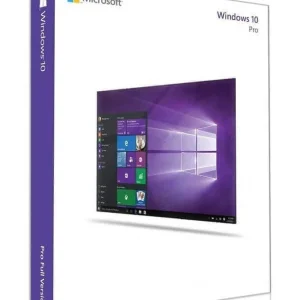
Official Windows 10 Professional license. Instant delivery by email. Activation on Microsoft servers. Lifetime warranty. Support included.
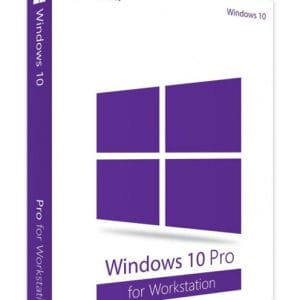
Windows 10 Pro for Workstations - Official Microsoft license. Instant delivery by email.
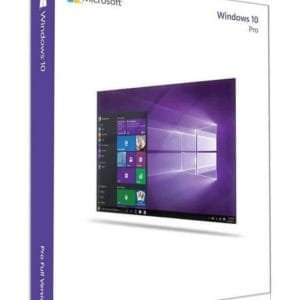
Windows 10 Professional N - Official Microsoft license. Instant delivery by email.
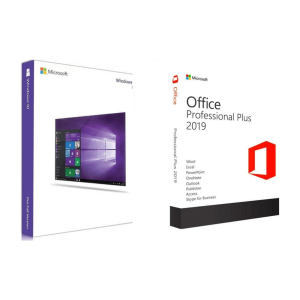
Official Windows 10 Pro + Office 2019 Pro Plus bundle license. Instant delivery by email. Activation on Microsoft servers. Lifetime...
Lisenssi käyttöön kolmessa vaiheessa
Kortti, Apple Pay, Google Pay tai Bancontact, SSL-salattu maksu ja 3D Secure -varmennus.
Turvallinen maksuAvain saapuu sähköpostitse muutamassa minuutissa vaiheittaisten aktivointiohjeiden kanssa.
Lue lisääMicrosoft ended standard support for Windows 10 on 14 October 2025, yet many business PCs in Europe still run it. The reason is simple: a computer built between 2015 and 2019 without a TPM 2.0 chip, or with a processor missing from the official list, cannot move to Windows 11 the normal way. Add to that business software and drivers for scanners, machine controllers or label printers that are only validated on Windows 10 22H2. In these situations, reinstalling or reactivating the machine with a genuine Windows 10 Pro key remains a quick and economical solution.
For a PC that will be replaced within the next two years, staying on Windows 10 Pro with ESU coverage is a pragmatic choice: you keep your validated software and drivers, and you plan the move to Windows 11 with the next hardware renewal.
All variants share the same core and the same professional features: the choice mainly depends on your hardware and intended use.
| Version | For which PC | Remember | Price (1 PC) |
|---|---|---|---|
| Windows 10 Pro | Desktops and laptops not compatible with Windows 11 | Install version 22H2, the final release and the one required for ESU | 9,90 € |
| Windows 10 Pro N | European edition without the media player | Identical features; media apps can be added with Microsoft’s free Media Feature Pack | 8,90 € |
| Windows 10 Pro for Workstations | Workstations with several processors or very large memory | ReFS, persistent memory, up to 4 processors and 6 TB of RAM | 17,99 € |
| Windows 10 Pro + Office 2019 Pro Plus | A work PC to equip completely | The Pro system plus Word, Excel, PowerPoint and Outlook | 44,99 € |
Moving from Home to Pro
Already on Windows 10 Home? Enter the Pro key in Settings, Update & Security, Activation: Windows switches edition in place after one restart, without reinstalling or losing data.
One license covers one PC: for several computers, order one key per machine, or choose a multi-PC option where the product page offers one. Every order comes with a VAT invoice, useful for freelancers and companies. If your machine meets the Windows 11 requirements, compare with a Windows 11 Pro key: it offers the same professional features on a system that keeps receiving new updates.
The requirements remain modest: a 1 GHz processor, 2 GB of RAM in 64-bit (1 GB in 32-bit), 32 GB of free disk space and a DirectX 9 compatible graphics card. In practice, most PCs that ran Windows 7 or 8.1 can run Windows 10 Pro, without TPM or Secure Boot. Before reinstalling an older machine, back up your files and check that the manufacturer still provides chipset, network and graphics drivers for Windows 10.
Install from a USB stick created with Microsoft’s Media Creation Tool, or upgrade an existing system directly. Enter the key in Settings, Update & Security, Activation, Change product key: validation happens online within seconds. Your Windows 10 Pro key arrives by email within minutes (48 business hours at most), with the activation steps and a VAT invoice; if activation fails, our support team replies by email 7 days a week within 2 hours on average.
These keys come from genuine licenses resold on the European second-hand software market. In 2012, the Court of Justice of the European Union ruled (UsedSoft, case C-128/11) that the distribution right of a software license is exhausted after its first sale: resale is lawful as long as the license is no longer used on its original computer. The product does not change, only the distribution channel does.
Still unsure about the edition? Our guide Windows 10 Home vs Pro vs Enterprise helps you confirm that Pro is the right one, and our Windows 10 key page presents the other editions.
Kaikki, mitä on hyvä tietää ennen tilaamista
Yes, through the ESU program. Since standard support ended on 14 October 2025, Microsoft has kept shipping critical and important security fixes to enrolled devices. For personal devices, coverage now runs until 12 October 2027 and enrollment is free in the European Economic Area with a Microsoft account. Organizations can buy paid ESU, renewable up to October 2028. The PC must run version 22H2.
Yes, without reinstalling or losing files. Open Settings, Update & Security, Activation, choose “Change product key” and enter your Windows 10 Pro key. Windows adds the Pro components and restarts once; BitLocker, Remote Desktop and the Group Policy Editor then become available. Allow ten to fifteen minutes depending on your connection, and back up important data first.
In most cases, yes: Microsoft's activation servers accept a Windows 10 Pro license to validate Windows 11 Pro, as long as the PC meets the hardware requirements (TPM 2.0, Secure Boot, supported processor). The upgrade keeps your files and applications. Nothing forces you to upgrade, though: the Windows 10 Pro license is perpetual and does not expire.
Install version 22H2, the final release and the only one eligible for the ESU program. The same key activates both the 32-bit and the 64-bit edition: you choose the architecture when creating the installation media with Microsoft's tool. Choose 64-bit from 4 GB of RAM upwards; 32-bit is only justified for an old business application.
Our team answers by email 24/7, within 2 hours on average.
Vastausaika: within 2 hours on average
