Enthaltene Anwendungen
Word 2024
Textverarbeitung
- Professionelle Dokumente
- Automatische Korrektur
- Zusammenarbeit
Excel 2024
Fortschrittliche Tabellenkalkulation
- Erweiterte Formeln
- Pivot-Tabellen
- Datenanalyse
PowerPoint 2024
Präsentationen
- Animationen
- Übergänge
- Referentenansicht
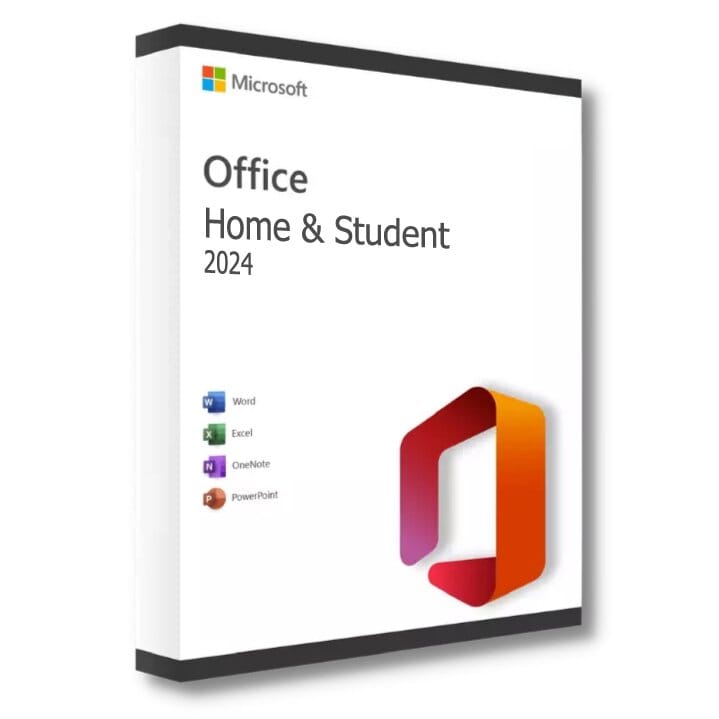
Office 2024 Home and Student für Mac
Dauerlizenz - Installation auf PC - Aktivierung
Nur noch 83 Lizenzen zu diesem Preis verfügbar
Offizielle Microsoft-Lizenz, auf den Microsoft-Servern verifiziert.
Warum Office 2024 Home & Student wählen?
- Word, Excel und PowerPoint für die ganze Familie
- Einmaliger Kauf zum reduzierten Preis, kein Abonnement
- Perfekt für Hausaufgaben, Kurse und persönliche Projekte
- Dauerhafte lebenslange Lizenz auf 1 PC
- Einfache und intuitive Oberfläche
- Offizielle Aktivierung über Microsoft
Office 2024 Home & Student
Office 2024 Home & Student ist die neueste Version der Microsoft Office-Suite. Mit einer dauerhaften Lizenz erhalten Sie Zugriff auf die drei zentralen Anwendungen für Ihre Produktivität – ganz ohne monatliches Abonnement.
Diese Suite umfasst Word, Excel und PowerPoint in ihren aktuellsten Versionen. Jede Anwendung wurde entwickelt, um den Anforderungen der täglichen Arbeit gerecht zu werden – ob Sie Dokumente erstellen, Daten analysieren oder mit Ihren Kontakten kommunizieren.
Unternehmen
Steigern Sie die Produktivität Ihres Teams mit professionellen Werkzeugen zum Erstellen von Dokumenten, Analysieren von Daten und Kommunizieren.
Studierende
Erstellen Sie gepflegte akademische Arbeiten, organisieren Sie Ihre Notizen und bereiten Sie wirkungsvolle Präsentationen vor, um in Ihrem Studium erfolgreich zu sein.
Privatnutzer
Verwalten Sie Ihre persönlichen Dokumente, Familienbudgets und kreativen Projekte mit leistungsstarken, zugänglichen Werkzeugen.
Selbstständige
Arbeiten Sie jeden Tag effizienter mit Werkzeugen, die auf die Bedürfnisse von Freiberuflern und Beratern zugeschnitten sind.
Was ist neu in Office 2024
Dunkler Modus
Reduzieren Sie die Augenbelastung mit dem dunklen Design, das in allen Anwendungen verfügbar ist.
XVERWEIS-Funktionen
Ein flexiblerer und leistungsstärkerer Ersatz für SVERWEIS in Excel.
PowerPoint-Aufzeichnung
Zeichnen Sie Ihre Präsentationen mit Erzählung und Anmerkungen auf dem Bildschirm auf.
Integrierte Übersetzung
Übersetzen Sie Text direkt aus Word in mehr als 70 Sprachen.
Office 2024 vs Microsoft 365
| Funktion | Office 2024 | Microsoft 365 |
|---|---|---|
| Lizenztyp | Dauerhaft (einmaliger Kauf) | Monatliches/jährliches Abonnement |
| Office-Anwendungen | Inklusive | Inklusive |
| Cloud-Speicher | Nicht inklusive | 1 TB OneDrive inklusive |
| Funktionsupdates | Fest (Version 2024) | Fortlaufend |
| Sicherheitsupdates | Inklusive | Inklusive |
| Langfristige Kosten | Günstig (einmalige Zahlung) | Höher (wiederkehrende Zahlungen) |
Technische Spezifikationen
Systemanforderungen
| Prozessor | 1,6 GHz oder schneller, 2 Kerne |
| Arbeitsspeicher (RAM) | 4 GB RAM |
| Speicherplatz | 4 GB verfügbar |
| Anzeige | 1280 x 768 Pixel |
| System | Windows 10 oder Windows 11 |
| Browser | Edge, Chrome, Firefox oder Safari |
| Internet | Verbindung für die Aktivierung |
Lizenzinformationen
| Lizenztyp | Dauerhaft (lebenslang) |
| Benutzer | 1 Benutzer |
| Geräte | 1 PC |
| Neuinstallationen | Unbegrenzt auf demselben Gerät |
| Sprache | Mehrsprachig (Deutsch inklusive) |
| Aktivierung | Online über Microsoft-Server |
| Support | 24/7 technische Unterstützung |
| Updates | Sicherheitsupdates inklusive |
In Office 2024 Home & Student enthaltene Anwendungen
Microsoft Word 2024
Professionelle Textverarbeitung mit Layout-Werkzeugen, Sprachprüfung und Echtzeit-Zusammenarbeit.
Microsoft Excel 2024
Fortschrittliche Tabellenkalkulation mit Formeln, Pivot-Tabellen, Diagrammen und Werkzeugen zur Datenanalyse.
Microsoft PowerPoint 2024
Erstellen Sie wirkungsvolle Präsentationen mit Animationen, Übergängen und Referentenansicht.
Verifizierte Kundenbewertungen
Für dieses Produkt liegen noch keine Kundenbewertungen vor.
Hinterlassen Sie Ihre Bewertung
Teilen Sie Ihre Erfahrung mit diesem Produkt, um anderen Kunden zu helfen.
Installationsanleitung
Die Installation von Office 2024 Home & Student dauert nur wenige Minuten. Folgen Sie diesen Schritten, um schnell einsatzbereit zu sein.
Herunterladen
Nach Ihrem Kauf erhalten Sie eine E-Mail mit Ihrem Aktivierungsschlüssel. Gehen Sie zum Microsoft-Installationsportal, um Office 2024 Home & Student herunterzuladen.
Installation
Führen Sie die heruntergeladene Datei aus und warten Sie, während die Installation durchgeführt wird. Der Vorgang läuft vollständig automatisch ab.
Lizenzaktivierung
Öffnen Sie eine beliebige Anwendung (Word, Excel...). Das Aktivierungsfenster erscheint automatisch.
- Klicken Sie auf « Office aktivieren »
- Wählen Sie « Ich habe einen Product Key »
- Geben Sie Ihren Schlüssel ein (achten Sie auf die Bindestriche)
- Folgen Sie den Anweisungen, um den Vorgang abzuschließen
Überprüfung
Um die Aktivierung zu bestätigen, öffnen Sie eine Office-Anwendung und gehen Sie zu Datei > Konto. Der Status sollte « Produkt aktiviert » anzeigen.
Brauchen Sie Hilfe?
So funktioniert es
Holen und aktivieren Sie Ihre Microsoft-Lizenz in nur 3 einfachen Schritten
Auswählen
Wählen Sie Ihre Office 2024 Home and Student für Mac Lizenz oder Ihr Paket aus und legen Sie es in den Warenkorb.
Bezahlen
Bezahlen Sie 100 % sicher über unseren Partner Paypal.



Aktivieren
Erhalten Sie Ihren Schlüssel sofort per E-Mail mit einer ausführlichen Installationsanleitung. Unser Support ist bei Bedarf rund um die Uhr für Sie da.
Häufig gestellte Fragen
Wie erhalte ich meine Office 2024 Home & Student Lizenz?
Ihr Aktivierungsschlüssel wird innerhalb weniger Minuten nach Ihrem Kauf per E-Mail versendet. Sie erhalten außerdem einen Download-Link und eine Installationsanleitung. Bei Bedarf steht Ihnen unser Support 7 Tage die Woche zur Verfügung.
Was ist der Unterschied zwischen Office 2024 Home & Student und Microsoft 365?
Sind Updates inbegriffen?
Kann ich bei einem Ausfall oder einer Formatierung neu installieren?
Das könnte Ihnen auch gefallen
Office 2016 Home and Student für Mac
Offizielle Office 2016 Home and Student Lizenz für Mac. Sofortige Lieferung per E-Mail. Aktivierung über Microsoft-Server. Lebenslange Garantie. Support inklusive.
Office 2024 Home and Student für Mac
Offizielle Office 2024 Home and Student für Mac Lizenz. Sofortige Lieferung per E-Mail. Aktivierung über Microsoft-Server. Lebenslange Garantie. Support inklusive.
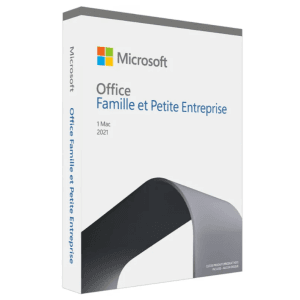
Office 2021 Home and Business für Mac Bind
Office 2021 Home and Business für Mac - Originale Microsoft-Lizenz. Sofortige Lieferung per E-Mail.
Office 2024 LTSC Standard für Mac
Office 2024 LTSC Standard für Mac - Originale Microsoft-Lizenz. Sofortige Lieferung per E-Mail.