Key features
BitLocker
Disk encryption
- Data protection
- AES 256-bit encryption
- TPM/PIN unlock
Remote Desktop
Remote access
- Native RDP connection
- Access from any device
- File transfer
Hyper-V
Virtualization
- Virtual machines
- Environment isolation
- Testing and development
Advanced security
Enhanced protection
- Windows Defender
- Smart firewall
- Real-time protection
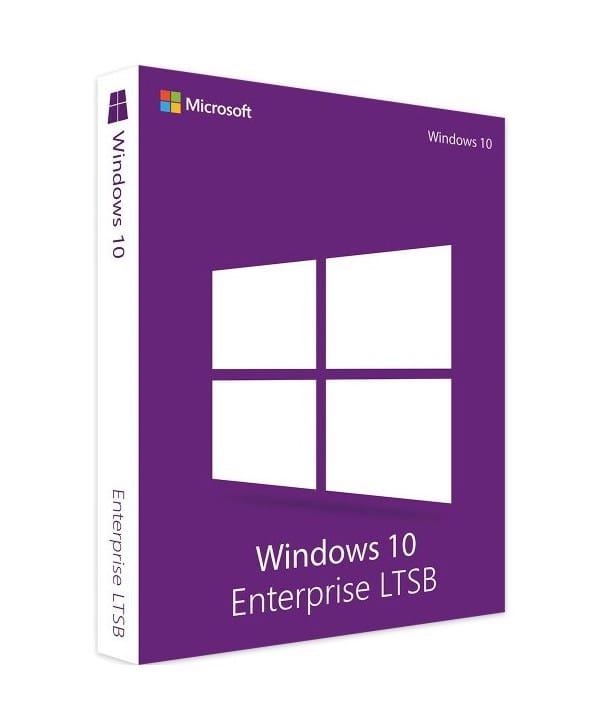
Windows 10 Enterprise 2015 LTSB
Perpetual license - PC installation - Official Microsoft online activation
Only 73 licenses left at this price
Official Microsoft license verified on Microsoft servers.
Pourquoi choisir Windows 10 Entreprise 2015 LTSB ?
- Maximum security with Credential Guard and Device Guard
- Full control via AppLocker and advanced group policies
- No feature updates, maximum stability
- Long-term support for critical environments
- Perpetual license, a lasting investment
- Microsoft support and guaranteed security updates
Windows 10 Enterprise 2015 LTSB
Windows 10 Enterprise 2015 LTSB represents the highest level of security and control in the Windows 10 lineup. Credential Guard, Device Guard, AppLocker, DirectAccess — all the advanced protection technologies come together for organizations that never compromise on security.
The LTSC (Long-Term Servicing Channel) version stands out for its absolute stability: no feature updates, only security patches. It’s the reference system for critical environments — medical terminals, industrial systems, control stations — where every change must be tightly managed.
Enterprises
Deploy a secure system across your organization with centralized management and advanced protections.
IT Directors & Administrators
Manage your IT estate efficiently with group policies, automated deployment and Azure AD.
Industrial Sector
Equip your dedicated terminals with a stable, locked-down system maintained over the long term.
Medical & Critical Sector
Benefit from a certified, stable environment for your sensitive workstations that demand absolute reliability.
The strengths of Windows 10 Enterprise 2015 LTSB
Hybrid Start menu
The best of both worlds: live tiles and a classic app list.
Virtual desktops
Create multiple workspaces to separate your activities and stay organized.
Windows Defender
Built-in antivirus and firewall, updated automatically for constant protection.
Windows Update
Regular security and feature updates to keep your PC up to date.
Technical specifications
System requirements
| Processor | 1 GHz or faster |
| RAM | 1 GB (32-bit) or 2 GB (64-bit) |
| Disk space | 16 GB (32-bit) or 20 GB (64-bit) |
| Display | 800 x 600 pixels minimum |
| Graphics card | DirectX 9 compatible with WDDM 1.0 driver |
| Internet | Connection required for activation |
License information
| License type | Perpetual (lifetime) |
| Users | 1 user |
| Devices | 1 PC |
| Reinstallations | Unlimited on the same device |
| Language | Multilingual (English included) |
| Activation | Online via Microsoft servers |
| Support | 24/7 technical support |
| Updates | Security updates included |
Windows 10 Enterprise 2015 LTSB features
Enhanced security
Device Guard, Credential Guard and Windows Defender ATP for enterprise-grade protection.
BitLocker & AppLocker
Full disk encryption and control over which applications are allowed to run.
DirectAccess
Seamless access to the corporate network without a VPN, for employees on the move.
Centralized deployment
Large-scale deployment and management tools for sizable IT fleets.
Long-term support
Security updates only, no feature changes. Ideal for critical systems.
Verified customer reviews
Bought on Euro Shop Key at minimal cost. After a small temporary issue, support sorted everything out. I recommend.
Unbeatable price on Euro Shop Key and fast reply from the seller. Great buying experience!
Leave your review
Share your experience with this product to help other customers.
Installation guide
Activating your Windows 10 Enterprise 2015 LTSB license takes only a few minutes. Here is the step-by-step procedure to follow.
Check compatibility
First of all, make sure that your computer meets the requirements for Windows 10 Enterprise 2015 LTSB.
Download Windows 10 Enterprise 2015 LTSB
Go to the official Microsoft website to download the media creation tool or the ISO image of Windows 10 Enterprise 2015 LTSB.
Install the system
Launch the installer and follow the instructions. Choose your language, accept the terms and select the type of installation you want.
Activate your license
Once the installation is complete, go to Settings > System > Activation. Click « Change product key » and enter the key received by email.
Need help?
How It Works
Get and activate your Microsoft license in just 3 simple steps
Choose
Select your Windows 10 Enterprise 2015 LTSB license or your Pack and add it to your cart.
Pay
Make a 100% secure payment through our partner Paypal.



Activate
Receive your key instantly by email with a detailed installation guide. Our support is available 7/7 if needed.
Frequently asked questions
How do I activate my Windows 10 Enterprise 2015 LTSB license?
After your purchase, you receive your key by email within a few minutes. Go to Settings > System > Activation, click « Change product key » and enter your key. Activation is done online via the Microsoft servers.
What is the difference between Windows 10 Enterprise 2015 LTSB and the Pro version?
Is the Windows 10 Enterprise 2015 LTSB license perpetual?
Can I reinstall Windows 10 Enterprise 2015 LTSB after a format?
What happens if I have an issue during activation?
You might also like
Windows 11 Enterprise 2024 LTSC
Windows 11 Enterprise 2024 LTSC - Genuine Microsoft license. Instant delivery by email.
Windows 11 Home
Windows 11 Home - Genuine Microsoft license. Instant delivery by email.

Windows 10 IoT Enterprise
Windows 10 IoT Enterprise - Genuine Microsoft license. Instant delivery by email.
Windows 10 S
Windows 10 S - Official Microsoft license. Instant delivery by email.