 Euroopa ettevõte asukohaga Prantsusmaal
Suurepärane4.9/5Trustpilot1,800+ reviews Eluaegne asendusgarantii
E-posti tugi 24/7
Euroopa ettevõte asukohaga Prantsusmaal
Suurepärane4.9/5Trustpilot1,800+ reviews Eluaegne asendusgarantii
E-posti tugi 24/7
Euroopa ettevõte asukohaga Prantsusmaal
Suurepärane4.9/5Trustpilot1,800+ reviews Eluaegne asendusgarantii
E-posti tugi 24/7
Euroopa ettevõte asukohaga Prantsusmaal
Suurepärane4.9/5Trustpilot1,800+ reviews Eluaegne asendusgarantii
E-posti tugi 24/7


No risky activator: a genuine Windows license from 8,90 €, activated on Microsoft's official servers and delivered by email within minutes.
Ehtsad Microsofti litsentsid, kohaletoimetamine e-postiga mõne minutiga
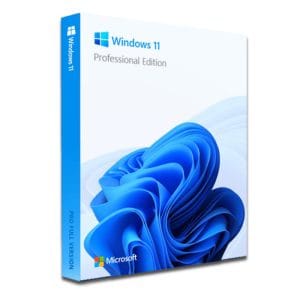
Windows 11 Pro – The Ultimate Professional Operating System Windows 11 Pro is the latest version of Microsoft’s operating system,...
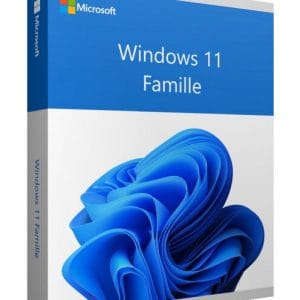
Windows 11 Home - Genuine Microsoft license. Instant delivery by email.
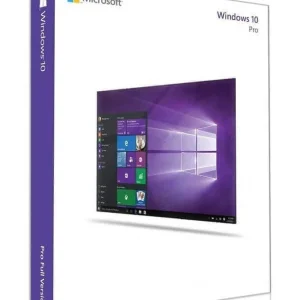
Official Windows 10 Professional license. Instant delivery by email. Activation on Microsoft servers. Lifetime warranty. Support included.
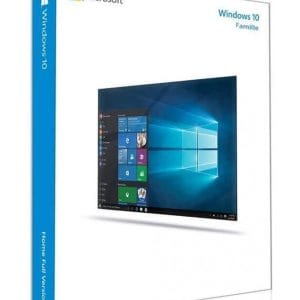
Windows 10 Home - Genuine official Microsoft license. Instant delivery by email.
Teie litsents aktiveeritud 3 sammuga
Kaart, Apple Pay, Google Pay või Bancontact, SSL-krüpteeritud makse 3D Secure kontrolliga.
Turvaline makseVõti saabub e-postiga mõne minutiga koos samm-sammuliste aktiveerimisjuhistega.
Lugege lähemaltLook up how to activate Windows for free and you get pages of dated tricks, lists of dead keys and downright dangerous software. This page sorts it out plainly: what is genuinely free, what is risky, and what a real license costs.
In three situations, Windows activates without you paying anything, because a license already exists for your machine:
Outside these cases (a PC you built yourself, a used computer sold without a license, a machine that was never activated), there is no free activation that lasts.
Every product key is unique and checked by Microsoft’s servers at activation. A key posted on a forum and copied by hundreds of visitors exceeds its activation limit within hours, then gets refused everywhere. The lists of “free Windows 11 keys” that circulate are therefore either used up or simply useless.
What people really mean when they search for “activate Windows without a key” already exists under another name: using Windows unactivated. Microsoft lets you install and use Windows 10 or Windows 11 without any key: during setup, just click “I don’t have a product key”. The system starts, works with no time limit and receives its updates as long as your version of Windows is supported by Microsoft; activation changes nothing there.
In return, an unactivated Windows comes with permanent restrictions:
| Day to day | Windows not activated | Windows activated |
|---|---|---|
| Running software and games | Normal | Normal |
| Windows Update (supported version) | Delivered normally | Delivered normally |
| “Activate Windows” watermark | Always on screen | None |
| Wallpaper, colors, themes | Settings locked | Full personalization |
| Reminder notifications | Regular | None |
| License status | Tolerated, meant to be temporary | Compliant |
To test a PC you have just built or to get by for a few days, it is a perfectly honest solution. On your everyday machine, the watermark on every screenshot and the inability to change a simple wallpaper soon wear thin. Our guide to the “Activate Windows” watermark explains how to remove it properly.
Another point to set straight: downloading Windows 10 or Windows 11 for free is not illegal. Microsoft offers its ISO images to everyone on its own website, with no account and no payment. That is the only source to use: ISO files “with activation built in” offered by third-party sites are modified images and a classic way of spreading spyware.
The clean method takes four steps:
Each step is detailed in our guide to downloading Windows 10 and 11 legally. Remember: the installation file is the same for everyone. What separates a restricted Windows from a complete one is not the ISO, it is the license.
Then come the programs that promise to activate Windows 11 for free “in one click”. The facts, without moralizing: these activators bypass the software’s protection, which is illegal, and antivirus vendors regularly flag them as a source of infection. They have been documented to carry:
There is also a purely practical problem: the activation they produce is fake. It hijacks a mechanism designed for company servers and can disappear with a major update or a reinstall. You will find no tool names or instructions here: the trade-off between risk and savings simply does not hold up.
The last mirage is the “verified” keys shared on forums and deal sites. To understand why they disappoint, one mechanism is enough: every activation is checked by Microsoft’s official servers, which keep count of how each key is used.
It is a particularly frustrating scenario: a system you thought was sorted, settings carefully redone, then everything to start again, often at a bad moment.
Then there is the arithmetic. On one side, evenings spent testing dead keys or gambling your PC’s health on a booby-trapped activator. On the other, a genuine license from 8,90 €, delivered by email within minutes, activated on Microsoft’s official servers and valid for life: Windows is a one-time purchase and the license does not expire.
| License | Price | Who it is for |
|---|---|---|
| Windows 11 Home | 8,90 € | Personal or family PC, everyday use |
| Windows 11 Pro | 9,90 € | Remote work and professionals: BitLocker, Remote Desktop |
| Windows 10 Home | 8,90 € | Home PCs that cannot run Windows 11 |
| Windows 10 Pro | 9,90 € | Workstations staying on Windows 10 |
Payment is secure, by card, Apple Pay, Google Pay or Bancontact, and every order comes with an invoice showing VAT.
For personal use, the Home edition covers every need. Windows 11 Pro adds BitLocker encryption, Remote Desktop and Group Policy: the right reflex for remote work, freelancers and small businesses. All editions are compared on our Windows 11 key and Windows 10 key pages.
For hardware that cannot run Windows 11, a Windows 10 license is still available. Keep in mind that Windows 10 reached its end of support on 14 October 2025 and, without Microsoft’s extended security program (ESU), no longer receives security updates: reserve it for a secondary machine, and plan the move to Windows 11 for the PC you use every day.
Kõik, mida peate enne tellimist teadma
Yes. Microsoft lets anyone download, install and use Windows 10 or Windows 11 without a key, with no time limit. The restrictions are only functional: a permanent watermark, locked personalization settings and regular reminders. Activation remains the intended use for a machine you keep for the long term, and it is what the license terms expect.
There is no countdown: the system does not lock itself, and Windows Update keeps working as long as your version of Windows is supported by Microsoft, activated or not. The limitations, however, never go away until a license is installed: the watermark stays on screen and the personalization settings remain locked.
Almost never, and never for long. They are either generic keys that install Windows without activating it, keys that are already used up, or keys of unknown origin that stop working after a while. The check happens on Microsoft's servers: a key copied from a forum cannot escape it.
Yes, and antivirus vendors document it every year: Trojans, credential theft, cryptocurrency mining. The clearest warning sign is being asked to disable your antivirus before running the tool. And the activation it produces, besides being illegal, can vanish with the next update or the next reinstall.
Because they are resold licenses: the UsedSoft ruling of the Court of Justice of the EU (case C-128/11) allows software licenses to be legally resold within the European Union. The key you receive activates on Microsoft's official servers, comes with an invoice showing VAT and stays valid for life. Our article on genuine low-cost Windows keys explains what to check.
Open Settings > System > Activation, choose "Change product key" and enter the key received by email: validation happens online, on Microsoft's official servers. Our Windows activation guide details the procedure for each version and what to do if an error code appears.
Our team answers by email 24/7, within 2 hours on average.
Vastamise aeg: within 2 hours on average
