 Euroopa ettevõte asukohaga Prantsusmaal
Suurepärane4.9/5Trustpilot1,800+ reviews Eluaegne asendusgarantii
E-posti tugi 24/7
Euroopa ettevõte asukohaga Prantsusmaal
Suurepärane4.9/5Trustpilot1,800+ reviews Eluaegne asendusgarantii
E-posti tugi 24/7
Euroopa ettevõte asukohaga Prantsusmaal
Suurepärane4.9/5Trustpilot1,800+ reviews Eluaegne asendusgarantii
E-posti tugi 24/7
Euroopa ettevõte asukohaga Prantsusmaal
Suurepärane4.9/5Trustpilot1,800+ reviews Eluaegne asendusgarantii
E-posti tugi 24/7


Compare Office 2024 Home, Home and Business and Professional Plus: genuine lifetime licenses from 54,99 €, delivered by email with an invoice showing VAT.
Ehtsad Microsofti litsentsid, kohaletoimetamine e-postiga mõne minutiga
Office 2024 Home - Genuine Microsoft license. Instant delivery by email.
Official Office 2024 Home and Student license. Instant delivery by email. Activation on Microsoft servers. Lifetime warranty. Support included.
Office 2024 Home and Business - Genuine Microsoft license. Instant delivery by email.
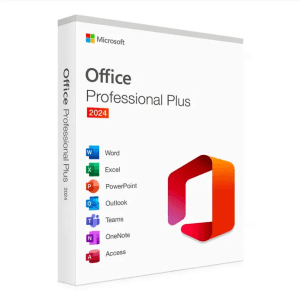
Microsoft Office 2024 Pro Plus Microsoft Office 2024 Pro Plus is the latest version of the world’s most popular productivity...
Teie litsents aktiveeritud 3 sammuga
Kaart, Apple Pay, Google Pay või Bancontact, SSL-krüpteeritud makse 3D Secure kontrolliga.
Turvaline makseVõti saabub e-postiga mõne minutiga koos samm-sammuliste aktiveerimisjuhistega.
Lugege lähemaltLaunched in October 2024, Office 2024 Home (officially “Office Home 2024”) is bought once: no annual renewal and no card details kept on file. It installs Word, Excel, PowerPoint and OneNote on one computer and stays usable for as long as that computer runs. Compared with the 2021 generation, it brings new Excel functions such as TEXTSPLIT and IMAGE, support for the OpenDocument 1.4 format, an improved dark mode and refreshed visuals across the apps.
One clarification avoids many ordering mistakes: with this generation, Microsoft dropped the name “Home and Student”. What used to be called Office Home and Student 2021 is now simply Office Home 2024, which includes Word, Excel, PowerPoint and OneNote. If an offer mentions “Office 2024 Home and Student”, it covers the same applications under the former name; our Office Home and Student page also covers the older versions. Only Home and Business is a real step up, because it adds Outlook and the right to use the suite for work.
The choice comes down to two questions: do you need Outlook to manage your email outside the browser, and is the computer used for paid work? The home editions are reserved for personal and school use; as soon as you invoice a client from that computer, you need to go one step up.
| Edition | Included apps | Permitted use | Price |
|---|---|---|---|
| Office 2024 Home | Word, Excel, PowerPoint, OneNote | Home and school | from 109,99 € |
| Office 2024 Home and Student (former name) | Word, Excel, PowerPoint, OneNote | Home and school | from 54,99 € |
| Office 2024 Home and Business | Word, Excel, PowerPoint, OneNote and Outlook | Home and business | from 119,99 € |
| Office 2024 Professional Plus | The same plus Access | Business | from 24,90 € |
One counter-intuitive detail deserves a mention: on the pre-owned market, Office 2024 Professional Plus often costs less than Home and Business while also including Outlook, so check the prices in the table. It is, however, a Windows-only edition. Conversely, if you only need Word, Excel and PowerPoint for homework, household accounts and holiday slideshows, the Home edition remains the direct choice. The prices in this table are always those shown on the cards above.
What you receive
Your Office 2024 product key by email, with the official download link and step-by-step activation instructions for your edition. The key activates on Microsoft’s official servers; home editions are usually linked to your Microsoft account during setup, which makes reinstalling easy.
Microsoft maintains Office 2024 for five years, until 9 October 2029: security and stability fixes, without new features. That is the nature of a fixed version, and precisely what households tired of interfaces that change every quarter are looking for. For a broader view of the 2024 range, including the business editions, see our page on the Office 2024 key or our complete guide to the Office 2024 suite.
If your household has several computers, tablets and smartphones, compare with a subscription: Microsoft 365 covers up to 5 devices for 12 months and always delivers the latest version, whereas Office 2024 Home is paid once for one computer. For a single family computer kept for several years, the one-time license is usually the more economical option; our page on how to buy Microsoft 365 details the comparison.
Because they are genuine pre-owned licenses, coming from businesses or individuals who no longer use them. The Court of Justice of the European Union recognized this trade in its UsedSoft ruling (case C-128/11): once sold in the EU, software can be resold, provided the first owner permanently stops using it. Each license activates on Microsoft’s official servers and comes with an invoice showing VAT.
You are buying neither a trial version nor restricted software: it is exactly the same Office 2024 as the boxed version, without the cost of packaging or of the distribution network. Lifetime replacement of a defective key and email support 7 days a week, with a reply within 2 hours on average, are included with every order.
Kõik, mida peate enne tellimist teadma
No. Office 2024 Home is limited to Word, Excel, PowerPoint and OneNote. The classic desktop Outlook is reserved for Home and Business and for Professional Plus. You can still read your email with the free Outlook app included in Windows 11 or in a browser. If you need the full desktop version, choose one of those editions directly and compare their prices on the cards above.
Yes, apart from the name. Microsoft dropped “and Student” with the 2024 generation: the edition that succeeds Office Home and Student 2021 is called Office Home 2024 and includes OneNote alongside the three classic applications. Offers presented as “Office 2024 Home and Student” therefore refer to the same set of applications under the former commercial name.
A perpetual license covers one computer. It remains transferable: if you change computers, uninstall the suite from the old one, then activate the same key on the new one at no extra cost. To equip several computers in the household at the same time, you need one license per computer; our support team helps by email if an activation needs an extra step.
Yes, that is strongly recommended. Keeping Office 2021 or 2019 alongside Office 2024 on the same computer causes file association conflicts and repeated activation prompts. Uninstall the old suite from Settings, then Installed apps, and restart before running the new installation. Your documents, workbooks and email profiles are not affected: only the applications are removed.
No. Microsoft reserves Office Home 2024 for personal, non-commercial use. As soon as the computer is used to invoice clients, run a freelance activity or for employees, you need Office 2024 Home and Business or Professional Plus, both of which include Outlook and allow business use. Nothing blocks the software technically, but the license does not cover it.
Our team answers by email 24/7, within 2 hours on average.
Vastamise aeg: within 2 hours on average
