 Euroopa ettevõte asukohaga Prantsusmaal
Suurepärane4.9/5Trustpilot1,800+ reviews Eluaegne asendusgarantii
E-posti tugi 24/7
Euroopa ettevõte asukohaga Prantsusmaal
Suurepärane4.9/5Trustpilot1,800+ reviews Eluaegne asendusgarantii
E-posti tugi 24/7
Euroopa ettevõte asukohaga Prantsusmaal
Suurepärane4.9/5Trustpilot1,800+ reviews Eluaegne asendusgarantii
E-posti tugi 24/7
Euroopa ettevõte asukohaga Prantsusmaal
Suurepärane4.9/5Trustpilot1,800+ reviews Eluaegne asendusgarantii
E-posti tugi 24/7


Genuine Windows 8 and 8.1 licenses from 6,49 €: reactivate an older PC in a few minutes, with your key delivered by email.
Ehtsad Microsofti litsentsid, kohaletoimetamine e-postiga mõne minutiga
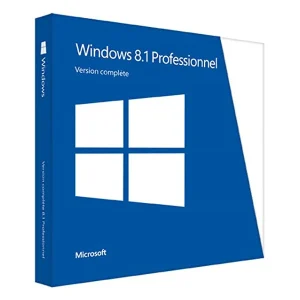
Official Windows 8 Professional license. Instant delivery by email. Activation on Microsoft servers. Lifetime warranty. Support included.
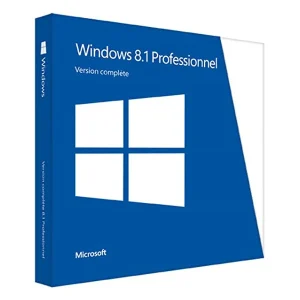
Windows 8.1 Professional - Genuine official Microsoft license. Instant delivery by email.
Windows 8.1 - Genuine official Microsoft license. Instant delivery by email.
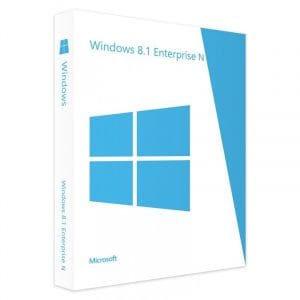
Windows 8 Professional N - Official Microsoft license. Instant delivery by email.
Teie litsents aktiveeritud 3 sammuga
Kaart, Apple Pay, Google Pay või Bancontact, SSL-krüpteeritud makse 3D Secure kontrolliga.
Turvaline makseVõti saabub e-postiga mõne minutiga koos samm-sammuliste aktiveerimisjuhistega.
Lugege lähemaltBefore you buy a Windows 8.1 product key, check which version your PC runs. Windows 8 and Windows 8.1 are separate products in our catalog, and setup expects a key that matches both the version and the edition you install: a key for the standard edition will not activate a Professional installation, and vice versa. Run winver to see the exact version before you order.
| Edition | For which PC | What it brings | On our store |
|---|---|---|---|
| Windows 8.1 | Consumer laptop or all-in-one from 2013-2014 | Classic desktop and Start button back, fast startup, built-in Defender | From 6,49 € |
| Windows 8.1 Professional | Office PC, remotely managed machine | BitLocker, Remote Desktop host, domain join, Hyper-V, Group Policy editor | From 6,99 € |
| Windows 8 Professional | A 2012-2013 PC restored to its original version | The version on the original media or recovery partition | From 7,99 € |
| Windows 8 Professional N | PCs installed with an N edition | Pro features without Windows Media Player and related media apps | From 6,99 € |
N editions were made for the European market: they work like the standard editions, minus Windows Media Player and some media features, which Microsoft’s Media Feature Pack adds back. Windows RT, made for the ARM tablets of that era, was never sold on its own and is not covered by these keys.
Computers sold with Windows 8 or 8.1 preinstalled between 2012 and 2014 almost always store their key in the UEFI firmware, in a table called MSDM. In that case, reinstalling the same edition activates automatically, without typing anything. Check this before buying, from a command prompt opened as administrator:
A new license becomes necessary in several common cases: a replaced motherboard, a worn-out certificate of authenticity sticker, a self-built PC without an operating system, an installation made with a generic key, or a machine recovered without its original media. Our guide to finding your Windows product key lists the other places to look.
Windows 8.1 remains one of the lightest Microsoft systems you can still install: a 1 GHz processor with PAE, NX and SSE2 support, 1 GB of RAM in 32-bit (2 GB in 64-bit), 16 GB of disk space (20 GB in 64-bit) and a DirectX 9 graphics card with a WDDM driver. On a netbook with a mechanical hard drive, it starts noticeably faster than a current system, which explains its longevity on kiosks and old laptops.
Two points need attention. The architecture of the installation media (32 or 64-bit) must match the existing installation, even though the key itself works with both. Above all, new drivers are no longer published for this generation: a printer, scanner or Wi-Fi card released after 2020 may not work. Check this before committing a machine to this version; our Windows 8.1 installation guide explains how to prepare the media.
Let’s be transparent: Windows 8.1 support ended on January 10, 2023, and Microsoft offered no extended security updates for this system. Windows 8 support had ended even earlier, in January 2016. Microsoft’s activation servers still accept valid keys, so buying a Windows 8.1 product key today still makes sense in specific cases:
On the other hand, if the machine is used every day and stays connected to the internet, do not stop there: current browsers no longer receive updates on this system, and current office suites no longer support it. If the hardware meets the Windows 11 requirements, a Windows 11 key is the durable route; if it does not, a Windows 10 LTSC version generally runs on the same PC and still receives security updates until 2029 or 2032. Our guide on migrating from Windows 7 or 8 to Windows 11 explains how to move your files.
Our keys, Windows 8 included, are genuine second-hand licenses resold lawfully in the European Union under the UsedSoft ruling of the Court of Justice (case C-128/11). Your key arrives by email, usually within a few minutes of payment (48 business hours at most), together with activation instructions. You receive a VAT invoice, a faulty key is replaced for the lifetime of the license, and our team answers by email 7 days a week, within 2 hours on average, through the support page.
Kõik, mida peate enne tellimist teadma
Do not count on it. Windows 8 and Windows 8.1 are sold as separate products, and setup checks that the key matches the version and edition being installed. To install or reactivate Windows 8.1, choose a Windows 8.1 key in the same edition, standard or Professional; for Windows 8 media, choose a Windows 8 key. If in doubt, ask our support before ordering.
Microsoft no longer offers its Windows 8.1 download page or media creation tool. Three routes remain: the DVD or USB drive supplied by the manufacturer, the recovery partition still on the disk, or an original ISO image archived before the withdrawal. Our support can tell you which edition and architecture to choose so that your key is accepted.
The original key stored in the firmware or printed under the case belongs to the machine it shipped with: after a motherboard replacement, activation usually fails and a new license is needed. The keys we supply activate one PC and can be reactivated after a reinstallation on that same PC. Before a major hardware change, contact our support.
No. Microsoft's free upgrade offer has officially ended, and we do not promise any workaround. A PC designed for Windows 8.1 rarely meets the Windows 11 requirements, as it usually lacks TPM 2.0 and a supported processor. Windows 10 can still be installed on such hardware with its own license; for continued security updates, choose a Windows 10 LTSC version.
Not for everyday browsing. Windows 8.1 no longer receives security updates, and current browsers have stopped supporting it. Keep it for offline machines, dedicated software or hardware that only works with this version. For a connected PC used every day, move to a supported system such as Windows 11 or a Windows 10 LTSC version.
Our team answers by email 24/7, within 2 hours on average.
Vastamise aeg: within 2 hours on average
