 Eurooppalainen yritys, kotipaikka Ranska
Erinomainen4.9/5Trustpilot1,800+ reviews Elinikäinen vaihtotakuu
Sähköpostituki 24/7
Eurooppalainen yritys, kotipaikka Ranska
Erinomainen4.9/5Trustpilot1,800+ reviews Elinikäinen vaihtotakuu
Sähköpostituki 24/7
Eurooppalainen yritys, kotipaikka Ranska
Erinomainen4.9/5Trustpilot1,800+ reviews Elinikäinen vaihtotakuu
Sähköpostituki 24/7
Eurooppalainen yritys, kotipaikka Ranska
Erinomainen4.9/5Trustpilot1,800+ reviews Elinikäinen vaihtotakuu
Sähköpostituki 24/7


Microsoft Office from 9,99 €: Office 365 for 12 months, or Office 2024, 2021 and 2019 with a one-time payment. Your key arrives by email within minutes.
Aidot Microsoft-lisenssit, toimitus sähköpostitse muutamassa minuutissa
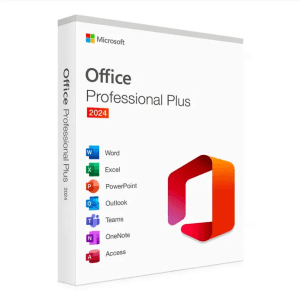
Microsoft Office 2024 Pro Plus Microsoft Office 2024 Pro Plus is the latest version of the world’s most popular productivity...
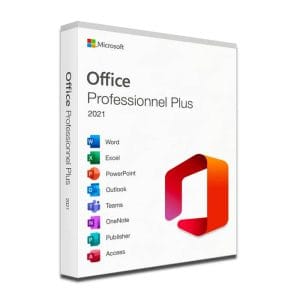
Microsoft Office 2021 Pro Plus Microsoft Office 2021 Pro Plus is the latest version of the world’s most popular office...
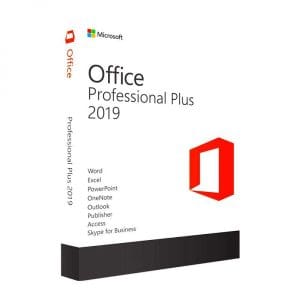
Genuine Office 2019 Professional Plus license. Instant delivery by email. Activation on Microsoft servers. Lifetime warranty. Support included.
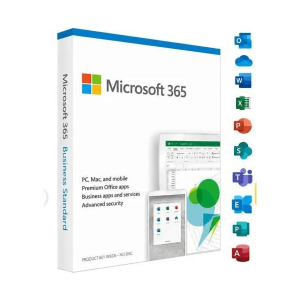
Office 365 - 12 Months / 5 Devices - Official Microsoft license. Instant delivery by email.
Lisenssi käyttöön kolmessa vaiheessa
Kortti, Apple Pay, Google Pay tai Bancontact, SSL-salattu maksu ja 3D Secure -varmennus.
Turvallinen maksuAvain saapuu sähköpostitse muutamassa minuutissa vaiheittaisten aktivointiohjeiden kanssa.
Lue lisääWord for documents, Excel for spreadsheets, PowerPoint for presentations, Outlook for email: Microsoft Office is still the standard toolkit on most computers, at home and at work. If you want to buy Microsoft Office today, a subscription is not your only option. Office 2024, 2021 and 2019 are sold as perpetual licenses: you pay once, install the suite on your PC and keep using it with no time limit. Office 365, on the other hand, is a 12-month subscription that covers several devices.
At Euro Shop Key, perpetual licenses start at 12,90 € for Office 2019 Professional Plus, 19,90 € for Office 2021 Pro Plus and 24,90 € for Office 2024 Pro Plus, the latest release. Office 365 for 12 months on up to 5 devices starts at 9,99 €. Whichever you choose, your product key arrives by email within minutes with the official download link, and it activates on Microsoft’s own servers.
This guide helps you pick the right version for your needs, compares the four options side by side and explains how delivery and activation work, so you can order with confidence.
All versions share the same core apps. The real question is not which suite is better in general, but which one fits your use, your computer and your budget. Three profiles cover the vast majority of situations.
Essays, reports, dissertations and slide decks all rely on Word, Excel and PowerPoint. Two options stand out:
Letters, the household budget, school projects, an updated CV: for the family computer, a perpetual license removes monthly payments altogether. Office 2024 Pro Plus is the long-term option, with Microsoft security updates until October 2029. Office 2021 Pro Plus costs less and does everything a family needs, but Microsoft ended its support on 13 October 2026: it keeps working normally, without new security fixes.
Freelancers, small businesses and remote workers spend their days in Outlook and Excel. Office 2024 Pro Plus brings the improvements that matter for intensive use: new Excel functions, improved search in Outlook, an interface in line with Windows 11 and better performance. For a tool you open eight hours a day, it is the sensible choice, and it is the only perpetual version on this page that Microsoft still supports.
Whatever your profile, the number of computers covered is shown on each product page: each perpetual key on this page activates one PC, with multi-PC options where available, while Office 365 covers up to five devices.
Before you buy, decide between a permanent license and a subscription. Both give you the same core apps, but they follow a different logic.
A perpetual license (Office 2019, 2021 or 2024) works like any other purchase: one payment, one installation, no renewal date. The suite keeps the features of its release year, which does not get in the way of everyday work: a document created today opens just as well in Office 2019 as in Office 2024.
A subscription reverses the logic: a recurring cost, but apps that are updated continuously and can be installed on several devices. Our Microsoft 365 page explains how the subscription works.
| Criterion | Lifetime Office (2019, 2021, 2024) | Office 365 (subscription) |
|---|---|---|
| Payment | Once | Every 12 months |
| Period of use | Unlimited on the activated PC | For the length of the subscription |
| New features | Those of the version you buy | Added continuously |
| Devices | 1 PC | Up to 5 (PC, Mac, tablets, mobile devices) |
| Ideal for | One main computer, classic office work | Several devices, working on the move |
The rule of thumb is simple: for one computer and classic office tasks, a lifetime license removes any future cost; a subscription makes sense when you work across several devices. For a cost comparison over several years, read our analysis lifetime Office license or subscription.
The table below sums up the four options, from the entry-level license to the latest release. Each version name leads to its detailed page.
| Version | Apps included | License | Microsoft security updates | Price |
|---|---|---|---|---|
| Office 2024 Pro Plus | Word, Excel, PowerPoint, Outlook, OneNote, Access | Perpetual, 1 PC | Until 9 October 2029 | 24,90 € |
| Office 2021 Pro Plus | Word, Excel, PowerPoint, Outlook, OneNote, Access, Publisher | Perpetual, 1 PC | Ended on 13 October 2026 | 19,90 € |
| Office 2019 Professional Plus | Word, Excel, PowerPoint, Outlook, OneNote, Access, Publisher | Perpetual, 1 PC | Ended on 14 October 2025 | 12,90 € |
| Office 365, 12 months | Word, Excel, PowerPoint, Outlook and more, always up to date | Subscription, up to 5 devices | Throughout the subscription | 9,99 € |
One detail worth knowing: Publisher is not part of Office 2024, as Microsoft has retired the app. If you rely on it, Office 2021 or 2019 still include it. Conversely, Office 2024 is the only perpetual release here with the newer Excel functions and the Windows 11 look.
This is a frequent dilemma. Office 2021 Pro Plus covers everyday needs with a modern interface and costs less, but its Microsoft support ended on 13 October 2026, so it no longer receives security updates. Office 2024 Pro Plus is supported until October 2029 and suits recent PCs and heavy Excel users. For a main computer that handles email and files from outside, choose 2024; Office 2021 remains a reasonable budget option for a secondary or offline PC. Files are fully interchangeable between the two.
The three perpetual versions on this page install on Windows 10 and Windows 11; none of them runs on Windows 7 or Windows 8. A few guidelines:
On a Mac, the Pro Plus licenses do not apply: they are for Windows only. The Office 365 subscription is the simplest route for a MacBook or an iMac, as one subscription covers PCs, Macs, tablets and mobile devices alike.
No box, no shipping, no waiting for a courier: everything happens online, in four steps.
Why are these prices so far below Microsoft’s own?
Our keys are genuine perpetual licenses from the European second-hand software market. In its UsedSoft judgment (case C-128/11, 2012), the Court of Justice of the European Union confirmed that a perpetual software license sold in the EU may be resold, provided the original owner no longer uses it. Same software, same activation on Microsoft’s servers: only the distribution channel differs.
Every order comes with a VAT invoice, and a defective key is replaced for life. Our team answers by email 7 days a week, with a reply within 2 hours on average, before and after your purchase. Delivery times and methods are detailed on our delivery page.
Kaikki, mitä on hyvä tietää ennen tilaamista
Office 2019, 2021 and 2024 are perpetual licenses: you pay once and use the suite with no time limit on the activated PC. Office 365 is a 12-month subscription that adds continuous feature updates and installation on up to 5 devices. For one computer and classic office work, the one-time purchase costs less over the years; for a household with several devices, the subscription at 9,99 € is the easiest way in.
Yes. Our keys are genuine pre-owned licenses. Since the UsedSoft judgment of the Court of Justice of the European Union (case C-128/11, 2012), a perpetual software license sold in the EU may be resold, provided the previous owner stops using it. This second-hand market explains the price gap. Each key activates directly on Microsoft's official servers, and every order comes with a VAT invoice.
Yes. Office 2024, 2021 and 2019 all install on Windows 10 and Windows 11. Office 2024 is the natural match for a recent PC and the only one of the three still receiving Microsoft security updates, until October 2029. None of these versions runs on Windows 7 or Windows 8. For a Mac, choose the Office 365 subscription, which covers both PC and Mac.
The perpetual licenses on this page cover one PC: one key activates one computer. The Office 365 subscription covers up to 5 devices, including Macs, tablets and mobile devices. The number of devices is always stated on the product page before you buy, along with any multi-PC options. To equip several computers with a lifetime license, plan one license per PC.
By email only, usually within minutes of payment and within 48 working hours at most. The message contains your product key, the official download link and the installation steps. There are no shipping costs and no courier to wait for, so you can install your suite straight away, even late on a Sunday evening.
Yes, it avoids conflicts between versions. Uninstall the old suite from the Windows settings, restart the PC, then run the new installation. Your personal documents are not affected: they stay in your folders and open normally in the new version. Also remove any trial version of Office that came preinstalled on your computer.
Our team answers by email 24/7, within 2 hours on average.
Vastausaika: within 2 hours on average
