Eurooppalainen yritys, kotipaikka Ranska


Fonctionnalités clés
Planification
Tâches et jalons
- Diagramme de Gantt
- Chemin critique
- Dépendances
Ressources
Équipe et matériel
- Affectation
- Disponibilité
- Coûts
Rapports
Analyse
- Avancement
- Budget
- Tableaux de bord
Calendrier
Timeline
- Vue chronologique
- Jalons visuels
- Échéances
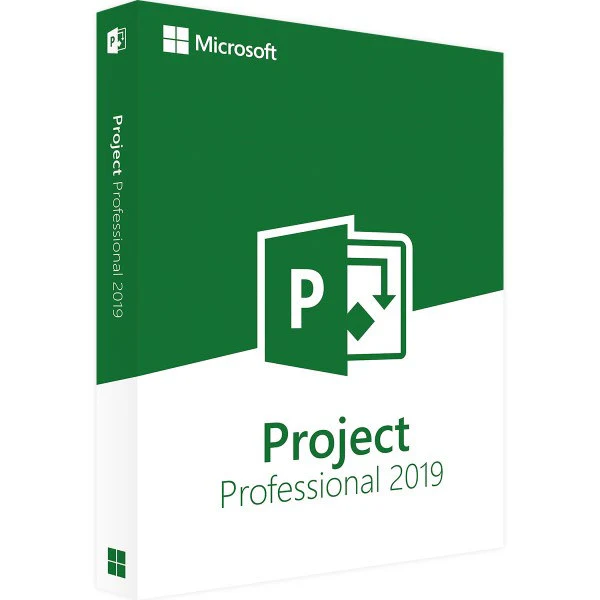
Project 2019 Professional (bind)
Perpetual license - Professional project management - Online activation
Official Microsoft license verified on Microsoft servers.






Why choose Project 2019 Professional?
- Advanced planning with Gantt chart and critical path
- Complete resource management and overload detection
- Visual reports and customizable dashboards
- Connection to SharePoint and Project Online
- Perpetual license without subscription
- The reference tool for project managers
Project 2019 Professional
Project 2019 Professional is Microsoft’s project management solution. Planning, progress tracking, resource management — everything a project manager needs is in a single tool, with the famous Gantt charts as the centerpiece.
The Professional edition adds advanced resource management, connectivity to Project Online and SharePoint, plus portfolio reports to oversee several projects at once. It’s the choice of PMOs and demanding project teams.
Project managers
Plan, track and adjust your projects with proven professional tools.
Small businesses
Structure your internal projects without the complexity of heavy enterprise solutions.
Consultants
Present clear, professional schedules to your clients.
IT teams
Manage your sprints, releases and product roadmaps efficiently.
Technical specifications
System requirements
| Processor | 1.6 GHz or higher, 2 cores |
| RAM | 2 GB RAM |
| Disk space | 3 GB available |
| Display | 1280 x 768 pixels |
| System | Windows 10 or Windows 11 |
| Internet | Connection for activation |
License information
| License type | Perpetual (lifetime) |
| Users | 1 user |
| Devices | 1 PC |
| Reinstallations | Unlimited on the same device |
| Language | Multilingual (English included) |
| Activation | Online via Microsoft servers |
| Support | Technical support 7 days a week |
| Updates | Security updates included |
Project 2019 Professional features
Advanced scheduling
Gantt charts, critical path, resource leveling and real-time progress tracking.
Resource management
Assign and track your human and material resources. Detect overloads and optimize allocation.
Reports and dashboards
Visual reports, burndown charts and dashboards to manage your projects effectively.
Collaboration
Synchronization with SharePoint and Project Online for teamwork and portfolio management.
Asiakasarvostelut
Quick reply and really good install instructions from Euro Shop Key. Top! I'll be back for my next purchases.
Bought from Euro Shop Key at a minimal cost. After a small temporary issue, support sorted everything out. Recommend.
Unbeatable price on Euro Shop Key and a quick response from the seller. Great buying experience!
Jättäkää arvostelunne
Jakakaa kokemuksenne tästä tuotteesta ja auttakaa muita asiakkaita.
Installation guide
Install and activate Project 2019 Professional by following these few steps.
Download
Go to the Microsoft portal with your product key to download Project 2019 Professional.
Installation
Run the downloaded installation file. Project 2019 Professional installs automatically on your computer.
Activation
Open Project 2019 Professional, click File > Account, then enter your product key to activate the license.
Verification
Activation is confirmed when the status shows “Product activated” in File > Account.
Need help?
Näin se toimii
Hankkikaa ja aktivoikaa Microsoft-lisenssinne vain 3 yksinkertaisella askeleella
Valitkaa
Valitkaa Project 2019 Professional (bind) -lisenssi tai -paketti ja lisätkää se ostoskoriin.
Maksa
Maksa turvallisesti kortilla, Apple Paylla, Google Paylla tai Bancontactilla.






Aktivoikaa
Saat avaimesi heti sähköpostitse yksityiskohtaisen asennusoppaan kera. Tarvittaessa tukemme vastaa sähköpostitse 24/7.
Usein kysytyt kysymykset
Does Project work without Office?
Project 2019 Professional installs and works standalone. If you already have Office, Project integrates seamlessly and lets you easily export to Excel or share via Outlook.
What are the advantages over Project Standard?
Is the license perpetual?
Can I manage several projects at the same time?
Teitä voisi kiinnostaa myös
Office 2021 Professional Plus (bind)
Office 2021 Professional Plus - Genuine Microsoft license. Instant delivery by email.
Office 2019 Home & Student (bind)
Office 2019 Home & Student - Genuine Microsoft license. Instant delivery by email.
Project 2024 Standard (bind)
Project 2024 Standard - Official Microsoft license. Instant delivery by email.