 Europos įmonė, įsikūrusi Prancūzijoje
Puikus4.9/5Trustpilot1,800+ reviews Keitimo garantija visam laikui
Pagalba el. paštu 24/7
Europos įmonė, įsikūrusi Prancūzijoje
Puikus4.9/5Trustpilot1,800+ reviews Keitimo garantija visam laikui
Pagalba el. paštu 24/7
Europos įmonė, įsikūrusi Prancūzijoje
Puikus4.9/5Trustpilot1,800+ reviews Keitimo garantija visam laikui
Pagalba el. paštu 24/7
Europos įmonė, įsikūrusi Prancūzijoje
Puikus4.9/5Trustpilot1,800+ reviews Keitimo garantija visam laikui
Pagalba el. paštu 24/7


Understand Windows activation from A to Z, then get a genuine product key from 8,90 €, delivered by email within minutes.
Autentiškos Microsoft licencijos, pristatomos el. paštu per kelias minutes
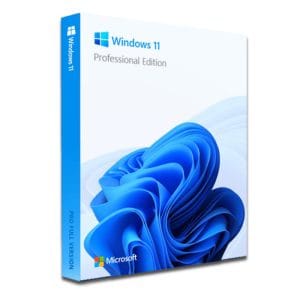
Windows 11 Pro – The Ultimate Professional Operating System Windows 11 Pro is the latest version of Microsoft’s operating system,...
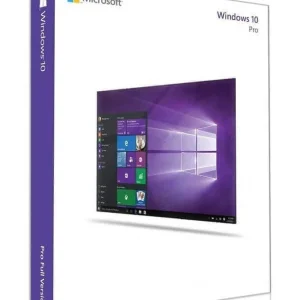
Official Windows 10 Professional license. Instant delivery by email. Activation on Microsoft servers. Lifetime warranty. Support included.
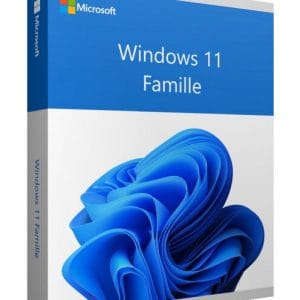
Windows 11 Home - Genuine Microsoft license. Instant delivery by email.
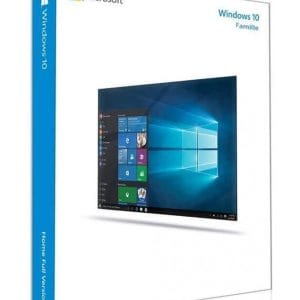
Windows 10 Home - Genuine official Microsoft license. Instant delivery by email.
Jūsų licencija aktyvuota per 3 žingsnius
Iš mūsų autentiškų pasiūlymų išsirinkite jūsų poreikius atitinkančią licenciją.
Peržiūrėti pasiūlymusKortelė, Apple Pay, Google Pay arba Bancontact, SSL šifruotas mokėjimas su 3D Secure patikra.
Saugus mokėjimasRaktas el. paštu atkeliauja per kelias minutes kartu su nuoseklia aktyvavimo instrukcija.
Sužinoti daugiauWindows activation proves to Microsoft’s servers that your copy of the system is genuine and used in line with its license. Since Windows 10, two mechanisms exist side by side, and confusing them is the first cause of activation problems.
A product key is a 25-character code split into five blocks. You enter it during installation or later, under Settings > System > Activation. Windows sends it to Microsoft, which validates it within seconds.
A digital license is invisible. After a first successful activation, Microsoft links the right to use Windows to a hardware fingerprint of your PC. Reinstall Windows on the same machine and it reactivates on its own, with nothing to type. Convenient, until the day you replace the motherboard.
In PowerShell, the command (Get-CimInstance -ClassName SoftwareLicensingService).OA3xOriginalProductKey shows the key that the PC maker stored in the firmware, if the computer came with Windows preinstalled. An empty result means that activation relies on a digital license or on a key that was typed in by hand. Our guide to finding your Windows product key covers every other method.
slui 3, opens the same screen directly.Starting from a clean install? Our step-by-step guide to activating Windows 11 with a product key also covers the installation media and the first start.
| License | Made for | Key features | Price |
|---|---|---|---|
| Windows 11 Home | Home and family PCs | All everyday features, upgrade path from Windows 10 Home | 8,90 € |
| Windows 11 Pro | Remote work, freelancers, small businesses | BitLocker, Remote Desktop, Hyper-V, domain join | 9,90 € |
| Windows 10 Pro | PCs that cannot run Windows 11 | Same professional tools as Windows 11 Pro | 9,90 € |
| Windows 10 Home | Older home PCs | Everyday use on modest hardware | 8,90 € |
Watch the edition: a Home key will not apply to a Pro installation, and the reverse is also true. Check the “Edition” line under Settings > System > About before ordering, or compare the editions on our Windows 11 key page.
Good to know: Windows 10 reached its end of support on 14 October 2025: without Microsoft’s extended security program (ESU), it no longer receives security updates. A Windows 10 key still makes sense for a PC that cannot run Windows 11, and it also activates Windows 11 of the same edition once the hardware allows the upgrade.
A useful reflex: when Windows is not activated, the Activation screen shows a “Troubleshoot” button, and the troubleshooter solves a good share of these cases on its own. For the full list of codes, see our guide to Windows and Office activation errors.
Windows treats the motherboard as the identity card of the PC: replacing it invalidates the digital license. If your Microsoft account was linked, run the activation troubleshooter, choose “I changed hardware on this device recently” and select the device in the list. Without that link, it depends on the license: a license preinstalled by the PC maker belongs to that machine and does not follow you to a new one.
That is where price comes in. Our licenses are resold within the European Union, where the resale of software licenses is legal under the UsedSoft ruling of the Court of Justice of the EU (case C-128/11). A genuine Windows 11 Home key costs 8,90 €, activates on Microsoft’s official servers and arrives by email within minutes, with an invoice showing VAT. If a key we deliver ever proves defective, we replace it free of charge, for life. Our article on buying a cheap but genuine Windows key lists what to check before ordering anywhere.
Viskas, ką reikia žinoti prieš užsisakant
Nothing blocking in the short term: the system keeps working and still receives security updates while your version is supported. But an "Activate Windows" watermark stays in the bottom-right corner of the screen, personalization settings (wallpaper, colors, themes, lock screen) are greyed out and reminders appear regularly. Activation is also what the license terms expect for long-term use.
Three complementary methods:
slmgr /xpr, tells you whether the machine is permanently activated.slmgr /dli shows the detected edition and the last five characters of the installed key.These commands work on both Windows 10 and Windows 11.
Yes. Press Windows + R and type slui 4 to open the offline activation screen, which displays an installation ID. Microsoft's official product activation website exchanges that ID for a confirmation ID, which you then type in. This route helps when online activation fails because of a filtered network, a company proxy or a persistent 0xC004F074 error.
Yes, as long as you stay within the same edition: a Windows 10 Home key activates Windows 11 Home and a Windows 10 Pro key activates Windows 11 Pro. The digital license obtained during the upgrade stays linked to the machine. Just check that the PC meets the hardware requirements, including TPM 2.0 and Secure Boot, before starting the upgrade.
No. A product key activates Windows with a local account too. Linking the license to a Microsoft account is still worth it: after a motherboard replacement, the activation troubleshooter can then recognize your PC and restore the digital license without a new key. Add the account under Settings > Accounts > Your info, then check the Activation page.
Our team answers by email 24/7, within 2 hours on average.
Atsakymo laikas: within 2 hours on average
Jūsų krepšelis
