 Eiropas uzņēmums ar mītni Francijā
Teicama4.9/5Trustpilot1,800+ reviews Mūža nomaiņas garantija
Atbalsts e-pastā 24/7
Eiropas uzņēmums ar mītni Francijā
Teicama4.9/5Trustpilot1,800+ reviews Mūža nomaiņas garantija
Atbalsts e-pastā 24/7
Eiropas uzņēmums ar mītni Francijā
Teicama4.9/5Trustpilot1,800+ reviews Mūža nomaiņas garantija
Atbalsts e-pastā 24/7
Eiropas uzņēmums ar mītni Francijā
Teicama4.9/5Trustpilot1,800+ reviews Mūža nomaiņas garantija
Atbalsts e-pastā 24/7

Genuine Windows license keys from 8,90 €: Windows 11 or Windows 10, Home or Pro, delivered by email within minutes.
Oriģinālas Microsoft licences, piegāde pa e-pastu dažu minūšu laikā
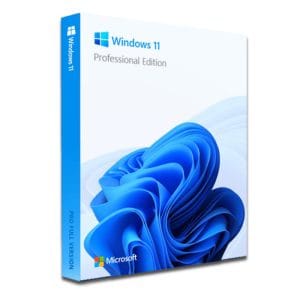
Windows 11 Pro – The Ultimate Professional Operating System Windows 11 Pro is the latest version of Microsoft’s operating system,...
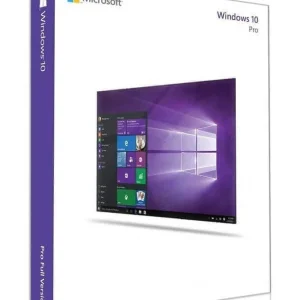
Official Windows 10 Professional license. Instant delivery by email. Activation on Microsoft servers. Lifetime warranty. Support included.
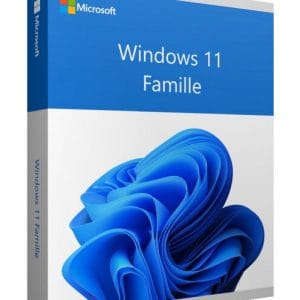
Windows 11 Home - Genuine Microsoft license. Instant delivery by email.
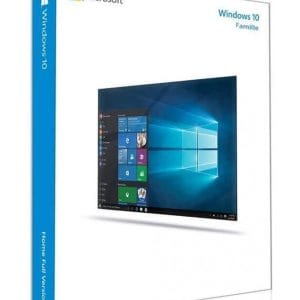
Windows 10 Home - Genuine official Microsoft license. Instant delivery by email.
Jūsu licence aktivizēta 3 soļos
Atrodiet mūsu oriģinālajos piedāvājumos savām vajadzībām atbilstošu licenci.
Skatīt piedāvājumusKarte, Apple Pay, Google Pay vai Bancontact, ar SSL šifrēts maksājums ar 3D Secure pārbaudi.
Droša apmaksaAtslēga pienāk pa e-pastu dažu minūšu laikā kopā ar soli pa solim aktivizēšanas instrukciju.
Uzzināt vairākA Windows license key is, above all, a license: 25 characters that allow a computer to run Windows permanently and to receive the updates Microsoft publishes for its version. Choosing the right one comes down to two questions: which version (Windows 11 or Windows 10) and which edition (Home or Pro)? The table below answers in a few seconds, based on your hardware and your actual use.
| Your situation | Recommended key | What it brings | Price (1 PC) |
|---|---|---|---|
| PC from 2018 or newer, family use, office work and games | Windows 11 Home | All consumer features, regular security updates | 8,90 € |
| Freelancer, remote work, sensitive data to protect | Windows 11 Pro | BitLocker, Remote Desktop, Hyper-V, domain join | 9,90 € |
| Older PC without TPM 2.0, personal use | Windows 10 Home | Runs on hardware that Windows 11 refuses | 8,90 € |
| Older PC, professional devices or legacy software | Windows 10 Pro | Broad hardware compatibility, older drivers, Pro tools | 9,90 € |
A one-time purchase
A Windows license is bought once: no subscription and no renewal date. Once activated, it stays with your PC and keeps receiving the updates Microsoft publishes for your version.
Interface, Microsoft Store, games, performance and software compatibility are strictly identical from one edition to the other. Only four features really separate Pro from Home:
If none of these four lines matches your daily use, the Home edition is more than enough. Each range is detailed on our Windows 11 key and Windows 10 key pages.
Starting with Home does not lock you in: you can move to Pro later with a simple change of key, without reinstalling (see the questions below). For several computers, order one key per PC, or choose a multi-PC option where the product page offers one.
Windows 10 left standard support on 14 October 2025. Microsoft still delivers security updates to personal devices through its Extended Security Updates (ESU) program, now extended until 12 October 2027. On a compatible machine, Windows 11 is therefore the default choice: it is the version that will keep receiving new features and updates for years.
Windows 10 still has a precise role: computers without TPM 2.0 or Secure Boot, processors missing from Microsoft’s compatibility lists, and professional devices (scanners, machine controllers, label printers) whose drivers were never updated. Before deciding, check the Windows 11 requirements: TPM 2.0, Secure Boot, 4 GB of RAM, 64 GB of storage and a supported 64-bit processor. Microsoft’s PC Health Check app gives the answer in one click.
Choosing Windows 10 today does not close the door to Windows 11: if the same PC becomes compatible later, for example once TPM 2.0 is enabled in the BIOS, its Windows 10 Home or Pro license carries over to the same edition of Windows 11 through Microsoft’s free upgrade.
There is no trick behind the price: it comes from the European second-hand software market. Since the UsedSoft judgment of the Court of Justice of the European Union (case C-128/11), a perpetual license put on the market in the EU can be resold, because the publisher’s distribution right is exhausted after the first sale. The original owner must stop using their copy.
In practice, you receive a key that activates directly on Microsoft’s servers, without any third-party software or improvised “activator”. On the other hand, beware of “generic keys” and “activators” shared for free on forums: generic keys never activate Windows, and activators can expose your machine to malware. Our guide how to buy a genuine Windows key at a low price lists what to check.
If a key does not activate, our team answers by email 7 days a week within 2 hours on average, and a defective key is replaced free of charge for the lifetime of the license. Every order comes with a VAT invoice, useful for freelancers and companies. Delivery times and steps are detailed on our delivery and activation page.
Viss, kas jāzina pirms pasūtīšanas
Press Windows + R, type winver and confirm: a window shows the version and the build number. To see the edition (Home or Pro) and the processor architecture, open Settings, System, About. These two details tell you which key to order and avoid an edition mismatch at activation.
Install Microsoft's PC Health Check app: it lists any blocking points in one click. You can also type tpm.msc in the Run window to check for a TPM 2.0 module. It is often disabled by default in the BIOS, under the name Intel PTT or AMD fTPM: a simple setting is sometimes enough to make the machine eligible.
Yes. Open the activation settings, choose “Change product key” and enter your Pro key. Windows switches edition in about ten minutes with one restart, keeping your files, software and accounts. The operation only works in that direction: going back from Pro to Home requires a complete reinstall.
No. Windows 11 and Windows 10 Home and Pro keys are not tied to a display language: you choose the language when you download Windows from Microsoft, and you can add other languages later in the settings. What matters is the edition: a Home key activates Home and a Pro key activates Pro, whatever the language of the installation.
Our team answers by email 24/7, within 2 hours on average.
Atbildes laiks: within 2 hours on average

