 Eiropas uzņēmums ar mītni Francijā
Teicama4,9/5Trustpilot1 800+ reviews Mūža nomaiņas garantija
Atbalsts e-pastā 24/7
Eiropas uzņēmums ar mītni Francijā
Teicama4,9/5Trustpilot1 800+ reviews Mūža nomaiņas garantija
Atbalsts e-pastā 24/7
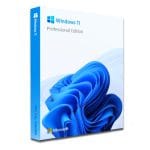
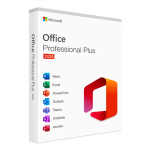
Office and Windows licenses for your home office from 9,90 €: genuine keys delivered by email within minutes.
Oriģinālas Microsoft licences, piegāde pa e-pastu dažu minūšu laikā
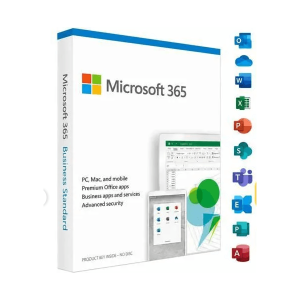
Office 365 - 12 Months / 5 Devices - Official Microsoft license. Instant delivery by email.
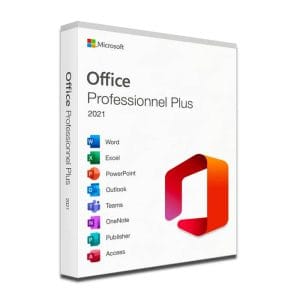
Microsoft Office 2021 Pro Plus Microsoft Office 2021 Pro Plus is the latest version of the world’s most popular office...
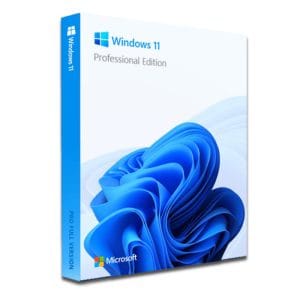
Windows 11 Pro – The Ultimate Professional Operating System Windows 11 Pro is the latest version of Microsoft’s operating system,...
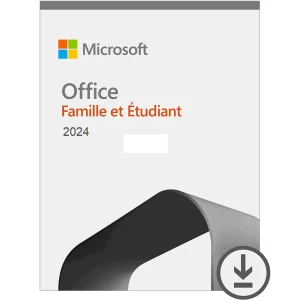
Official Office 2024 Home and Student license. Instant delivery by email. Activation on Microsoft servers. Lifetime warranty. Support included.
Jūsu licence aktivizēta 3 soļos
Atrodiet mūsu oriģinālajos piedāvājumos savām vajadzībām atbilstošu licenci.
Skatīt piedāvājumusKarte, Apple Pay, Google Pay vai Bancontact, ar SSL šifrēts maksājums ar 3D Secure pārbaudi.
Droša apmaksaAtslēga pienāk pa e-pastu dažu minūšu laikā kopā ar soli pa solim aktivizēšanas instrukciju.
Uzzināt vairākChoosing Office for working from home is not quite the same as equipping an office desk. You often switch between a desktop and a laptop, your connection is not always perfect, and you need to stay reachable by video call all day. Before choosing a license, list what you actually do during a typical week: that, rather than the price tag alone, is what determines the right option.
Two approaches coexist. A perpetual license is bought once and stays attached to one PC: it is the rational choice if you work on the same machine every day. A subscription covers several devices for a set period: it makes sense if you switch between a desktop PC, a laptop and a Mac.
| License | Devices covered | Support and updates | Remote-work profile | Price |
|---|---|---|---|---|
| Office 365, 12 months, 5 devices | Up to 5 devices, PC or Mac | Always the current version, renewal after 12 months | Mobile work, several screens and devices | 9,99 € |
| Office 2024 Pro Plus | 1 Windows PC, perpetual license | Supported until October 2029 | Main workstation, professional use | 24,90 € |
| Office 2021 Pro Plus | 1 Windows PC, perpetual license | Support ended in October 2026, the apps keep working | Secondary PC, tight budget | 19,90 € |
| Office 2024 Home and Student | 1 PC, perpetual license | Supported until October 2029 | Students and family use, non-commercial | 54,99 € |
| Windows 11 Pro | 1 PC, perpetual license | Monthly security updates | Encrypting a work laptop, joining a company network | 9,90 € |
The prices shown are current prices for one license. These are genuine Microsoft licenses resold second-hand, a model secured by the UsedSoft judgment of the Court of Justice of the European Union (case C-128/11): you get the same rights of use, with no cut-down version and no missing feature. To go further, see our pages on Office 2024 and on the Microsoft 365 subscription.
Employees: check with your employer first
If your company already provides Microsoft 365 or Office, you simply sign in with your work account on your home PC, and there is nothing to buy.
Teams can be installed and used free of charge for basic meetings, but the free version limits the length of group meetings. If your employer gives you a work account, your local Office license changes nothing: you sign in with the company’s credentials and find your team channels. Having Word, Excel and PowerPoint installed on the PC does, however, avoid getting stuck when someone shares a file in the middle of a meeting.
A free Microsoft account includes 5 GB of OneDrive storage: enough for text documents and spreadsheets, but quickly full once you handle images, large PDFs or video exports. With a perpetual license, real-time co-editing remains possible through OneDrive or your company’s SharePoint; what is limited is your personal storage space, not the feature itself.
Office 2021 and Office 2024 require an up-to-date Windows 10 or Windows 11. Allow at least 4 GB of RAM, and 8 GB if you keep video calls, a browser and a spreadsheet open at the same time. A second screen is often a more useful investment for a remote worker than a faster processor.
Your keys arrive by email within minutes, with a VAT invoice. If you are unsure which license suits your situation, our support team answers by email 7 days a week, within 2 hours on average.
Viss, kas jāzina pirms pasūtīšanas
A perpetual license, such as Office 2021 or Office 2024 Pro Plus, activates one PC: you cannot work with it on two computers at the same time. If you really switch between a desktop and a laptop during the same day, the Office 365 plan, which covers up to 5 devices for 12 months, is the more practical solution.
No. Teams has a free version for chats and everyday meetings, with a time limit on group meetings. If your company gives you a professional Teams account, you use it with the company’s credentials, regardless of the Office license installed on your PC. Your local suite is then used to open and edit the files shared during meetings.
Yes. Once the license is activated, Word, Excel, PowerPoint and Outlook work offline; only the initial activation needs a connection. With the Office 365 plan, the apps also work offline but must connect to the internet about once a month to keep the subscription active. OneDrive then syncs your files again as soon as the network is back.
Office Home and Student editions are licensed by Microsoft for private, non-commercial use. For a professional activity carried out from home, as a freelancer, consultant or self-employed worker, choose an edition intended for business use, such as Office 2024 Pro Plus. If you are an employee, first check whether your employer already provides a license: there is no point paying for a second one.
Not necessarily. Windows 11 Home is enough for video calls, office work and web applications. Windows 11 Pro becomes useful if your employer asks you to encrypt the drive with BitLocker, to join the company domain or Microsoft Entra ID, or if you need to connect to your own PC remotely with Remote Desktop.
Our team answers by email 24/7, within 2 hours on average.
Atbildes laiks: within 2 hours on average
