 Eiropas uzņēmums ar mītni Francijā
Teicama4.9/5Trustpilot1,800+ reviews Mūža nomaiņas garantija
Atbalsts e-pastā 24/7
Eiropas uzņēmums ar mītni Francijā
Teicama4.9/5Trustpilot1,800+ reviews Mūža nomaiņas garantija
Atbalsts e-pastā 24/7
Eiropas uzņēmums ar mītni Francijā
Teicama4.9/5Trustpilot1,800+ reviews Mūža nomaiņas garantija
Atbalsts e-pastā 24/7
Eiropas uzņēmums ar mītni Francijā
Teicama4.9/5Trustpilot1,800+ reviews Mūža nomaiņas garantija
Atbalsts e-pastā 24/7

Lifetime Microsoft Project licenses from 29,99 €: Project 2021 Standard or Professional, with no subscription and your key delivered by email within minutes.
Oriģinālas Microsoft licences, piegāde pa e-pastu dažu minūšu laikā
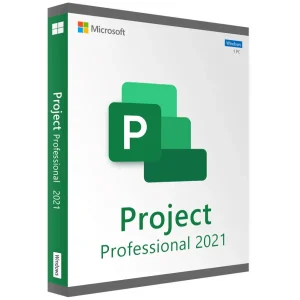
Project 2021 Professional - Official Microsoft license. Instant delivery by email.
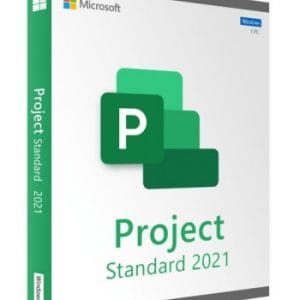
Official Project 2021 Standard license. Instant delivery by email. Activation on Microsoft servers. Lifetime warranty. Support included.
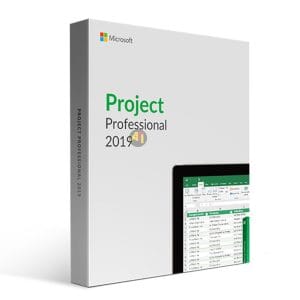
Official Project 2019 Professional license. Instant delivery by email. Activation on Microsoft servers. Lifetime warranty. Support included.
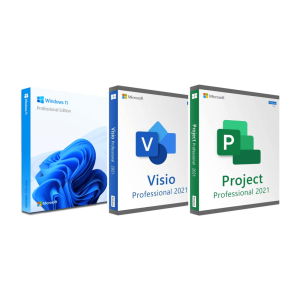
Official Windows 11 Pro + Visio 2021 Pro + Project 2021 Pro bundle license. Instant delivery by email. Activation on...
Jūsu licence aktivizēta 3 soļos
Atrodiet mūsu oriģinālajos piedāvājumos savām vajadzībām atbilstošu licenci.
Skatīt piedāvājumusKarte, Apple Pay, Google Pay vai Bancontact, ar SSL šifrēts maksājums ar 3D Secure pārbaudi.
Droša apmaksaAtslēga pienāk pa e-pastu dažu minūšu laikā kopā ar soli pa solim aktivizēšanas instrukciju.
Uzzināt vairākA Project 2021 key activates the desktop version of Microsoft Project 2021 on a Windows PC as a perpetual license: you pay once and use the software with no time limit. Project 2021 comes in two editions with the same scheduling engine: the Gantt chart, critical path, calendars, milestones and built-in reports work identically. The difference lies in team work and the connection to an enterprise platform.
| Edition | Key features | For whom? |
|---|---|---|
| Project 2021 Standard | Planning, Gantt chart, critical path, baselines, resources and costs managed locally, reports | Independent project managers, contractors, small businesses, single PC |
| Project 2021 Professional | Everything in Standard, plus Team Planner, inactive tasks, SharePoint task list sync and the connection to Project Server | Project teams, PMOs, design offices |
In practice, a planner who works alone on construction, development or production schedules never needs the server connection: Standard is enough. Professional pays off as soon as several people share the same resources. Since Professional contains everything in Standard, compare the two prices in the offers above: Project 2021 Professional costs 29,99 €, and when Professional costs the same as Standard or less, take Professional. Our Project Standard vs Professional guide goes into the details.
Project 2021 includes the improvements that arrived with Project 2019, which Project 2016 lacks:
Compared with Project 2019, the 2021 version mainly brings the Office 2021 interface and a more recent code base. Nothing spectacular, but day-to-day comfort, and the .mpp format stays the same, so files move freely between 2016, 2019, 2021 and 2024.
Under Microsoft’s lifecycle policy, Project 2021 received security updates until 13 October 2026. Since that date, the license remains valid and the software keeps working without any limitation, but no more fixes are published. For a typical planning workstation, the 2021 version remains a sound choice. If your internal policy requires security updates, choose Project 2024, supported until October 2029 and presented on our Project 2024 key page.
In practice, a few habits keep a workstation safe once a program no longer receives fixes: keep Windows itself up to date, open .mpp files only from people you trust, and keep a backup copy of your schedules. These precautions take a few minutes to put in place and apply to any software that has reached the end of its support.
Before installing, remove any trial version of Project already on the PC, and check whether your Office is 32-bit or 64-bit (in Word or Excel: File, Account, About) so that Project uses the same architecture.
Need Windows, Visio and Project at once? The Windows 11 Pro, Visio and Project bundle groups the three licenses, and all our Microsoft Project licenses are compared on a single page.
They are pre-owned perpetual licenses. In its UsedSoft ruling (case C-128/11), the Court of Justice of the European Union held that the distribution right in a piece of software is exhausted by the first sale of a perpetual license in the EU: a license bought and then uninstalled can be resold legally. Activation then happens directly with Microsoft, as with any other genuine key.
Going further: read our complete guide to Microsoft Project 2021 for a tour of its planning features.
Viss, kas jāzina pirms pasūtīšanas
Yes. Project 2016, 2019, 2021 and 2024 share the same .mpp format, so your plans move between them without conversion, in both directions. If a contact still uses a much older version, use Save As and pick an earlier Project format before sending. PDF, Excel and XML exports remain available for everyone else.
No. Microsoft has never published Project for macOS, and the 2021 edition is no exception: the key cannot be activated natively on a Mac. Two workarounds work well: a Windows virtual machine, for example with Parallels Desktop, in which you install Project 2021, or a remote Windows PC that you open from your Mac.
Yes. Project 2021 is a standalone application that installs next to Word, Excel and Outlook. The classic pitfall is the architecture: all Office products on the PC must be either 32-bit or 64-bit. If the installer reports a conflict with an existing Office version, our email support tells you how to proceed, 7 days a week.
Yes, and that is its main advantage over Standard: Professional can publish plans to Project Server and use its enterprise resources and timesheets. The server is a separate Microsoft product, licensed on its own. Without a central platform, Project 2021 Professional works well on its own, on your PC, and still gives you Team Planner and inactive tasks.
No. The end of Microsoft support on 13 October 2026 means no more security updates, not the end of your license. Project 2021 keeps running and your license stays valid with no time limit. If a key ever turns out to be faulty, we replace it, for life, and our email support answers within 2 hours on average, 7 days a week.
Our team answers by email 24/7, within 2 hours on average.
Atbildes laiks: within 2 hours on average

