 Eiropas uzņēmums ar mītni Francijā
Teicama4.9/5Trustpilot1,800+ reviews Mūža nomaiņas garantija
Atbalsts e-pastā 24/7
Eiropas uzņēmums ar mītni Francijā
Teicama4.9/5Trustpilot1,800+ reviews Mūža nomaiņas garantija
Atbalsts e-pastā 24/7
Eiropas uzņēmums ar mītni Francijā
Teicama4.9/5Trustpilot1,800+ reviews Mūža nomaiņas garantija
Atbalsts e-pastā 24/7
Eiropas uzņēmums ar mītni Francijā
Teicama4.9/5Trustpilot1,800+ reviews Mūža nomaiņas garantija
Atbalsts e-pastā 24/7

Activate your home or gaming PC with a genuine Windows 11 Home key from 8,90 €, delivered by email within minutes.
Oriģinālas Microsoft licences, piegāde pa e-pastu dažu minūšu laikā
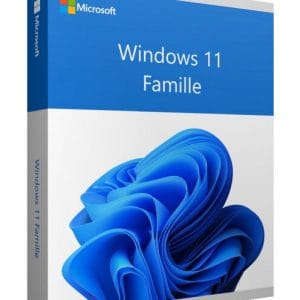
Windows 11 Home - Genuine Microsoft license. Instant delivery by email.
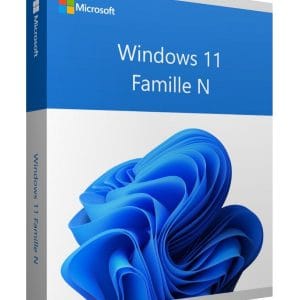
Windows 11 Home N - Genuine Microsoft license. Instant delivery by email.
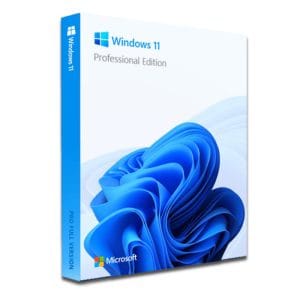
Windows 11 Pro – The Ultimate Professional Operating System Windows 11 Pro is the latest version of Microsoft’s operating system,...
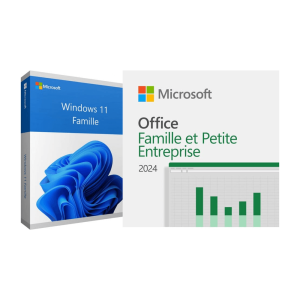
Official Windows 11 Home + Office 2024 Home bundle license. Instant delivery by email. Activation on Microsoft servers. Lifetime warranty....
Jūsu licence aktivizēta 3 soļos
Atrodiet mūsu oriģinālajos piedāvājumos savām vajadzībām atbilstošu licenci.
Skatīt piedāvājumusKarte, Apple Pay, Google Pay vai Bancontact, ar SSL šifrēts maksājums ar 3D Secure pārbaudi.
Droša apmaksaAtslēga pienāk pa e-pastu dažu minūšu laikā kopā ar soli pa solim aktivizēšanas instrukciju.
Uzzināt vairākWindows 11 Home is Microsoft’s consumer edition, the one installed on most laptops and desktop PCs sold to individuals. A genuine Windows 11 Home key gives you the complete Windows 11 experience for everyday use: browsing, office work, photos, streaming, video calls and gaming. Our keys are genuine licenses resold within the European Union, a practice confirmed by the Court of Justice of the EU in its UsedSoft judgment (C-128/11): this explains the price gap with a boxed copy, with no difference at activation.
You get the full Windows 11 experience: centered Start menu, Snap layouts, widgets, Microsoft Store, Windows Hello (face or fingerprint), device encryption and OneDrive backup.
Good to know
The first setup of Windows 11 Home requires an internet connection and a Microsoft account. It is not a problem, but it is better to know it before choosing your edition.
The core, performance, drivers and security updates are strictly identical in both editions. What Pro adds concerns administration and advanced security, features that are rarely useful at home.
| Edition | For whom | What it brings | Price (1 PC) |
|---|---|---|---|
| Windows 11 Home | Home, students, gaming | The complete system: Snap, Windows Hello, device encryption, Xbox Game Bar, up to 128 GB of RAM | 8,90 € |
| Windows 11 Home N | European edition without media apps | Same as Home, without Windows Media Player and some media apps | 9,49 € |
| Windows 11 Pro | Freelancers, work PCs | Everything in Home, plus BitLocker, Remote Desktop host, Hyper-V, Sandbox, group policies and domain join | 9,90 € |
| Windows 11 Home + Office 2024 Home | A home PC to equip completely | Windows 11 Home plus Word, Excel, PowerPoint and OneNote, both as one-time purchases | 69,99 € |
In practice, Windows 11 Home is enough if you need neither BitLocker on the system drive, nor incoming Remote Desktop connections, nor Hyper-V virtual machines. If you do, choose Windows 11 Pro. Our comparison Windows 11 Home vs Pro covers every detail.
This is a frequent question, and the answer is clear: no gaming feature is reserved for the Pro edition. Home supports DirectX 12 Ultimate, DirectStorage (faster loading from NVMe SSDs), Auto HDR, optimizations for windowed games, the Xbox Game Bar, PC Game Pass and variable refresh rates with G-Sync or FreeSync.
On the hardware side, Home handles up to 128 GB of RAM and one physical processor, far beyond current gaming configurations, even high-end ones. The higher limits of the Pro edition only concern multi-processor workstations. For a gaming PC, paying more does not bring a single extra frame per second, and game launchers such as Steam, Epic Games or the Xbox app run the same way on both editions. Our guide which Windows for gaming in 2026 covers the settings worth adjusting.
Three requirements explain most failed installations:
On a gaming PC built from parts, enable the TPM (fTPM on AMD, Intel PTT on Intel) and Secure Boot in the UEFI settings before you start the installation: on recent motherboards, both are usually a single switch away.
The key works both for a clean install from a USB stick created with Microsoft’s Media Creation Tool and for upgrading a PC still on Windows 10 Home, whose standard support ended in October 2025. Enter it during setup or afterwards in Settings, System, Activation. Our Windows 11 key guide details the requirements, the move from Windows 10 and activation step by step.
You pay securely by card, Apple Pay, Google Pay or Bancontact. Your key arrives by email within minutes (48 business hours at most), with the activation instructions and a VAT invoice. If it does not activate, write to us: our team replies by email 7 days a week within 2 hours on average, and a defective key is replaced free of charge for the lifetime of the license. One license covers one PC: for several family computers, order one key per machine, or choose a multi-PC option where the product page offers one. All the details are on our delivery and activation page.
Viss, kas jāzina pirms pasūtīšanas
Download Microsoft's PC Health Check app: it tells you in one click whether your machine is compatible. For a manual check, type tpm.msc (the module version must show 2.0), then msinfo32 to confirm that the BIOS mode is UEFI and that Secure Boot is on. On a self-built PC, these two options are often simply disabled in the BIOS.
Yes. An in-place upgrade keeps your files, apps and most settings, as long as you stay on the same edition: a Home key takes over from Windows 10 Home. Start the setup from Windows or from the USB stick, choose to keep personal files and apps, then enter your key if asked. Backing up your documents first is still strongly recommended.
Partly. Windows 11 Home includes device encryption on compatible hardware: the system drive is encrypted and the recovery key is saved to your Microsoft account. However, the full BitLocker management tools, the encryption of USB drives with BitLocker To Go and the related policies remain reserved for the Pro edition.
Yes. Monthly security updates are exactly the same: Microsoft makes no distinction between Home and Pro on this point. Each annual version of Windows 11 Home is supported for 24 months, after which the update to the next version is free. Pro only adds deferral and scheduling tools designed for businesses.
Home N is the European version of Windows 11 Home without Windows Media Player and some preinstalled media apps. Everything else is identical: interface, security, gaming features and updates. If you need the missing media components later, Microsoft provides them free of charge in the Media Feature Pack, available from the optional features in Settings.
Our team answers by email 24/7, within 2 hours on average.
Atbildes laiks: within 2 hours on average

