 Eiropas uzņēmums ar mītni Francijā
Teicama4,9/5Trustpilot1 800+ reviews Mūža nomaiņas garantija
Atbalsts e-pastā 24/7
Eiropas uzņēmums ar mītni Francijā
Teicama4,9/5Trustpilot1 800+ reviews Mūža nomaiņas garantija
Atbalsts e-pastā 24/7
Windows XP has been unsupported since 2014: see why we don't sell it, how to keep old software running, and how to equip even an older PC with a lifetime Windows license from 8,90 €.
Oriģinālas Microsoft licences, piegāde pa e-pastu dažu minūšu laikā
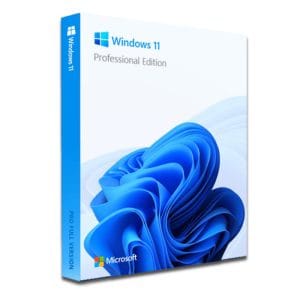
Windows 11 Pro – The Ultimate Professional Operating System Windows 11 Pro is the latest version of Microsoft’s operating system,...
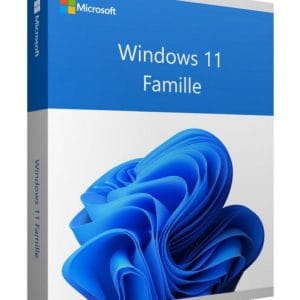
Windows 11 Home - Genuine Microsoft license. Instant delivery by email.
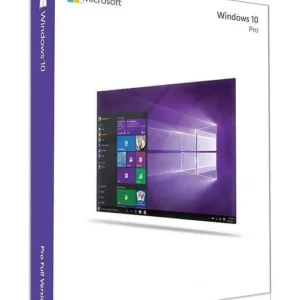
Official Windows 10 Professional license. Instant delivery by email. Activation on Microsoft servers. Lifetime warranty. Support included.
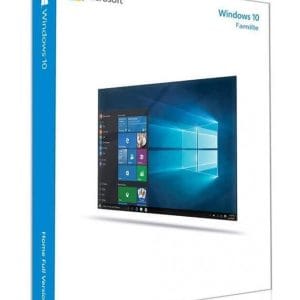
Windows 10 Home - Genuine official Microsoft license. Instant delivery by email.
Jūsu licence aktivizēta 3 soļos
Atrodiet mūsu oriģinālajos piedāvājumos savām vajadzībām atbilstošu licenci.
Skatīt piedāvājumusKarte, Apple Pay, Google Pay vai Bancontact, ar SSL šifrēts maksājums ar 3D Secure pārbaudi.
Droša apmaksaAtslēga pienāk pa e-pastu dažu minūšu laikā kopā ar soli pa solim aktivizēšanas instrukciju.
Uzzināt vairākLet us say it straight away: Euro Shop Key does not sell Windows XP licenses, whether Home Edition or Professional. Microsoft ended support for this system on 8 April 2014. Since then, it has received no regular security updates, only a few emergency patches, such as the one released against WannaCry in 2017. An honest shop has no business selling you a product that will not work properly.
Here is what awaits anyone who wants to buy Windows XP today:
If this page exists, it is because searches about Windows XP remain very common: nostalgia, old games, industrial machines, an old PC to bring back into service. Here are honest answers, case by case.
“Download Windows XP”, “Windows XP ISO”: these searches almost always lead to the same trap. Microsoft no longer offers any official Windows XP download: no ISO image, no installation tool, no updates.
ISO files found on third-party sites raise three serious problems:
The only legitimate way to reinstall XP is your own original CD with its original key, on a machine kept away from the internet. For everything else, there are modern solutions, often more affordable than you might think.
XP survives in very specific situations, sometimes for excellent reasons. Here is how to handle them properly.
CNC machines, test benches, controllers: a lot of industrial equipment depends on control software that only exists for XP, and replacing it would cost as much as the machine itself. The rule in this case: completely isolate the computer from the network. No internet, no Wi-Fi, and file transfers through a dedicated USB stick checked on a modern computer. Also clone the hard disk: on twenty-year-old hardware, a failure is only a matter of time.
A 2003 game or a business program that refuses to start does not justify bringing XP back on a connected machine. Compatibility mode in Windows 10 and 11, or a virtual machine, solves most cases; both methods are detailed below. Many classics have also been re-released in versions adapted to current systems.
The green hill of the Bliss wallpaper, the startup sound: XP nostalgia is very real. The right tool is a virtual machine on your current PC, which gives you the XP experience in a window without exposing your system. Some enthusiasts also turn to Windows 7, more recent and able to run much of the XP-era software, but it too reached the end of support in January 2020 and should be kept to the same uses: offline or in a virtual machine.
A frequent misunderstanding fits in one sentence: “my PC is too old, it needs XP”. In reality, Windows 10 runs well on modest hardware: a 1 GHz processor and 2 GB of memory are enough for the 64-bit version. Add an entry-level SSD and a ten-year-old machine becomes perfectly usable again.
Price is no longer an argument either: a Windows 10 Home license costs 8,90 € at Euro Shop Key, as a perpetual license activated on Microsoft’s official servers. Our Windows 10 key page compares the editions.
| Criterion | Windows XP | Windows 10 | Windows 11 |
|---|---|---|---|
| Activating a key today | No longer reliable | Yes, on Microsoft’s official servers | Yes, on Microsoft’s official servers |
| Security updates | Ended in 2014 | Through the ESU program until October 2027 | Yes |
| Current browsers and security software | Incompatible | Compatible | Compatible |
| Internet use | To be avoided | Suitable | Suitable |
| Hardware required | PC from the 2000s | 1 GHz, 2 GB of RAM | Recent processor and TPM 2.0 chip |
| Old XP software | Runs natively | Compatibility mode or virtual machine | Compatibility mode or virtual machine |
| License at Euro Shop Key | Not sold | From 8,90 € | From 8,90 € |
A word of transparency again: Windows 10 standard support ended on 14 October 2025. Home users can still receive its security updates through Microsoft’s Extended Security Updates program, now extended until 12 October 2027, and Microsoft has announced Edge and Defender updates on Windows 10 until at least October 2028. Nothing comparable with XP, abandoned for more than ten years: Windows 10 remains the natural choice for an older PC that cannot run Windows 11. If your hardware meets the Windows 11 requirements, with a recent processor and a TPM 2.0 chip, choose Windows 11, which is fully supported; our Windows 11 key page compares Home and Pro.
Right-click the program’s executable, open Properties, then the Compatibility tab, and choose Windows XP (Service Pack 3). This simple step brings a good share of the software and games of the time back to life, without installing anything.
A virtual machine runs a “PC inside your PC”: your system stays modern and protected, while XP lives in an isolated window without direct internet access. VirtualBox, which is free, works on all editions of Windows; Hyper-V, Microsoft’s tool, is available in Pro editions but not in Home. In practice, allocate 1 GB of memory and around 20 GB of disk space, which is plenty for XP, then disable the virtual machine’s network adapter before the first start: your period system stays cut off from the world.
That is a good argument for Windows 11 Pro, at 9,90 €: Hyper-V is built in, ready to host a period system. You will still need your own XP installation CD and its key: never download an image from an unknown source, as explained above.
If this page has convinced you to leave XP in the museum, or in a virtual machine, here is how it works:
Every order comes with a VAT invoice, a defective key is replaced for the lifetime of the license, and our team answers by email 7 days a week, within 2 hours on average. And if we refuse to sell Windows XP, it is precisely to deserve your trust when you choose a modern system.
Viss, kas jāzina pirms pasūtīšanas
No. Microsoft no longer distributes Windows XP, Home Edition or Professional, and has not supported it since April 2014. The XP keys still offered on some sites no longer activate normally, which is why we do not sell them. On a small budget, Windows 10 Home at 8,90 € is the reasonable alternative, including on an older PC.
Offline, yes: a machine tool or a retro PC isolated from the network can keep working. Connected to the internet, no: without regular security updates since 2014, the system is an open target. If the machine must receive files, use a dedicated USB stick, checked beforehand on a modern computer.
Honestly, nowhere. Microsoft no longer offers any official download, and the ISO files spread by third-party sites are regularly booby-trapped with malware. The only legitimate installation starts from your own original CD and its original key. Without them, choose a modern version of Windows and run your old programs in compatibility mode or in a virtual machine.
In most cases, yes. Start with compatibility mode: right-click the executable, then Properties, the Compatibility tab and Windows XP (Service Pack 3). If that fails, an XP virtual machine on your current PC handles nearly all the remaining cases. Many classics have also been re-released in versions compatible with current systems.
Windows 10 in most cases: it only needs a 1 GHz processor and 2 GB of memory, whereas Windows 11 requires a recent machine with a TPM 2.0 chip. A Windows 10 Home license costs 8,90 € and is sent by email within minutes. On a tired machine, adding an SSD makes a clear difference.
Because the question keeps coming up, and too many sites answer it by selling XP keys that cannot be activated or questionable ISO files. We prefer to explain what really works in 2026: isolate the XP machines you cannot replace, virtualize for nostalgia and old programs, and equip the PCs that are still capable with an affordable modern license.
Our team answers by email 24/7, within 2 hours on average.
Atbildes laiks: within 2 hours on average
