 Evropsko podjetje s sedežem v Franciji
Odlično4.9/5Trustpilot1,800+ reviews Dosmrtna garancija zamenjave
Podpora po e-pošti 24/7
Evropsko podjetje s sedežem v Franciji
Odlično4.9/5Trustpilot1,800+ reviews Dosmrtna garancija zamenjave
Podpora po e-pošti 24/7
Evropsko podjetje s sedežem v Franciji
Odlično4.9/5Trustpilot1,800+ reviews Dosmrtna garancija zamenjave
Podpora po e-pošti 24/7
Evropsko podjetje s sedežem v Franciji
Odlično4.9/5Trustpilot1,800+ reviews Dosmrtna garancija zamenjave
Podpora po e-pošti 24/7

Microsoft Visio with a lifetime license from 19,99 €: org charts, flowcharts, network diagrams and BPMN with no subscription. Your key arrives by email within minutes.
Pristne licence Microsoft, dostavljene po e-pošti v nekaj minutah
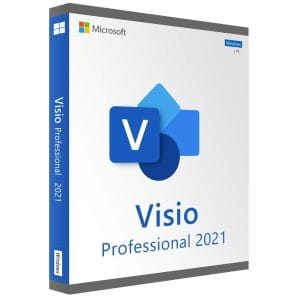
Visio 2021 Professional - Genuine Microsoft license. Instant delivery by email.
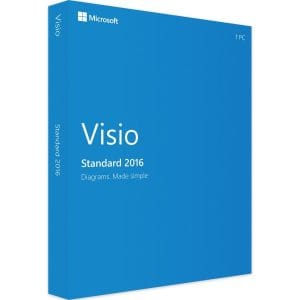
Official Visio 2016 Standard license. Instant delivery by email. Activation on Microsoft servers. Lifetime warranty. Support included.
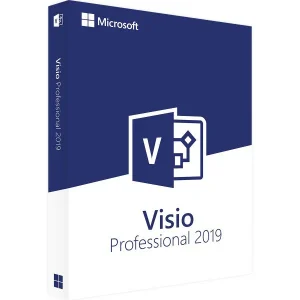
Genuine Visio 2019 Professional license. Instant delivery by email. Activation on Microsoft servers. Lifetime warranty. Support included.
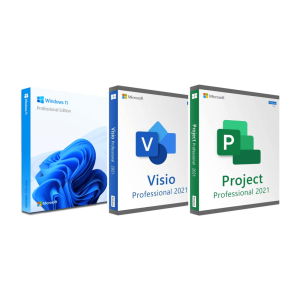
Official Windows 11 Pro + Visio 2021 Pro + Project 2021 Pro bundle license. Instant delivery by email. Activation on...
Vaša licenca aktivirana v 3 korakih
Med našimi pristnimi ponudbami poiščite licenco, ki ustreza vašim potrebam.
Oglejte si ponudbeKartica, Apple Pay, Google Pay ali Bancontact, plačilo s šifriranjem SSL in preverjanjem 3D Secure.
Varno plačiloKljuč prejmete po e-pošti v nekaj minutah, skupaj z navodili za aktivacijo po korakih.
Več o temWhen you buy Microsoft Visio as a perpetual license, you pay once, install Visio on your Windows PC and keep using it with no monthly fee. Visio is Microsoft’s diagramming application for org charts, flowcharts, network diagrams, office layouts and BPMN process maps. Microsoft now sells it mainly as a subscription; our lifetime licenses cover Visio 2016, 2019 and 2021 in Standard and Professional editions, and Visio 2016 Standard costs 19,99 €.
Your product key arrives by email within minutes, with step-by-step instructions, and activation is completed directly with Microsoft. Each product page lets you choose a license for 1, 2 or 5 PCs.
Visio turns structures and processes into diagrams that are easier to read than a page of text. Its template sets cover very different jobs, which is why you find it in IT departments as well as in quality, HR and engineering teams:
What sets Visio apart from a drawing program is its smart shapes: connectors stay glued when you move a box, an org chart rearranges itself when a reporting line changes, and a diagram pasted into Word or PowerPoint stays editable with a double-click.
One point causes a lot of confusion: the Visio desktop application is not part of any Office suite. Office Home, Office Professional Plus and the Microsoft 365 plans for home users do not include it, and the simplified web version that comes with some Microsoft 365 business plans is not the desktop application. Visio needs its own license and installs next to your Office apps; for Word, Excel and PowerPoint, see our Microsoft Office licenses.
Free tools such as draw.io handle an occasional org chart well. Visio becomes necessary in three cases: you receive .vsdx files that you must edit faithfully, you need the business templates for networks, BPMN or engineering, or your diagrams must update from data.
| Feature | Visio Standard | Visio Professional |
|---|---|---|
| Flowcharts, org charts, timelines, office layouts | Yes | Yes |
| Smart shapes, themes, export to PDF, PNG and SVG | Yes | Yes |
| Basic network diagrams | Yes | Yes |
| Detailed network and rack diagrams | No | Yes |
| BPMN 2.0, UML and database models | No | Yes |
| Electrical and engineering diagrams | No | Yes |
| Shapes linked to Excel or SQL Server data, data graphics | No | Yes |
| Diagram validation against rules | No | Yes |
Data linking is what justifies Professional in most cases: it connects a diagram to a spreadsheet or a database, so shapes show and refresh live values such as server status, headcount or budgets.
How to decide: if you draw org charts, flowcharts and simple layouts, Standard covers the job. Choose Professional for detailed network documentation, validated BPMN, engineering diagrams, or diagrams that must refresh from a spreadsheet. Since Professional contains everything in Standard, compare the current prices of both: when the gap is small, Professional is the safer choice. Visio 2021 Professional costs 29,99 €, and our Visio Standard vs Professional comparison goes through every difference.
Visio has changed little since 2016: the ribbon, the template logic and the .vsdx file format are the same in all three versions. The newer versions mainly bring a refreshed interface and a more recent code base. The real difference is Microsoft’s support calendar.
| Version | Microsoft support | Standard, 1 PC | Professional, 1 PC |
|---|---|---|---|
| Visio 2021 | Ended on 13 October 2026 | 34,99 € | 29,99 € |
| Visio 2019 | Ended on 14 October 2025 | 24,99 € | 34,99 € |
| Visio 2016 | Ended on 14 October 2025 | 19,99 € | 24,99 € |
End of support does not stop the software: a perpetual Visio keeps opening, editing and saving your diagrams; it simply no longer receives security fixes. For org charts, flowcharts and layouts, Visio 2016 Standard does the job. Choose the 2021 generation if you document modern infrastructures or want the interface that matches Office 2021. A .vsdx file created in Visio 2016 opens in Visio 2021, and the other way round. More details on our Visio 2021 key page.
Microsoft’s main offer today is the subscription: Visio Plan 1, a web-only service, and Visio Plan 2, which adds the desktop application. Here is how Visio Plan 2 compares with a license bought once.
| Criterion | Perpetual Visio license | Visio Plan 2 subscription |
|---|---|---|
| Payment | Once | Every month or year, per user |
| Desktop application | Visio 2016, 2019 or 2021 | Current version |
| Web version and online co-editing | No | Yes |
| New features | No, the version stays the same | Continuous updates |
| If you stop paying | Visio keeps working | Editing access ends |
The subscription makes sense for teams that co-edit diagrams online. For a user who draws on one PC, a perpetual license pays for itself within the first few months compared with Visio Plan 2. The trade-off, stated plainly: Visio 2021 will not turn into a newer release. For a diagramming tool whose templates evolve slowly, the consequence is small.
Visio 2016, 2019 and 2021 run on Windows 10 and Windows 11, in 32-bit or 64-bit. Allow about 4 GB of RAM and 4 GB of free disk space, and use the same architecture as your Office installation. There is no macOS version of Visio: on a Mac, you need a Windows virtual machine or a remote Windows PC.
Our licenses come from the European market for pre-owned software. In its UsedSoft ruling (case C-128/11, 2012), the Court of Justice of the European Union held that once a perpetual license has been sold in the EU, the publisher can no longer oppose its resale, provided the first owner stops using it. Want Visio and Project together? The Windows 11 Pro, Visio and Project bundle groups three licenses in one order.
Our complete Visio guide covers templates and versions in more depth, and the delivery page explains how your key reaches you.
Vse, kar morate vedeti pred naročilom
No. The Visio desktop application is not part of Office or of the Microsoft 365 plans for home users. Microsoft sells it separately, either as a perpetual license or through the Visio Plan 2 subscription. Some Microsoft 365 business plans include a simplified web version of Visio, but not the desktop application with its full template sets. A perpetual Visio license installs next to your existing Office apps.
You can view them: free tools such as draw.io display most .vsdx files, and diagrams can be shared as PDF or PNG exports. Editing is another matter: modifying a complex .vsdx file without Visio often breaks the layout, the smart shapes and the connectors. If you regularly receive Visio files from clients or colleagues, a Visio license avoids that problem.
There is no Visio for macOS: the perpetual 2016, 2019 and 2021 editions run on Windows only. On a Mac, you can install Windows in a virtual machine such as Parallels Desktop and activate Visio there, or work on a remote Windows PC. Visio for the web runs in a browser on a Mac, but it requires a Microsoft subscription.
It is a perpetual license: no subscription and no renewal. You pay once and the software stays usable on your PC with no time limit. If the key turns out to be faulty, we replace it, for life. What a perpetual license does not include is the move to newer versions: Visio 2021 remains Visio 2021.
Yes, in most cases. Uninstall Visio from the old PC, install it on the new one and enter the same key. A license covers one PC at a time, so it must no longer be used on the old machine. If activation is refused after the move, our email support helps you, 7 days a week with a reply within 2 hours on average.
Your key is sent by email within minutes of your payment, together with installation and activation instructions. If you can't find the email, check your spam folder and the address used for the order. Our support team answers by email 7 days a week, within 2 hours on average, and the delivery page explains the process in detail.
Our team answers by email 24/7, within 2 hours on average.
Odzivni čas: within 2 hours on average
Vaša košarica

