Evropsko podjetje s sedežem v Franciji


Key features
BitLocker
Disk encryption
- Data protection
- AES 256-bit encryption
- TPM/PIN unlock
Remote Desktop
Remote access
- Native RDP connection
- Access from any device
- File transfer
Hyper-V
Virtualization
- Virtual machines
- Environment isolation
- Testing and development
Advanced security
Enhanced protection
- Windows Defender
- Smart firewall
- Real-time protection
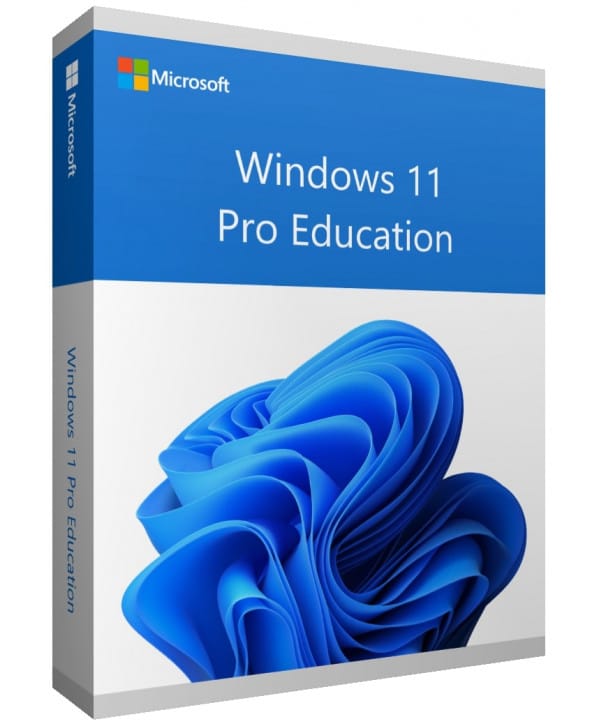
Windows 11 Pro Education
Perpetual license - PC installation - Official Microsoft online activation
Official Microsoft license verified on Microsoft servers.






Why choose Windows 11 Pro Education?
- Enterprise-level features tailored to the education world
- Simplified classroom management and deployment tools
- Advanced security to protect student data
- Compatible with Microsoft Education solutions
- Perpetual license at a preferential rate
- Dedicated technical support for institutions
Windows 11 Pro Education
Windows 11 Pro Education gives schools a complete system, with a level of security and management equivalent to the Enterprise edition. Teachers, administrators and students all benefit from an environment optimized for learning.
Mass deployment, Group Policy and Azure AD integration simplify managing a fleet of workstations. Perpetual license at education pricing.
Independents & Freelancers
Work with professional tools (BitLocker, Remote Desktop) without the complexity of an enterprise license.
SMBs & Small Businesses
Equip your team with a system that integrates with Active Directory and professional management tools.
Developers
Test your applications in isolated environments thanks to natively integrated Hyper-V.
Remote workers
Access your workstation remotely via Remote Desktop, from any device.
The strengths of Windows 11 Pro Education
Snap Layouts
Organize your windows in one click with predefined layouts for multitasking.
Enhanced security
TPM 2.0, Secure Boot and Windows Hello for native hardware-level protection.
DirectStorage
Ultra-fast game loading by sending data directly from the SSD to the GPU.
Android apps
Install and use Android apps directly on your PC.
Technical specifications
System requirements
| Processor | 1 GHz or faster, 2 cores minimum (64-bit) |
| RAM | 4 GB minimum |
| Disk space | 64 GB minimum |
| Display | 720p HD screen, 9 inches minimum |
| TPM | TPM module version 2.0 |
| Secure Boot | UEFI with Secure Boot |
| Graphics card | DirectX 12 compatible with WDDM 2.0 driver |
| Internet | Connection required for activation |
License information
| License type | Perpetual (lifetime) |
| Users | 1 user |
| Devices | 1 PC |
| Reinstallations | Unlimited on the same device |
| Language | Multilingual (English included) |
| Activation | Online via Microsoft servers |
| Support | Technical support 7 days a week |
| Updates | Security updates included |
Windows 11 Pro Education features
Educational tools
Environment optimized for learning with tools dedicated to teachers and students.
Enterprise security
Security level equivalent to the Enterprise edition, suited to educational institutions.
Centralized management
Simplified deployment and management for institutions' network administrators.
Data protection
BitLocker, AppLocker and Credential Guard to protect students' data.
Mnenja strank
Euro Shop Key is top notch, responsive! No problem with my license. I strongly recommend this seller.
Trustworthy company. Euro Shop Key makes Microsoft software accessible at reasonable prices. Very satisfied with my purchase.
Oddajte svoje mnenje
Delite svojo izkušnjo s tem izdelkom in pomagajte drugim strankam.
Installation guide
Activating your Windows 11 Pro Education license takes just a few minutes. Here is the step-by-step procedure to follow.
Check compatibility
First of all, make sure your computer meets the requirements for Windows 11 Pro Education. You can use Microsoft's PC Health Check tool to verify this quickly.
Download Windows 11 Pro Education
Go to the official Microsoft website to download the media creation tool or the Windows 11 Pro Education ISO image.
Install the system
Launch the installer and follow the instructions. Choose your language, accept the terms and select the type of installation you want.
Activate your license
Once the installation is complete, go to Settings > System > Activation. Click « Change product key » and enter the key you received by email.
Need help?
Kako deluje
Licenco Microsoft pridobite in aktivirajte v samo 3 preprostih korakih
Izberite
Izberite svojo Windows 11 Pro Education licenco ali paket in ga dodajte v košarico.
Plačaj
Varno plačajte s kartico, Apple Pay, Google Pay ali Bancontact.






Aktivirajte
Ključ prejmete takoj po e-pošti, skupaj s podrobnimi navodili za namestitev. Po potrebi vam naša podpora odgovori po e-pošti 24/7.
Pogosta vprašanja
How do I activate my Windows 11 Pro Education license?
After your purchase, you receive your key by email within a few minutes. Go to Settings > System > Activation, click « Change product key » and enter your key. Activation is done online via Microsoft servers.
What are the advantages over the Home version?
Is the Windows 11 Pro Education license perpetual?
Can I reinstall Windows 11 Pro Education after formatting?
What happens if I have an issue during activation?
Morda vam bo všeč tudi
Windows 10 IoT Enterprise 2019
Windows 10 IoT Enterprise 2019 - Genuine Microsoft license. Instant delivery by email.
Windows 10 Pro for Workstations
Windows 10 Pro for Workstations - Official Microsoft license. Instant delivery by email.
Windows 10 Enterprise
Windows 10 Enterprise - Official Microsoft license. Instant delivery by email.
Windows 10 Professional N
Windows 10 Professional N - Official Microsoft license. Instant delivery by email.