 Evropsko podjetje s sedežem v Franciji
Odlično4,9/5Trustpilot1.800+ reviews Dosmrtna garancija zamenjave
Podpora po e-pošti 24/7
Evropsko podjetje s sedežem v Franciji
Odlično4,9/5Trustpilot1.800+ reviews Dosmrtna garancija zamenjave
Podpora po e-pošti 24/7
Since 13 July 2026, Office 2019 for Mac opens and prints documents but can no longer edit or save them: here is why, and which Office for Mac to choose instead.
Pristne licence Microsoft, dostavljene po e-pošti v nekaj minutah
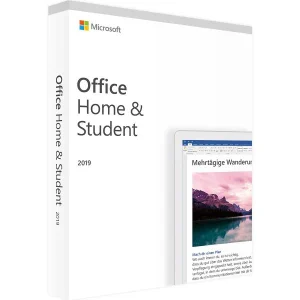
Official Office 2019 Home and Student for Mac license. Instant delivery by email. Activation on Microsoft servers. Lifetime warranty. Support...
Office 2019 Home and Business for Mac - Genuine Microsoft license. Instant delivery by email.
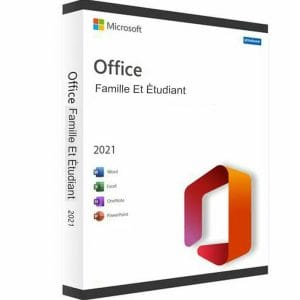
Official Office 2021 Home and Student for Mac license. Instant delivery by email. Activation on Microsoft servers. Lifetime warranty. Support...
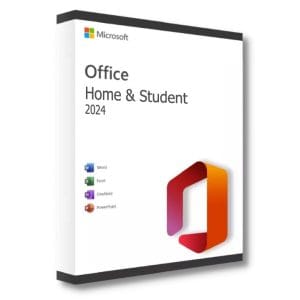
Official Office 2024 Home and Student for Mac license. Instant delivery by email. Activation on Microsoft servers. Lifetime warranty. Support...
Vaša licenca aktivirana v 3 korakih
Med našimi pristnimi ponudbami poiščite licenco, ki ustreza vašim potrebam.
Oglejte si ponudbeKartica, Apple Pay, Google Pay ali Bancontact, plačilo s šifriranjem SSL in preverjanjem 3D Secure.
Varno plačiloKljuč prejmete po e-pošti v nekaj minutah, skupaj z navodili za aktivacijo po korakih.
Več o temIf you use Office 2019 for Mac, you may have noticed that since 13 July 2026, Word, Excel, PowerPoint, Outlook and OneNote still open and print your files but refuse to edit, save or create documents. Microsoft calls this reduced functionality mode.
The cause is technical. Office for Mac checks your license with a security certificate built into the apps. That certificate expired in July 2026, and Microsoft renewed it only in versions 16.83 and later. Office 2019 for Mac reached the end of its support on 10 October 2023 and no longer receives updates, so it cannot obtain the new certificate. Microsoft states plainly that the issue cannot be resolved for Office 2019 for Mac, whether by updating or by reinstalling.
Two clarifications: your documents are not lost, and Office 2019 for Windows is not affected, because the change only concerns Office on macOS and iOS.
How to check whether you are concerned: open Word, then choose About Word in the Word menu. The window shows the version number and the Office product installed. If it mentions Office 2019, your suite is in this situation; with Office 2021 or Microsoft 365, a version lower than 16.83 simply needs updating through Microsoft AutoUpdate.
A new Office 2019 for Mac license would land in the same reduced functionality mode as soon as it is installed. Even with a genuine key, you would get a suite that reads documents without letting you work on them. That is why we advise against it and point you to the generations that still edit normally.
The same logic guides the rest of this page: rather than selling a version that no longer does the job, we explain what changed and which options work on your Mac today.
| Option | Editing in 2026 | Microsoft support | Type |
|---|---|---|---|
| Office 2024 for Mac | Yes | Until October 2029 | One-time purchase |
| Office 2021 for Mac | Yes, with version 16.83 or later | Ended 13 October 2026 | One-time purchase |
| Microsoft 365 | Yes | Ongoing | Subscription |
| Office on the web | Yes, in the browser | Ongoing | Free with a Microsoft account |
| Office 2019 for Mac | No, read and print only | Ended 10 October 2023 | One-time purchase |
For a Mac you plan to keep, Office 2024 Home and Student for Mac is the one-time purchase with several years of support ahead. Office 2021 Home and Student for Mac still edits normally when it is kept up to date, but its security fixes stopped in October 2026. If you would rather subscribe, Office 365, 12 months for 5 devices keeps the apps up to date on your Mac. Our Office for Mac guide compares the editions in detail, and every Mac edition we offer is listed in the Mac category.
In the meantime, you can still turn a document into a PDF: since printing works, choose File, then Print, and pick Save as PDF in the macOS print dialog. It is a simple way to share or archive files until your new suite is installed.
A Mac that cannot be updated beyond macOS 11 Big Sur will not run the required versions. In that case, Office on the web lets you keep editing documents in a browser while you plan to replace the Mac.
Like Office 2019, the newer generations come in two main editions for home and small business users. Home and Student includes Word, Excel, PowerPoint and OneNote and is intended for non-commercial use. Home and Business adds Outlook and allows commercial use, which matters if you handle work email, calendars and contacts on your Mac. Access and Publisher are not available on macOS in any edition.
Whatever you choose, you receive a genuine Microsoft key, resold legally in the EU under the UsedSoft ruling of the Court of Justice of the European Union (case C-128/11), with a VAT invoice. Mac editions can be prepared to order, so delivery by email takes up to 48 business hours. A defective key is replaced for the lifetime of the license, and our support team answers by email 7 days a week, within 2 hours on average.
Vse, kar morate vedeti pred naročilom
Since 13 July 2026, Office 2019 for Mac runs in reduced functionality mode. The certificate that the apps use to verify your license has expired, and only versions 16.83 and later received the renewed one. Office 2019 for Mac stopped receiving updates in October 2023, so Word, Excel and PowerPoint can still open and print files but no longer edit, save or create them.
No. Microsoft states that the issue cannot be resolved for Office 2019 for Mac, because this version cannot be updated to the required release. Reinstalling it, entering the key again or using another Office 2019 key leads to the same result. To edit documents on a Mac again, you need Office 2021 or 2024 for Mac, Microsoft 365, or Office on the web.
No. Your files stay where they are, and Office 2019 for Mac can still open and print them. Once you install a supported version, you edit them as before, because the .docx, .xlsx and .pptx formats are unchanged. As a precaution, keep a backup of your important documents before removing Office 2019 and installing the new suite.
No. Microsoft specifies that the July 2026 change only affects Office on macOS and iOS; Windows and Android are not concerned. Office 2019 for Windows keeps working, although its own support ended on 14 October 2025, which means it no longer receives security updates. On a PC connected to the internet, a supported version remains the safer choice.
For a Mac you will keep for several years, Office 2024 for Mac: it is supported until October 2029 and runs natively on Apple silicon. Office 2021 for Mac works if your Mac runs macOS 12 Monterey or later and the apps are kept up to date, but its support ended on 13 October 2026. Choose a Home and Business edition if you need Outlook.
No. macOS does not keep two Office generations side by side: the new suite replaces Office 2019 in the Applications folder. Back up your documents, remove Office 2019 cleanly, then install and activate the new version with your Microsoft account. Email stored on your mail server remains available once Outlook is set up again.
Our team answers by email 24/7, within 2 hours on average.
Odzivni čas: within 2 hours on average
Vaša košarica
