 Ευρωπαϊκή εταιρεία με έδρα τη Γαλλία
Εξαιρετικό4.9/5Trustpilot1,800+ reviews Εγγύηση αντικατάστασης εφ' όρου ζωής
Υποστήριξη μέσω email 24/7
Ευρωπαϊκή εταιρεία με έδρα τη Γαλλία
Εξαιρετικό4.9/5Trustpilot1,800+ reviews Εγγύηση αντικατάστασης εφ' όρου ζωής
Υποστήριξη μέσω email 24/7
Ευρωπαϊκή εταιρεία με έδρα τη Γαλλία
Εξαιρετικό4.9/5Trustpilot1,800+ reviews Εγγύηση αντικατάστασης εφ' όρου ζωής
Υποστήριξη μέσω email 24/7
Ευρωπαϊκή εταιρεία με έδρα τη Γαλλία
Εξαιρετικό4.9/5Trustpilot1,800+ reviews Εγγύηση αντικατάστασης εφ' όρου ζωής
Υποστήριξη μέσω email 24/7


Microsoft Project with a lifetime license from 24,99 €: Gantt charts, resources and critical path with no subscription. Your key arrives by email within minutes.
Αυθεντικές άδειες Microsoft, με παράδοση μέσω email σε λίγα λεπτά
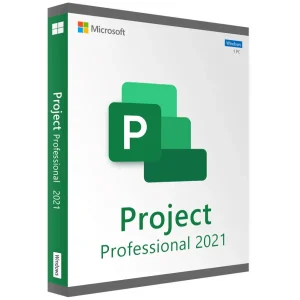
Project 2021 Professional - Official Microsoft license. Instant delivery by email.
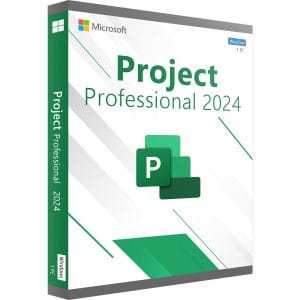
Project 2024 Professional - Official Microsoft license. Instant delivery by email.
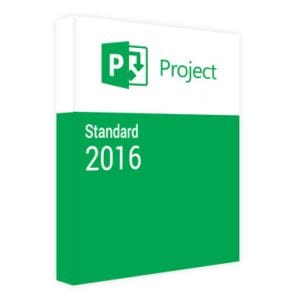
Official Project 2016 Standard license. Instant delivery by email. Activation on Microsoft servers. Lifetime warranty. Support included.
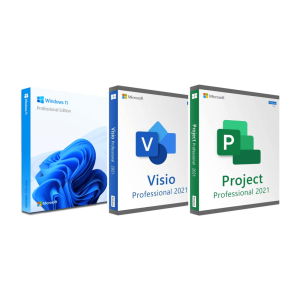
Official Windows 11 Pro + Visio 2021 Pro + Project 2021 Pro bundle license. Instant delivery by email. Activation on...
Η άδειά σας ενεργοποιημένη σε 3 βήματα
Επιλέξτε από τις αυθεντικές προσφορές μας την άδεια που ταιριάζει στις ανάγκες σας.
Δείτε τις προσφορέςΚάρτα, Apple Pay, Google Pay ή Bancontact, πληρωμή με κρυπτογράφηση SSL και επαλήθευση 3D Secure.
Ασφαλής πληρωμήΤο κλειδί σας φτάνει μέσω email σε λίγα λεπτά, μαζί με οδηγίες ενεργοποίησης βήμα προς βήμα.
Μάθετε περισσότεραIf you want to buy Microsoft Project without committing to a subscription, a perpetual license is the simple route: you pay once and Project stays installed on your Windows PC. Project is Microsoft’s scheduling software, built around Gantt charts, task dependencies, the critical path, resource assignments and progress tracking against a baseline. Our lifetime licenses cover Project 2016, 2019, 2021 and 2024.
Your key is sent by email within minutes and activation is completed with Microsoft. Each product page lets you choose a license for 1, 2 or 5 PCs.
Both editions share the same scheduling engine. The difference lies in team features and in the connection to Microsoft’s enterprise platform, Project Server.
| Feature | Project Standard | Project Professional |
|---|---|---|
| Gantt chart, critical path, milestones | Yes | Yes |
| Task dependencies, work calendars, baselines | Yes | Yes |
| Resources, costs and built-in reports | Yes | Yes |
| Timeline view for presentations | Yes | Yes |
| Team Planner (drag-and-drop resource scheduling) | No | Yes |
| Inactive tasks for what-if scenarios | No | Yes |
| Sync with SharePoint task lists | No | Yes |
| Connection to Project Server (enterprise resources, timesheets) | No | Yes |
In short: if you plan alone or in a small team on your own PC, Standard covers the job. Professional makes sense when several project managers share the same people, or when a Project Server is in place. Our Project Standard vs Professional guide details every difference.
Project changes little from one version to the next: on a typical schedule, the 2016 and 2024 engines produce the same plan. What differs is the interface, a few conveniences and how long Microsoft supports the version.
| Version | Microsoft support | Notable points |
|---|---|---|
| Project 2024 | Until 9 October 2029 | Current perpetual generation, interface aligned with Office 2024 |
| Project 2021 | Ended on 13 October 2026 | Office 2021 interface, includes the 2019 improvements |
| Project 2019 | Ended on 14 October 2025 | Task linking from a drop-down menu, Task Summary Name field, labels on timeline bars |
| Project 2016 | Ended on 14 October 2025 | All the core scheduling features |
Our advice: pick Project 2024 if you want Microsoft security fixes until 2029, and compare its price with Project 2021 in the list above. Project 2016 remains a sensible option for planning on your own. End of support does not lock the software: Project keeps running and opening your files; it just no longer receives fixes. For a company with compliance requirements, prefer 2024, presented on our Project 2024 key page.
Microsoft Project has never been part of an Office suite. Office Home, Office Professional Plus and the Microsoft 365 plans for home users do not include it: it is a separate product with its own license, which installs next to Word, Excel and Outlook. For those apps, see our Microsoft Office licenses; if you need Visio and Project together, the Windows 11 Pro, Visio and Project bundle groups three licenses in one order.
| Solution | Gantt chart | Opens .mpp files | Main limit |
|---|---|---|---|
| Microsoft Project | Complete | Yes, natively | Paid license |
| ProjectLibre | Good | Partly | Formatting and some constraints lost on import |
| GanttProject | Basic | Limited import | No fine-grained resource management |
| Excel | Built by hand | No | No automatic recalculation of dependencies |
| Trello, Notion | Simple timeline | No | No critical path or resource leveling |
The deciding point is the .mpp format. When a client or a main contractor sends you a schedule made in Project, only Project opens and edits it without losing anything. That is why it remains so common in construction, engineering and public tenders.
Microsoft’s Project subscriptions are priced per user and per month. They make sense for teams that need web tools, online collaboration and continuous updates. If you plan on your own PC, on schedules that belong to you, a perpetual license pays for itself within the first months. Project earns its place when you need at least one of these five things:
If none of these points matters to you, a well-built spreadsheet may be enough. An honest caveat: a perpetual license stays on its version, and Project 2021 will not become a later release. For scheduling, the impact is minor, because the core features have barely changed in ten years.
Project 2016, 2019, 2021 and 2024 run on Windows 10 and Windows 11. Allow about 4 GB of RAM and a few GB of free disk space, and keep the same 32-bit or 64-bit architecture as your Office installation. Microsoft has never released Project for macOS: on a Mac, you need a Windows virtual machine or a remote Windows PC.
Our licenses come from the European market for pre-owned software. In its UsedSoft ruling (case C-128/11, 2012), the Court of Justice of the European Union held that a perpetual license sold in the EU can be resold, provided the first owner stops using it. Our complete Microsoft Project guide covers the features in more depth.
Όλα όσα πρέπει να γνωρίζετε πριν παραγγείλετε
No. Project is sold separately and is not part of any Office suite, including Office Professional Plus, nor of the Microsoft 365 plans for home users. You need a dedicated license, such as the perpetual Project licenses on this page, which install next to Word, Excel and Outlook and are activated with their own key.
Standard covers all the scheduling work: Gantt chart, critical path, resources, costs, baselines and reports. Professional adds Team Planner, inactive tasks, synchronization with SharePoint task lists and the connection to Project Server for enterprise resources and timesheets. For individual use or a small team, Standard is usually enough.
Partly. ProjectLibre and some online viewers import .mpp files, but they lose part of the formatting and some scheduling constraints. To read and modify a schedule received from a client without altering it, Microsoft Project remains the reliable option. To share your own plans with people who don't have Project, export them to PDF or Excel.
Yes. All the versions we offer, from Project 2016 to Project 2024, install and activate on Windows 10 and Windows 11. Keep the same 32-bit or 64-bit architecture as your Office applications: the installer does not accept both architectures of Office products on the same PC.
No. Microsoft has never published Project for macOS. On a Mac, the usual solutions are a Windows virtual machine, for example with Parallels Desktop, in which you install and activate Project, or a remote Windows PC that you open from your Mac. Microsoft's web planning tools run in a browser, but they require a subscription.
One license covers one PC. To equip several computers, you need one license per PC; each product page offers 2-PC and 5-PC options. When you change computers, the license can usually move with you: uninstall Project from the old PC, install it on the new one and activate it with the same key.
Our team answers by email 24/7, within 2 hours on average.
Χρόνος απόκρισης: within 2 hours on average
Το καλάθι σας
