 Ευρωπαϊκή εταιρεία με έδρα τη Γαλλία
Εξαιρετικό4,9/5Trustpilot1,800+ reviews Εγγύηση αντικατάστασης εφ' όρου ζωής
Υποστήριξη μέσω email 24/7
Ευρωπαϊκή εταιρεία με έδρα τη Γαλλία
Εξαιρετικό4,9/5Trustpilot1,800+ reviews Εγγύηση αντικατάστασης εφ' όρου ζωής
Υποστήριξη μέσω email 24/7
Word, Excel and PowerPoint for macOS as a one-time purchase: compare the Office 2021 for Mac editions and see what the end of Microsoft support in October 2026 changes for you.
Αυθεντικές άδειες Microsoft, με παράδοση μέσω email σε λίγα λεπτά
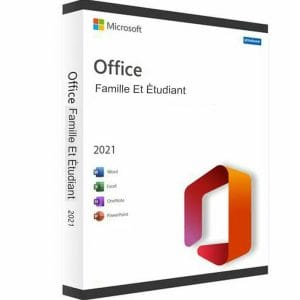
Official Office 2021 Home and Student for Mac license. Instant delivery by email. Activation on Microsoft servers. Lifetime warranty. Support...
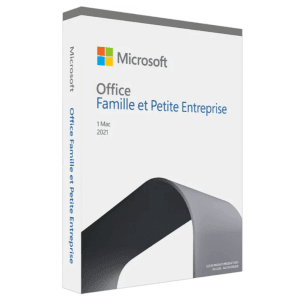
Office 2021 Home and Business for Mac - Genuine Microsoft license. Instant delivery by email.
Office 2021 LTSC Standard for Mac - Genuine Microsoft license. Instant delivery by email.
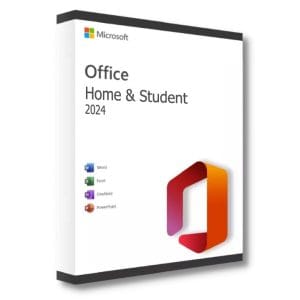
Official Office 2024 Home and Student for Mac license. Instant delivery by email. Activation on Microsoft servers. Lifetime warranty. Support...
Η άδειά σας ενεργοποιημένη σε 3 βήματα
Επιλέξτε από τις αυθεντικές προσφορές μας την άδεια που ταιριάζει στις ανάγκες σας.
Δείτε τις προσφορέςΚάρτα, Apple Pay, Google Pay ή Bancontact, πληρωμή με κρυπτογράφηση SSL και επαλήθευση 3D Secure.
Ασφαλής πληρωμήΤο κλειδί σας φτάνει μέσω email σε λίγα λεπτά, μαζί με οδηγίες ενεργοποίησης βήμα προς βήμα.
Μάθετε περισσότεραOffice 2021 for Mac is a one-time purchase generation released from the start as a Universal app, for Apple silicon and Intel Macs alike. You pay once, install it on your Mac, and the apps keep working without a subscription. Compared with earlier generations, it offers:
What you do not get: cloud storage, automatic upgrades to the next generation, or new features after the end of support. That is the trade-off of a one-time purchase.
Three editions exist for macOS. The deciding question is simple: do you need Outlook? It cannot be added later to an edition that does not include it.
| Office 2021 for Mac edition | Apps | Intended use |
|---|---|---|
| Home and Student | Word, Excel, PowerPoint, OneNote | Students and households, non-commercial use |
| Home and Business | The same plus Outlook | Freelancers and small businesses, commercial use allowed |
| LTSC Standard | Word, Excel, PowerPoint, Outlook, OneNote | Organizations equipping several Macs |
For most home users, Office 2021 Home and Student for Mac covers writing, spreadsheets and presentations. LTSC Standard is a fixed-feature release designed for organizations; for a single Mac at home, Home and Student or Home and Business is the simpler choice. The edition is chosen once: moving from Home and Student to Home and Business later means buying a new license, so think about Outlook before ordering. All our Mac editions are gathered in the Mac category, with the current price on each product page.
Before ordering, remember that an Office 2021 for Mac license does not activate on a PC. For a mixed household, plan one license per platform; the Windows editions are in our Office category.
Microsoft ended support for Office 2021, Mac editions included, on 13 October 2026. Your apps keep working with no time limit, which is the principle of a one-time license, but they no longer receive security updates, fixes or new features. One condition applies on the Mac: the suite must be on version 16.83 or later to keep its editing features after the license certificate change of July 2026.
Office 2021 for Mac remains a reasonable choice for a secondary Mac, for document work that does not involve sensitive data, or for a Mac that will be replaced in the near future. For a main Mac you intend to keep for several years, Office 2024 Home and Student for Mac is supported until October 2029. Our Office for Mac guide compares all the generations side by side.
If you hesitate between the two generations, the apps and editions are the same: Word, Excel, PowerPoint and OneNote, with Outlook in Home and Business. Office 2024 for Mac adds recent Excel functions such as TEXTSPLIT, VSTACK or IMAGE, dynamic charts, and accessibility and stability improvements. The decisive difference, however, is the support horizon: three more years of security updates, which matters for a Mac that handles email, administrative documents or client files.
We resell genuine Microsoft licenses within the European Union. The Court of Justice of the European Union confirmed in the UsedSoft ruling (case C-128/11) that a perpetual software license sold in the EU can be resold, provided the first owner stops using it. Your key is activated on Microsoft’s servers, and every order comes with a VAT invoice.
You pay by card, Apple Pay, Google Pay or Bancontact. Your key arrives by email with an installation guide; some Mac editions are prepared to order, in which case delivery takes up to 48 business hours, as detailed on our delivery page. A defective key is replaced for the lifetime of the license, and our support team answers by email 7 days a week, within 2 hours on average.
Όλα όσα πρέπει να γνωρίζετε πριν παραγγείλετε
Yes. Office 2021 for Mac is a Universal app: Word, Excel, PowerPoint and Outlook run natively on Apple silicon Macs (M1 and later) without Rosetta 2 translation, which shows in launch times and in large Excel workbooks. The same license also works on a 64-bit Intel Mac, provided macOS meets the minimum required by the current version of the apps.
Since July 2026, Office 2021 for Mac needs version 16.83 or later to keep its editing features, and that version requires macOS 12 Monterey or later. Microsoft officially supports Office for Mac on the three most recent major macOS versions only. Check your version in the Apple menu under About This Mac, and allow about 10 GB of free space.
Yes. The end of support stops security updates and fixes, not the apps themselves: an up-to-date installation keeps working without a time limit. The risk grows over time, because new vulnerabilities will not be patched. For sensitive documents or a Mac you plan to keep for years, Office 2024 for Mac is supported until October 2029.
A Home and Student or Home and Business license covers one Mac. When you change computers, sign out of Office on the old Mac, then install and activate it on the new one with the same Microsoft account. To equip several Macs at the same time, you need one license per Mac.
File formats are identical: a .docx, .xlsx or .pptx file opens the same way on both platforms, layout included. VBA macros also run, with two caveats: ActiveX controls and COM add-ins designed for Windows do not exist on macOS, and some advanced Excel features, such as the Power Pivot data model, remain Windows-only.
Our team answers by email 24/7, within 2 hours on average.
Χρόνος απόκρισης: within 2 hours on average
Το καλάθι σας