 Ευρωπαϊκή εταιρεία με έδρα τη Γαλλία
Εξαιρετικό4.9/5Trustpilot1,800+ reviews Εγγύηση αντικατάστασης εφ' όρου ζωής
Υποστήριξη μέσω email 24/7
Ευρωπαϊκή εταιρεία με έδρα τη Γαλλία
Εξαιρετικό4.9/5Trustpilot1,800+ reviews Εγγύηση αντικατάστασης εφ' όρου ζωής
Υποστήριξη μέσω email 24/7
Ευρωπαϊκή εταιρεία με έδρα τη Γαλλία
Εξαιρετικό4.9/5Trustpilot1,800+ reviews Εγγύηση αντικατάστασης εφ' όρου ζωής
Υποστήριξη μέσω email 24/7
Ευρωπαϊκή εταιρεία με έδρα τη Γαλλία
Εξαιρετικό4.9/5Trustpilot1,800+ reviews Εγγύηση αντικατάστασης εφ' όρου ζωής
Υποστήριξη μέσω email 24/7


Genuine Office LTSC 2024 and 2021 licenses from 89,99 €: fixed features, Microsoft security updates, one payment and no subscription.
Αυθεντικές άδειες Microsoft, με παράδοση μέσω email σε λίγα λεπτά
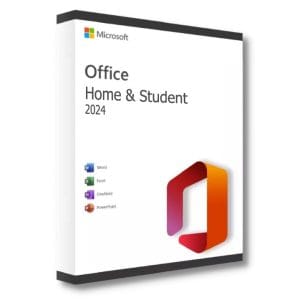
Office 2024 LTSC Standard for Mac - Official Microsoft license. Instant delivery by email.

Office 2021 LTSC Standard for Mac - Genuine Microsoft license. Instant delivery by email.
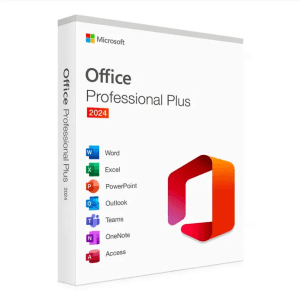
Microsoft Office 2024 Pro Plus Microsoft Office 2024 Pro Plus is the latest version of the world’s most popular productivity...
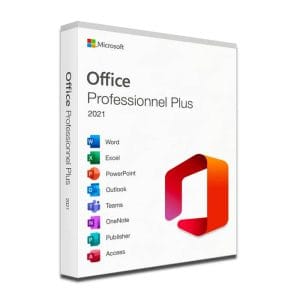
Microsoft Office 2021 Pro Plus Microsoft Office 2021 Pro Plus is the latest version of the world’s most popular office...
Η άδειά σας ενεργοποιημένη σε 3 βήματα
Επιλέξτε από τις αυθεντικές προσφορές μας την άδεια που ταιριάζει στις ανάγκες σας.
Δείτε τις προσφορέςΚάρτα, Apple Pay, Google Pay ή Bancontact, πληρωμή με κρυπτογράφηση SSL και επαλήθευση 3D Secure.
Ασφαλής πληρωμήΤο κλειδί σας φτάνει μέσω email σε λίγα λεπτά, μαζί με οδηγίες ενεργοποίησης βήμα προς βήμα.
Μάθετε περισσότεραOffice LTSC stands for Long-Term Servicing Channel, the channel through which Microsoft has distributed its perpetual Office suites for organizations since 2021. The principle fits in one sentence: the feature set is frozen on release day and does not change afterwards. You then receive only security and reliability fixes, never an interface that changes overnight or a feature added without warning.
That is exactly what sensitive environments need: production workstations, laboratory machines, computers on isolated networks, regulated sectors where any software change requires revalidation. It is also what many freelancers and small businesses look for: a suite paid for once, installed, and behaving the same way three years later.
Two releases currently coexist: Office LTSC 2024, released in September 2024, and Office LTSC 2021, released in September 2021. On Windows, the Professional Plus edition brings together the classic desktop apps; on Mac, Microsoft offers a Standard edition.
Not to be confused with Windows LTSC: Windows 10 and Windows 11 Enterprise LTSC apply the same principle to the operating system, not to the office suite.
| Edition | Apps included | End of Microsoft support | Price |
|---|---|---|---|
| Office LTSC Professional Plus 2024 | Word, Excel, PowerPoint, Outlook, OneNote, Access (Publisher retired by Microsoft) | 9 October 2029 | 24,90 € |
| Office LTSC Professional Plus 2021 | Word, Excel, PowerPoint, Outlook, OneNote, Access, Publisher | 13 October 2026 | 19,90 € |
The choice is now clear: Microsoft support for Office LTSC 2021 ended on 13 October 2026. The license remains valid and the apps keep opening and reinstalling, but without new fixes. For a connected workstation that receives outside files every day, choose LTSC Professional Plus 2024 and its three extra years of coverage. The 2021 release still makes sense on an offline machine, a backup workstation or an isolated internal setup, or if you need Publisher.
On a Mac, Office LTSC Standard for Mac 2024 and 2021 include Word, Excel, PowerPoint, Outlook and OneNote. They appear among the licenses on this page, with the supported macOS versions listed on each product page.
The confusion comes from the names. Office LTSC Professional Plus 2024 and Microsoft 365 Apps for enterprise install very similar applications, but they follow completely different rhythms.
LTSC is therefore not a cut-down version: it is stable by design. If you are still weighing a one-time purchase against a subscription, our Microsoft Office buying guide compares the two approaches, version by version.
Both releases install on Windows 10 and Windows 11. Plan for 4 GB of RAM and about 4 GB of disk space; the 64-bit version is offered by default.
Since the 2019 generation, there is no MSI installer any more: everything goes through Click-to-Run. On a single PC, the standard installation followed by entering the key is enough. On a fleet, the Office Deployment Tool and its configuration.xml file let you set the release, language and apps to exclude, then the setup.exe /configure command does the rest. Microsoft does not support Office LTSC alongside another Click-to-Run version of Office on the same PC: uninstall it first.
Updates require no effort: a Click-to-Run installation downloads Microsoft’s monthly security fixes automatically, so a connected PC stays protected until the end of support without any action on your part. On an isolated network, the Office Deployment Tool can download the updates once and serve them from a local network share.
Why are these LTSC licenses affordable?
These perpetual licenses come from European companies that no longer use them, and their resale is governed by the UsedSoft judgment of the Court of Justice of the European Union (case C-128/11). Each license is transferred whole, never split, and activates on Microsoft’s official servers.
Every order includes a VAT invoice, a defective key is replaced for life, and our team answers by email 7 days a week, within 2 hours on average, from our support page.
Όλα όσα πρέπει να γνωρίζετε πριν παραγγείλετε
LTSC is the distribution channel, Professional Plus the edition. Office LTSC Professional Plus 2024 is the Professional Plus edition of the 2024 LTSC release, with Word, Excel, PowerPoint, Outlook, OneNote and Access. It is perpetual and its features are fixed. The Microsoft 365 Apps delivered with a subscription have a similar name, but they change every month and stop working when payments stop.
Microsoft support for Office LTSC 2021 ended on 13 October 2026: there are no more security fixes, even though the license remains valid and the apps keep working. For a connected workstation that receives outside files, choose Office LTSC 2024, supported until 9 October 2029. The 2021 release remains useful on an offline machine or a backup workstation, or if you still need Publisher.
Yes for updates, no for Copilot. During its support period, Microsoft publishes monthly security and reliability fixes for Office LTSC, but no new features: that is the very principle of a long-term servicing channel. Copilot and new cloud features are reserved for subscription plans. Your menus and habits therefore stay the same throughout the life of the product.
On a single PC, install the suite and enter the key. On several PCs, use the Office Deployment Tool: a configuration.xml file defines the release, language and apps to exclude, then the setup.exe /configure command does the rest. Plan one license per computer and keep the VAT invoice of each order as proof of your rights.
Yes. Once activated, Office LTSC runs entirely on your computer and does not need a connection to open, edit or save documents. An internet connection is only required to download the installation files, activate the license and receive Microsoft's security fixes. That makes LTSC well suited to isolated networks and machines that rarely go online.
Our team answers by email 24/7, within 2 hours on average.
Χρόνος απόκρισης: within 2 hours on average
Το καλάθι σας
