 Ευρωπαϊκή εταιρεία με έδρα τη Γαλλία
Εξαιρετικό4.9/5Trustpilot1,800+ reviews Εγγύηση αντικατάστασης εφ' όρου ζωής
Υποστήριξη μέσω email 24/7
Ευρωπαϊκή εταιρεία με έδρα τη Γαλλία
Εξαιρετικό4.9/5Trustpilot1,800+ reviews Εγγύηση αντικατάστασης εφ' όρου ζωής
Υποστήριξη μέσω email 24/7
Ευρωπαϊκή εταιρεία με έδρα τη Γαλλία
Εξαιρετικό4.9/5Trustpilot1,800+ reviews Εγγύηση αντικατάστασης εφ' όρου ζωής
Υποστήριξη μέσω email 24/7
Ευρωπαϊκή εταιρεία με έδρα τη Γαλλία
Εξαιρετικό4.9/5Trustpilot1,800+ reviews Εγγύηση αντικατάστασης εφ' όρου ζωής
Υποστήριξη μέσω email 24/7


Genuine Windows 11 Enterprise license from 13,99 €: Credential Guard, application control and centralized deployment, with your key delivered by email in a few minutes.
Αυθεντικές άδειες Microsoft, με παράδοση μέσω email σε λίγα λεπτά
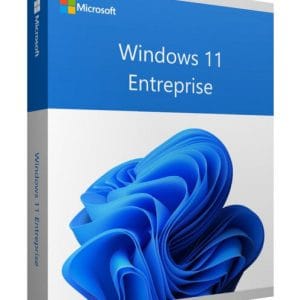
Windows 11 Enterprise - Genuine Microsoft license. Instant delivery by email.
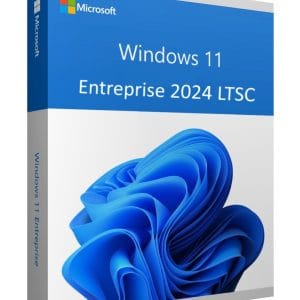
Official Windows 11 Enterprise 2024 LTSC license. Instant delivery by email. Activation on Microsoft servers. Lifetime warranty. Support included.
Official Windows 11 IoT Enterprise license. Instant delivery by email. Activation on Microsoft servers. Lifetime warranty. Support included.
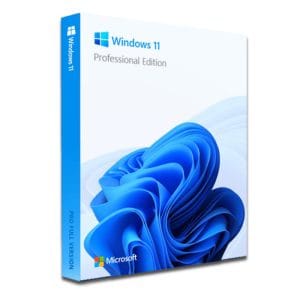
Windows 11 Pro – The Ultimate Professional Operating System Windows 11 Pro is the latest version of Microsoft’s operating system,...
Η άδειά σας ενεργοποιημένη σε 3 βήματα
Επιλέξτε από τις αυθεντικές προσφορές μας την άδεια που ταιριάζει στις ανάγκες σας.
Δείτε τις προσφορέςΚάρτα, Apple Pay, Google Pay ή Bancontact, πληρωμή με κρυπτογράφηση SSL και επαλήθευση 3D Secure.
Ασφαλής πληρωμήΤο κλειδί σας φτάνει μέσω email σε λίγα λεπτά, μαζί με οδηγίες ενεργοποίησης βήμα προς βήμα.
Μάθετε περισσότεραA Windows 11 Enterprise key unlocks everything in Windows 11 Pro plus a layer of security and management designed for managed fleets. The difference is not visible on the desktop: it lies in the kernel, in identity protection and in the control your IT team keeps over dozens or hundreds of machines. Genuine Windows 11 Enterprise licenses start at 13,99 € per PC.
The word Enterprise covers several things: an edition of the operating system, but also per-user subscription plans and specialized variants. This table places each option before you decide.
| Option | For which organizations | Key strengths | On our store |
|---|---|---|---|
| Windows 11 Pro | Freelancers, small teams | BitLocker, domain join, Remote Desktop host, Hyper-V | From 9,90 € |
| Windows 11 Enterprise (perpetual license) | Managed fleets, compliance requirements | Credential Guard, application control, Personal Data Encryption, 36-month servicing | From 13,99 € |
| Windows 11 Enterprise LTSC 2024 | PCs that must keep the same build for years | Frozen build, security fixes until October 2029 | From 36,99 € |
| Windows 11 IoT Enterprise | Kiosks, digital signage, dedicated devices | Lockdown features: Shell Launcher, write filter, keyboard filter | From 34,99 € |
| Windows 11 Enterprise E3 / E5 | Organizations already on Microsoft 365 | E5 adds managed endpoint detection and response | Per-user subscription from Microsoft, not sold here |
To be honest, below about twenty PCs a Windows 11 Pro license already covers the essentials. Enterprise makes sense when you must lock down the list of allowed applications, prove a hardening level to a client or an auditor, and keep a whole fleet on a strictly identical configuration. For PCs that must never change, see our Windows 11 LTSC page, and for a detailed comparison of the two editions, read Windows 11 Enterprise vs Pro.
On a single PC the switch is immediate: open Settings > System > Activation > Change product key and enter your key. Windows applies the edition upgrade without reinstalling, keeps files, applications and profiles, then asks for a restart. Across a fleet, the key fits into your usual sequences: Microsoft Entra ID join, automatic Intune enrollment, Windows Autopilot for new machines, and Group Policy for environments still on Active Directory.
Windows 11 requires a compatible 64-bit processor, 4 GB of RAM, 64 GB of storage, UEFI firmware with Secure Boot and, above all, an active TPM 2.0 chip. That last point still blocks many PCs built before 2018, so take an inventory before you order. Our Windows 11 installation guide walks through every step. If part of your fleet stays on Windows 10, remember that extended security updates only buy time: our page on Windows 10 end of support sets out the options.
Our licenses come from European companies that renewed, merged or downsized their IT. When a company replaces its machines, its perpetual licenses do not disappear: since the UsedSoft ruling of the Court of Justice of the European Union (case C-128/11), a perpetual software license sold in the EU can be resold, provided the first owner has uninstalled it for good and no longer uses it. The price gap comes from this second-hand market, not from any activation workaround.
Each key is checked before it is sent, activates on Microsoft’s servers and receives security updates like any license bought new. Nothing changes for your IT team: the same installation media, the same management tools, the same update channel.
For several PCs, order one key per machine. If you are preparing a larger rollout, write to us before ordering: we will confirm which edition matches each group of machines.
Όλα όσα πρέπει να γνωρίζετε πριν παραγγείλετε
Enterprise includes everything in Pro, plus a managed security layer: Credential Guard enabled by default, Personal Data Encryption, application control at scale and up to 6 TB of addressable RAM. Each annual release is also supported for 36 months instead of 24. The interface and your applications stay exactly the same, so your users will not notice any change in their daily work.
Yes. Windows handles the edition upgrade in place: open Settings > System > Activation, choose Change product key and enter the Enterprise key. After a restart, the PC runs Enterprise and keeps your files, software and user profiles. No disk image or reformatting is needed. Still, back up your data before the operation, as you would for any system change.
Yes. The PC can join Microsoft Entra ID, enroll automatically in Intune and be provisioned with Windows Autopilot. Compliance policies, Conditional Access and application deployment then apply without anyone touching the machine. On top of that, Enterprise unlocks protections reserved for the Enterprise and Education editions, such as Credential Guard and Personal Data Encryption.
No. The Enterprise edition includes Microsoft Defender Antivirus, the firewall, attack surface reduction rules and encryption, but not the endpoint detection and response console. Microsoft Defender for Endpoint Plan 2 comes with the Windows Enterprise E5 or Microsoft 365 E5 subscriptions, billed per user. A perpetual Windows license and a security subscription therefore cover two different needs.
One key activates one PC. For several machines, order one key per device; any multi-PC options available are shown on the product page. Each key is delivered by email, usually within a few minutes, with activation instructions, and the VAT invoice for your order is available in your customer account.
Our team answers by email 24/7, within 2 hours on average.
Χρόνος απόκρισης: within 2 hours on average
Το καλάθι σας
