 Euroopa ettevõte asukohaga Prantsusmaal
Suurepärane4.9/5Trustpilot1,800+ reviews Eluaegne asendusgarantii
E-posti tugi 24/7
Euroopa ettevõte asukohaga Prantsusmaal
Suurepärane4.9/5Trustpilot1,800+ reviews Eluaegne asendusgarantii
E-posti tugi 24/7
Genuine Outlook from 9,99 €: on its own, inside a complete Office suite or with a 12-month subscription, key delivered by email within minutes.
Ehtsad Microsofti litsentsid, kohaletoimetamine e-postiga mõne minutiga
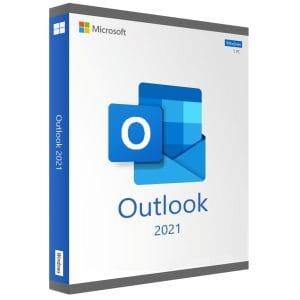
Outlook 2021 - Genuine Microsoft license. Instant delivery by email.
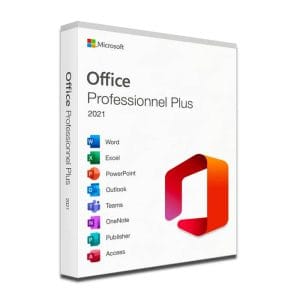
Microsoft Office 2021 Pro Plus Microsoft Office 2021 Pro Plus is the latest version of the world’s most popular office...
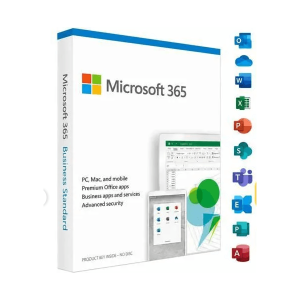
Office 365 - 12 Months / 5 Devices - Official Microsoft license. Instant delivery by email.
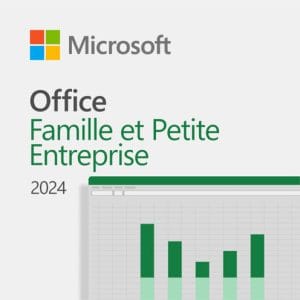
Office 2024 Home and Business - Genuine Microsoft license. Instant delivery by email.
Teie litsents aktiveeritud 3 sammuga
Kaart, Apple Pay, Google Pay või Bancontact, SSL-krüpteeritud makse 3D Secure kontrolliga.
Turvaline makseVõti saabub e-postiga mõne minutiga koos samm-sammuliste aktiveerimisjuhistega.
Lugege lähemaltTo buy Microsoft Outlook, you have two routes: the email client on its own, or Outlook included in an Office suite you may need anyway. All our licenses are genuine Microsoft licenses resold second-hand, a practice confirmed in Europe by the Court of Justice of the European Union (UsedSoft judgment, case C-128/11). Here is how to pay the right price without buying the same app twice.
Outlook is sold as a standalone license or inside an Office suite. One detail is often discovered too late: the Home and Student editions do not include Outlook. Only the Home and Business, Professional and Professional Plus editions, the LTSC versions and Microsoft 365 subscriptions do. On the second-hand market, the gap between Outlook alone and a complete suite is small: if you also use Word or Excel, the suite quickly becomes the smarter purchase.
| Option | What you get | License | Price |
|---|---|---|---|
| Outlook 2021 alone | Email, calendar, contacts, tasks | Lifetime, 1 PC | 17,99 € |
| Office 2021 Professional Plus | Outlook 2021 with Word, Excel, PowerPoint, Access, Publisher | Lifetime, 1 PC | 19,90 € |
| Office 2024 Home and Business | Outlook 2024 with Word, Excel, PowerPoint | Lifetime, 1 PC | 119,99 € |
| Office 365, 12 months | Outlook always up to date, on PC, Mac and mobile | 12-month subscription, 5 devices | 9,99 € |
| New Outlook for Windows | Basic email, ads with free personal accounts | Free app | Free |
Prices are read live from the product pages shown on this page. If Outlook is the only app you need, the standalone license does the job. If Word or Excel are also on your list, compare Outlook alone with Office 2021 Professional Plus in the table above: the difference is often small, and the suite includes all of them.
Classic ribbon interface, full management of local data files, advanced sorting rules and shared address books: Outlook 2021 is the entry-level option, available on its own or inside Office 2021 Professional Plus. One honest caveat: Microsoft ended support for the 2021 generation on 13 October 2026. The software keeps working normally with IMAP and POP accounts, but no longer receives security fixes.
Also a perpetual license, with the same professional features, security updates until 9 October 2029 and better support for mailboxes hosted on Exchange Online. For a business mailbox, it is the reasonable choice: you will find it in Office 2024 Home and Business and in Office 2024 Professional Plus, which adds Access.
If you need Outlook on several computers and mobile devices, the Office 365 subscription for 5 devices is the flexible formula, always up to date.
Windows now ships a free Outlook app, which replaced the Mail and Calendar apps. It is enough to check a personal address, but it does not play in the same league as the licensed desktop version:
Still weighing Outlook against webmail? Our Outlook vs Gmail comparison sets out the differences point by point.
Moving from another email program? With an IMAP or Exchange account, your messages stay on the server and reappear as soon as the account is added. Older archives can be brought in with the Import and Export wizard, which reads .pst files from a previous Outlook installation.
Your key arrives by email, usually within minutes, with a VAT invoice, and stays valid for life on the activated computer. If an account refuses to connect, our support team helps you by email 7 days a week, with a reply within 2 hours on average. And if a key ever proves faulty, we replace it for the lifetime of the license.
Kõik, mida peate enne tellimist teadma
No. The Home and Student editions are limited to Word, Excel and PowerPoint: Outlook is not part of them. You will find it in the Home and Business, Professional and Professional Plus editions (2019, 2021, 2024), in the LTSC versions and in Microsoft 365 subscriptions. Always check the list of apps shown on the product page before ordering.
Yes. Outlook handles IMAP, POP and Exchange accounts: Gmail, Outlook.com, Yahoo, your internet provider's mailbox or a company server can be set up in a few clicks, usually by just entering your address. Gmail asks you to confirm with your Google account when you add it. For a mailbox hosted on Exchange Online, prefer a version still supported by Microsoft, such as Outlook 2024.
No, your data stays on the hard drive. Outlook rebuilds your profile and finds your .pst and .ost files, stored by default in Documents/Outlook Files or in AppData/Local/Microsoft/Outlook. We still recommend copying these files to an external drive before uninstalling the old version: a few minutes of caution for years of email.
No: Outlook 2021 and Outlook 2024 are perpetual licenses, with no subscription or yearly renewal. The software stays usable indefinitely on the activated computer. Only security updates have an end date: 13 October 2026 for the 2021 generation and 9 October 2029 for the 2024 generation. A Microsoft 365 subscription, by contrast, switches to reduced functionality when it expires.
Our team answers by email 24/7, within 2 hours on average.
Vastamise aeg: within 2 hours on average
