Euroopa ettevõte asukohaga Prantsusmaal

Included applications
Professional email
- Multi-account
- Automatic rules
- Advanced search
Calendar
Organization
- Multiple views
- Reminders
- Calendar sharing
Contacts
Address book
- Contact groups
- Import/Export
- Synchronization
Tasks
Productivity
- Task lists
- Due dates
- Priority tracking
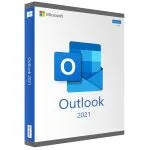
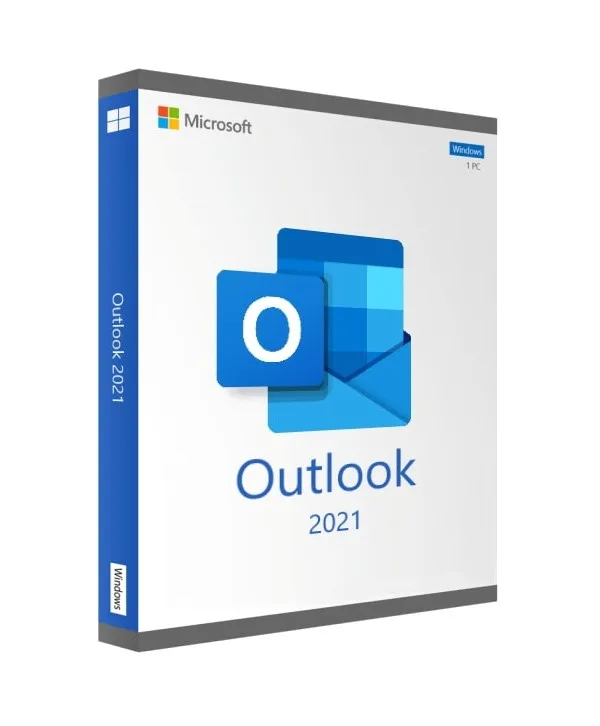
Outlook 2021
Perpetual license - PC installation - Online activation
Official Microsoft license verified on Microsoft servers.





Why choose Outlook 2021?
- Complete professional email client
- Multi-account management (Outlook, Gmail, IMAP...)
- Integrated calendar, contacts and tasks
- One-time purchase with no subscription
- Modernized, high-performance interface
- Official activation via Microsoft
Microsoft Outlook 2021
Outlook 2021 is far more than a simple email client. It’s a true productivity hub that brings together email, calendar, contacts and tasks in a unified, modern interface.
Connect all your accounts — Outlook.com, Gmail, Yahoo, IMAP or Exchange — and manage all your communications from a single place. Perpetual license, works on its own without needing the full Office suite.
Professionals
Manage your appointments, contacts and work emails in a clear, efficient interface.
Freelancers
Centralize your various email accounts and never miss an important message again.
Home users
Organize your digital life with calendar, reminders and contact management.
Nonprofits
Coordinate your teams with the shared calendar and task management.
Technical specifications
System requirements
| Processor | 1.1 GHz or higher, 2 cores |
| RAM | 4 GB RAM |
| Disk space | 4 GB available |
| Display | 1280 x 768 pixels |
| System | Windows 10 or Windows 11 |
| Browser | Edge, Chrome, Firefox or Safari |
| Internet | Connection required for activation |
License information
| License type | Perpetual (lifetime) |
| Users | 1 user |
| Devices | 1 PC |
| Reinstalls | Unlimited on the same device |
| Language | Multilingual (English included) |
| Activation | Online via Microsoft servers |
| Support | Technical assistance 7 days a week |
| Updates | Security updates included |
Klientide arvustused
Outstanding service from Euro Shop Key! Remarkable follow-up for a ridiculously low price. I'm really impressed.
Total surprise! For a key at this price at Euro Shop Key, I got follow-up worthy of an in-store purchase.
Excellent contact with Euro Shop Key. Instructions provided quickly, key replaced immediately after a small issue. Top notch!
Jätke oma arvustus
Jagage oma kogemust selle tootega, et aidata teisi kliente.
Installation guide
Installing Outlook 2021 takes just a few minutes. Follow these steps to get up and running quickly.
Download
After your purchase, you receive an email with your activation key. Go to the Microsoft installation portal to download Outlook 2021.
Installation
Run the downloaded file and wait while it installs. The process is fully automatic.
License activation
Open any application (Word, Excel...). The activation window appears automatically.
- Click « Activate Office »
- Select « I have a product key »
- Enter your key (mind the dashes)
- Follow the instructions to finish
Verification
To confirm activation, open an Office application and go to File > Account. The status should show « Product activated ».
Need help?
Kuidas see toimib
Hankige ja aktiveerige oma Microsofti litsents vaid 3 lihtsa sammuga
Maksa
Makske turvaliselt kaardi, Apple Pay, Google Pay või Bancontactiga.





Aktiveerige
Saate oma võtme kohe e-postiga koos üksikasjaliku paigaldusjuhendiga. Vajaduse korral vastab meie klienditugi e-posti teel 24/7.
Korduma kippuvad küsimused
Does Outlook 2021 work without the rest of Office?
Yes, Outlook 2021 installs and runs completely independently. You do not need a full Office suite. It's the ideal solution if you only need a professional email client.
Can I connect multiple email accounts?
Is the license perpetual?
What's new compared to Outlook 2019?
Teile võib meeldida ka
Office 365 - 12 Months / 5 Devices
Office 365 - 12 Months / 5 Devices - Official Microsoft license. Instant delivery by email.
Office 2019 Home & Business
Office 2019 Home & Business - Genuine Microsoft license. Instant delivery by email.

Office 2016 Professional Plus (bind)
Office 2016 Professional Plus - Genuine Microsoft license. Instant delivery by email.