 Euroopa ettevõte asukohaga Prantsusmaal
Suurepärane4.9/5Trustpilot1,800+ reviews Eluaegne asendusgarantii
E-posti tugi 24/7
Euroopa ettevõte asukohaga Prantsusmaal
Suurepärane4.9/5Trustpilot1,800+ reviews Eluaegne asendusgarantii
E-posti tugi 24/7
Euroopa ettevõte asukohaga Prantsusmaal
Suurepärane4.9/5Trustpilot1,800+ reviews Eluaegne asendusgarantii
E-posti tugi 24/7
Euroopa ettevõte asukohaga Prantsusmaal
Suurepärane4.9/5Trustpilot1,800+ reviews Eluaegne asendusgarantii
E-posti tugi 24/7


Office for the web, the Microsoft 365 trial, LibreOffice: an honest look at what is free and its limits, and the full Office suite from 9,99 €, with your key sent by email.
Ehtsad Microsofti litsentsid, kohaletoimetamine e-postiga mõne minutiga
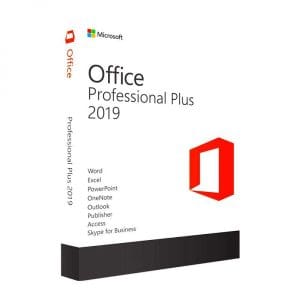
Genuine Office 2019 Professional Plus license. Instant delivery by email. Activation on Microsoft servers. Lifetime warranty. Support included.
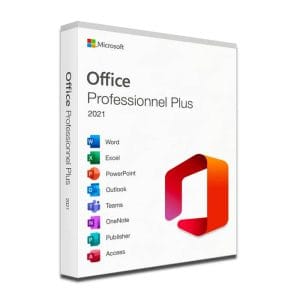
Microsoft Office 2021 Pro Plus Microsoft Office 2021 Pro Plus is the latest version of the world’s most popular office...
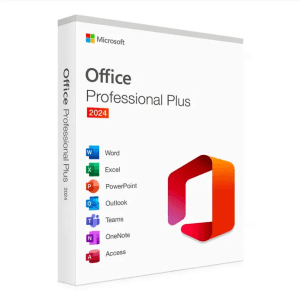
Microsoft Office 2024 Pro Plus Microsoft Office 2024 Pro Plus is the latest version of the world’s most popular productivity...
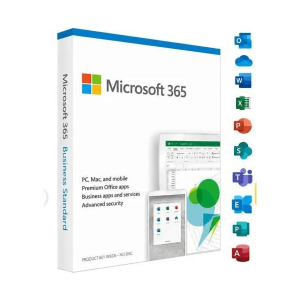
Office 365 - 12 Months / 5 Devices - Official Microsoft license. Instant delivery by email.
Teie litsents aktiveeritud 3 sammuga
Kaart, Apple Pay, Google Pay või Bancontact, SSL-krüpteeritud makse 3D Secure kontrolliga.
Turvaline makseVõti saabub e-postiga mõne minutiga koos samm-sammuliste aktiveerimisjuhistega.
Lugege lähemaltYes, you can use Word, Excel or PowerPoint without spending a cent, but not in every way and not for every use. This guide sorts it out honestly: what is genuinely free Microsoft Office, the concrete limits of each solution, and the real cost of a full license when free is no longer enough.
Four free and legal routes exist:
And if you need the real Office suite on your computer without a subscription, a low-cost Office license with a one-time payment starts at 12,90 €. We come back to this in detail below.
Microsoft’s official free solution runs in the browser. Create a free Microsoft account and you immediately get the online versions of Word, Excel, PowerPoint and OneNote, with 5 GB of OneDrive storage for your files. Microsoft’s mobile apps are free too and let you open documents and make simple edits on the go. Your documents are saved to OneDrive automatically as you type: there is nothing to save yourself, but you must stay connected.
For writing a letter, keeping a simple budget or opening an attachment, it is more than enough. For a long dissertation, a dashboard or a daily workstation, the limits show up very quickly.
Microsoft offers a one-month trial of its subscription, with the full apps installed on your computer. Two precautions: signing up usually requires registering a payment method, and the paid subscription starts automatically at the end of the trial unless you cancel in time. Our Microsoft 365 page explains the subscription in detail.
LibreOffice (Writer, Calc, Impress) and OnlyOffice are free, open-source office suites that you install on a PC or a Mac and can use offline, including at work. They open and save Word and Excel formats. Two honest reservations: the layout of complex documents can shift from one suite to another, and VBA macros do not run as they are. Our comparison of free alternatives to Microsoft Office covers each of them.
Many universities, colleges and schools provide Microsoft 365 to their students through the school email address. The right reflex is to ask the IT department before spending anything. If nothing is planned, our guide Microsoft Office for students compares every option, from free solutions to perpetual licenses.
The real question is not “is there a free Office?”, since the answer is yes, but “does the free version cover what I actually do?”. Here is the decision grid we apply, without bias: we sell licenses, and a license you do not need is a bad sale.
Stay with a free solution if:
Switch to a full license if:
Two concrete situations help. A student who takes notes and hands in short assignments will do very well in the browser; the same student, when writing a dissertation with an automatic table of contents, footnotes and strict page numbering, will be much better off with the installed version. Another case: a freelancer who prepares quotes in Excel and sometimes works on the train needs software that runs offline and is licensed for business use, which the free version does not provide.
Three approaches, three logics. The prices shown are the ones currently applied on Euro Shop Key.
| Criterion | Office for the web | Lifetime license | Office 365 (subscription) |
|---|---|---|---|
| Price | Free | From 12,90 €, paid once | 9,99 € for 12 months |
| Apps installed on the computer | No, browser only | Yes | Yes |
| Offline work | No | Yes | Yes |
| Macros, mail merge, advanced features | No | Yes | Yes |
| Duration | Unlimited | Lifetime | 12 months |
| Devices | Any device, in a browser | 1 PC | Up to 5 devices |
| Business use | Not intended | Yes | Depends on the plan |
In short: the browser for occasional needs, a lifetime license to equip a computer for good, a subscription to cover several devices. The approaches combine well: nothing stops you from using the web version on the move while keeping a lifetime license on your main PC. All the one-time-purchase versions are compared on our Microsoft Office page.
If free does not cover your needs, the cost remains modest. The one-time licenses sold on Euro Shop Key are perpetual: you pay once, Office stays on your PC for good, and each key activates on Microsoft’s official servers.
The process is the same for every product: secure payment by card, Apple Pay, Google Pay or Bancontact, a key sent by email within minutes (48 working hours at most), then activation on Microsoft’s official servers. Every order includes a VAT invoice, and a defective key is replaced for life.
Beware of free downloads and activators
Sites offering a free download of the full Office with an activator or a cracked key are not a free option: they are illegal, frequently bundle malware and can stop working at the next update. The legal free routes are the ones described above.
Nothing complicated, even if you are not comfortable with computers. Download the Office installer from the link in our email, run it, then enter the key you received when asked: activation takes place online, on Microsoft’s official servers, and the suite then works normally, offline included. With the one-time versions (Office 2019, 2021 or 2024), the license is perpetual: you pay once, with no renewal or subscription to keep an eye on. Our team answers your questions by email 7 days a week, within 2 hours on average, from the support page.
Kõik, mida peate enne tellimist teadma
Yes. Office for the web is free with a Microsoft account, LibreOffice and OnlyOffice install at no cost, Microsoft 365 can be tried free for one month, and many schools equip their students. All of this is perfectly legal. The trade-off lies in the limits: no offline work with the web version, no macros or mail merge, and layouts that sometimes shift with alternative suites.
In the browser, yes: the web versions of Word and Excel are free with a Microsoft account, and Microsoft's mobile apps let you open documents and make simple edits on the go. The full desktop versions remain paid. In between, LibreOffice provides a free installed word processor and spreadsheet, with some layout differences when you exchange files with Office users.
It depends on your school: many universities and colleges provide Microsoft 365 through the student email address. Ask your IT department before spending anything. If nothing is offered, a lifetime license from 12,90 € is a low-cost way to equip a computer for an entire course, and Office 2024 Pro Plus keeps you covered by security updates until 2029.
No. Office for the web only works in a connected browser, which is the deciding factor if you work while travelling, on a train or on an unstable network. To work offline, you need an installed suite: a one-time Office license, an Office 365 subscription or a free alternative such as LibreOffice.
Because these are genuine pre-owned licenses from the European second-hand software market, resold well below their original price. The UsedSoft judgment of the Court of Justice of the European Union (case C-128/11, 2012) allows this resale. Each key activates on Microsoft's official servers, arrives by email within minutes and comes with a VAT invoice.
Rarely. The free web version is designed for personal use, and macros or mail merge are quickly missed at work. LibreOffice is allowed in businesses, but exchanging files with Office users can cause layout surprises. For a professional workstation, Office 2024 Pro Plus at 24,90 € settles the question for the long term, with security updates until October 2029.
Our team answers by email 24/7, within 2 hours on average.
Vastamise aeg: within 2 hours on average
