 Ευρωπαϊκή εταιρεία με έδρα τη Γαλλία
Εξαιρετικό4.9/5Trustpilot1,800+ reviews Εγγύηση αντικατάστασης εφ' όρου ζωής
Υποστήριξη μέσω email 24/7
Ευρωπαϊκή εταιρεία με έδρα τη Γαλλία
Εξαιρετικό4.9/5Trustpilot1,800+ reviews Εγγύηση αντικατάστασης εφ' όρου ζωής
Υποστήριξη μέσω email 24/7
Ευρωπαϊκή εταιρεία με έδρα τη Γαλλία
Εξαιρετικό4.9/5Trustpilot1,800+ reviews Εγγύηση αντικατάστασης εφ' όρου ζωής
Υποστήριξη μέσω email 24/7
Ευρωπαϊκή εταιρεία με έδρα τη Γαλλία
Εξαιρετικό4.9/5Trustpilot1,800+ reviews Εγγύηση αντικατάστασης εφ' όρου ζωής
Υποστήριξη μέσω email 24/7


Genuine Windows Pro for Workstations from 17,99 €: ReFS, NVDIMM, up to 4 processors and 6 TB of RAM, with your key delivered by email in a few minutes.
Αυθεντικές άδειες Microsoft, με παράδοση μέσω email σε λίγα λεπτά
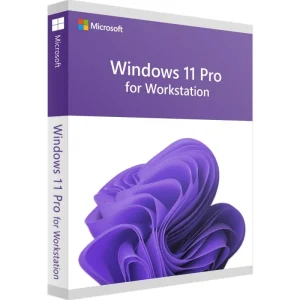
Windows 11 Pro for Workstations - Genuine Microsoft license. Instant delivery by email.
Windows 10 Pro for Workstations - Official Microsoft license. Instant delivery by email.
Windows 11 Pro – The Ultimate Professional Operating System Windows 11 Pro is the latest version of Microsoft’s operating system,...
Windows 11 Enterprise - Genuine Microsoft license. Instant delivery by email.
Η άδειά σας ενεργοποιημένη σε 3 βήματα
Επιλέξτε από τις αυθεντικές προσφορές μας την άδεια που ταιριάζει στις ανάγκες σας.
Δείτε τις προσφορέςΚάρτα, Apple Pay, Google Pay ή Bancontact, πληρωμή με κρυπτογράφηση SSL και επαλήθευση 3D Secure.
Ασφαλής πληρωμήΤο κλειδί σας φτάνει μέσω email σε λίγα λεπτά, μαζί με οδηγίες ενεργοποίησης βήμα προς βήμα.
Μάθετε περισσότεραA Windows 11 Pro for Workstations key unlocks the edition that sits above Pro in the Windows desktop range. It keeps everything in Windows 11 Pro (BitLocker, Hyper-V, Remote Desktop, Group Policy) and lifts the hardware limits that held back compute and content-creation machines. Four differences really matter.
On top of that, the Ultimate Performance power plan is available out of the box: it removes the micro-latencies caused by component power saving during a long render or calculation.
| Edition | Physical processors | Maximum RAM | ReFS, NVDIMM, SMB Direct | On our store |
|---|---|---|---|---|
| Windows 11 Home | 1 | 128 GB | No | Not suited to workstations |
| Windows 11 Pro | 2 | 2 TB | No | From 9,90 € |
| Windows 11 Pro for Workstations | 4 | 6 TB | Yes | From 17,99 € |
| Windows 10 Pro for Workstations | 4 | 6 TB | Yes | From 17,99 € |
Windows 10 reached end of support on October 14, 2025, and the consumer ESU year ended on October 13, 2026: choose Windows 10 Pro for Workstations only for hardware that Windows 11 does not support. All these licenses are genuine Microsoft licenses from the second-hand market, resold lawfully in the European Union under the UsedSoft ruling of the Court of Justice (case C-128/11).
To be frank, most PCs gain nothing from this edition. If your machine has a single processor, less than 2 TB of RAM, standard NTFS storage and an ordinary Gigabit network, Windows 11 Pro offers exactly the same software features for less. Application performance does not change from one edition to the other: what differs is the hardware Windows can use.
Pro for Workstations becomes relevant in four specific cases:
If you also need Credential Guard and application control for a managed fleet, look at our Windows 11 Enterprise key page: Enterprise can format ReFS data drives too.
There is no dedicated installation image: the standard Windows 11 media already contains Pro for Workstations, and the key you enter decides which edition is installed. On a PC already running Windows 11 Pro, the upgrade happens without reinstalling, through Settings > System > Activation > Change product key. One restart is enough: files, software and settings stay in place. Our Windows 11 installation guide covers every step.
On the hardware side, Windows 11 requires TPM 2.0, Secure Boot and a processor on the list of supported models. Many dual-Xeon workstations from the E5 v3 and v4 generations are not on that list. Windows 10 Pro for Workstations installs on them, but outside the paid ESU program for organizations, Windows 10 no longer receives security updates: our page on Windows 10 end of support explains the options. Last technical point: ReFS is not bootable, so keep NTFS for the system drive and use ReFS for data drives.
Όλα όσα πρέπει να γνωρίζετε πριν παραγγείλετε
No. ReFS is not bootable: the drive that holds Windows must stay on NTFS. ReFS is meant for data drives such as footage libraries, simulation datasets and backups. It delivers its full benefit with mirrored Storage Spaces: integrity streams then detect the silent corruption of a block and repair it automatically from the healthy copy.
Yes. Moving from Pro to Pro for Workstations is an edition change that Microsoft supports. Open Settings > System > Activation > Change product key, enter the new key and restart: your files, applications and settings are kept. From Windows 11 Home, the change may take two steps if the wizard asks for it.
Not necessarily. Windows 11 Pro already handles two physical processors. Pro for Workstations becomes essential beyond that: three or four sockets, or more than 2 TB of RAM. On a dual-Xeon machine with 256 GB of RAM, the real benefit lies elsewhere, in ReFS, NVDIMM or SMB Direct, not in the number of processors Windows recognizes.
NVDIMM-N is persistent memory: modules seen as a disk, running at DRAM speed, whose content survives a power cut. It is used for a working cache or a scratch file. SMB Direct offloads network transfers from the processor thanks to RDMA, on RoCE, iWARP or InfiniBand cards. Both require compatible hardware: without it, there is no gain.
Choose Windows 11 Pro for Workstations whenever your hardware meets the Windows 11 requirements: it receives security updates and new features. Windows 10 Pro for Workstations only makes sense for older workstations whose processors Windows 11 does not support, knowing that Windows 10 no longer receives security updates outside the paid ESU program for organizations.
Our team answers by email 24/7, within 2 hours on average.
Χρόνος απόκρισης: within 2 hours on average
Το καλάθι σας
