 Europska tvrtka sa sjedištem u Francuskoj
Izvrsno4.9/5Trustpilot1,800+ reviews Doživotno jamstvo zamjene
Podrška e-poštom 24/7
Europska tvrtka sa sjedištem u Francuskoj
Izvrsno4.9/5Trustpilot1,800+ reviews Doživotno jamstvo zamjene
Podrška e-poštom 24/7
Europska tvrtka sa sjedištem u Francuskoj
Izvrsno4.9/5Trustpilot1,800+ reviews Doživotno jamstvo zamjene
Podrška e-poštom 24/7
Europska tvrtka sa sjedištem u Francuskoj
Izvrsno4.9/5Trustpilot1,800+ reviews Doživotno jamstvo zamjene
Podrška e-poštom 24/7

Genuine Office 2021 licenses from 19,90 €: Word, Excel, PowerPoint and Outlook installed for good on your PC, with a key delivered by email within minutes.
Autentične Microsoft licence, isporučene e-poštom u nekoliko minuta
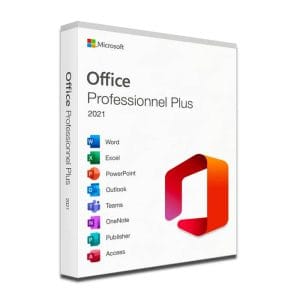
Microsoft Office 2021 Pro Plus Microsoft Office 2021 Pro Plus is the latest version of the world’s most popular office...
Office 2021 Professional Plus (5 PC) - Genuine Microsoft license. Instant delivery by email.
Office 2021 Professional - Genuine Microsoft license. Instant delivery by email.
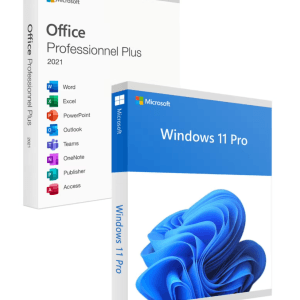
Official Windows 11 Pro + Office 2021 Pro Plus bundle license. Instant delivery by email. Activation on Microsoft servers. Lifetime...
Vaša licenca aktivirana u 3 koraka
Među našim autentičnim ponudama pronađite licencu koja odgovara vašim potrebama.
Pogledajte ponudeKartica, Apple Pay, Google Pay ili Bancontact, plaćanje šifrirano SSL-om uz 3D Secure provjeru.
Sigurno plaćanjeKljuč stiže e-poštom u nekoliko minuta, s uputama za aktivaciju korak po korak.
Saznajte višeReleased in October 2021, Office 2021 is the perpetual-license generation that came before Office 2024. With an Office 2021 key, you buy the suite once, install it on your PC and keep it with no time limit: no monthly payment, no yearly renewal, no feature switched off the day you stop paying. The apps run locally on your computer and work offline once activated.
Depending on the edition, an Office 2021 license installs the full desktop versions of these apps:
Office 2021 also supports the OpenDocument 1.3 format. In return, it does not receive the features added month after month to the subscription versions: what is installed on day one is the final scope of the suite. That is precisely what makes a fixed, one-time price possible.
All editions share the same engine and the same file formats. The difference lies in the apps included and in the number of computers covered.
| Product | Apps included | Computers | Ideal for | Price |
|---|---|---|---|---|
| Office 2021 Pro Plus | Word, Excel, PowerPoint, Outlook, OneNote, Access, Publisher | 1 Windows PC | Home, freelancers, associations | 19,90 € |
| Office 2021 Professional | Word, Excel, PowerPoint, Outlook (full list on the product page) | 1 Windows PC | Professional use on one computer | 34,99 € |
| Office 2021 Professional Plus (5 PC) | The same apps as Pro Plus | 1, 2 or 5 Windows PCs, depending on the option chosen | Households and small teams | From 49,90 € |
| Windows 11 Pro + Office 2021 Pro Plus | Windows 11 Pro and the full Office 2021 Pro Plus suite | 1 PC | A new or freshly reinstalled computer | 24,90 € |
For a single PC, Office 2021 Pro Plus offers the complete suite at a modest price. The 5-PC version equips a household or a small team in one order, with one invoice. And if you are setting up a new computer, the Windows 11 Pro + Office 2021 Pro Plus bundle covers the operating system and the office suite in a single purchase. Multi-PC options, when available, are shown on each product page.
An honest point first: Microsoft ended support for Office 2021 on 13 October 2026. The suite keeps working normally and without restriction, since a perpetual license does not expire; it still installs and activates, but it no longer receives security updates.
For a secondary computer, a family PC used for simple documents or an offline machine, Office 2021 remains a rational choice at a low price, and it is the last perpetual release that includes Publisher. If you handle sensitive data, open many attachments from outside or want a longer horizon, choose Office 2024, supported until October 2029. Our Office 2021 vs Office 2024 comparison details the differences, and if you are hesitating with the previous generation, read Office 2021 vs Office 2019.
Because these are neither generic keys nor codes diverted from other programs, but genuine second-hand licenses. When a company closes, merges or moves its computers to a newer version, its Office 2021 licenses remain valid but unused. They are bought back, checked and put back into circulation.
The Court of Justice of the European Union validated this practice in the UsedSoft judgment (case C-128/11): once software has been sold in the European Economic Area, the publisher’s distribution right is exhausted and it can no longer oppose the resale of the license, including for a downloaded copy, provided the first owner makes its own copy unusable. You therefore receive a key that activates on Microsoft’s official servers, with a VAT invoice.
Office 2021 installs on Windows 10 and Windows 11, preferably in 64-bit. Plan for about 4 GB of disk space, 4 GB of RAM and an internet connection for the first activation. Uninstall any previous version of Office first to avoid conflicts, download the suite from the official link in our email, then enter your 25-character key when prompted.
Delivery and support
Your key arrives by email, usually within minutes and within 48 working hours at most. A defective key is replaced for life, and our team answers by email 7 days a week, with a reply within 2 hours on average, from the first installation onwards.
All delivery details, including what to do if the email does not show up in your inbox, are on our delivery page.
Sve što trebate znati prije narudžbe
Yes. The end of support on 13 October 2026 does not deactivate anything: Office 2021 keeps opening, saving and activating as before. Microsoft simply stops publishing security fixes, so keep Windows and your antivirus up to date and be careful with attachments from unknown senders. For a main work computer, Office 2024, supported until October 2029, is the safer long-term choice.
Usually not, and we advise against it anyway. Microsoft does not support two Click-to-Run versions of Office on the same PC, for example Office 2021 alongside Office 2019, Office 2024 or Microsoft 365, and an older suite would compete with it for file associations and mail profiles. Uninstall the old version from Settings, then Apps, before installing Office 2021: your documents and emails are not deleted in the process.
Yes. These versions share the same .docx, .xlsx and .pptx formats, so your files open and can be edited without any conversion. Only the functions introduced after 2021 are not calculated: a formula that is too recent shows a #NAME? error in Excel. Layout, data and comments remain intact in every case.
Not for Office 2021 Pro Plus: the key is entered directly in Word or Excel and activation happens online, without linking the suite to an account, which is practical on a shared or business computer. Other editions may use a Microsoft account; the activation method is described on each product page and in the email that comes with your key.
The apps are identical: Word, Excel, PowerPoint, Outlook, OneNote, Access and Publisher. The single license activates one Windows PC, while the 5-PC version lets you equip five computers, for example a household or a small team, in one order and with one invoice. Each computer is activated separately on Microsoft's servers.
Our team answers by email 24/7, within 2 hours on average.
Vrijeme odgovora: within 2 hours on average
Vaša košarica

