 Europska tvrtka sa sjedištem u Francuskoj
Izvrsno4.9/5Trustpilot1,800+ reviews Doživotno jamstvo zamjene
Podrška e-poštom 24/7
Europska tvrtka sa sjedištem u Francuskoj
Izvrsno4.9/5Trustpilot1,800+ reviews Doživotno jamstvo zamjene
Podrška e-poštom 24/7
Europska tvrtka sa sjedištem u Francuskoj
Izvrsno4.9/5Trustpilot1,800+ reviews Doživotno jamstvo zamjene
Podrška e-poštom 24/7
Europska tvrtka sa sjedištem u Francuskoj
Izvrsno4.9/5Trustpilot1,800+ reviews Doživotno jamstvo zamjene
Podrška e-poštom 24/7

Office 2024 for Mac is the one-time purchase Microsoft supports until 2029: compare the editions, check your macOS version and see what changed in 2026 for older versions.
Autentične Microsoft licence, isporučene e-poštom u nekoliko minuta
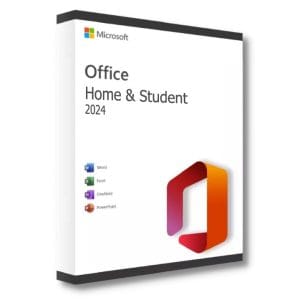
Official Office 2024 Home and Student for Mac license. Instant delivery by email. Activation on Microsoft servers. Lifetime warranty. Support...
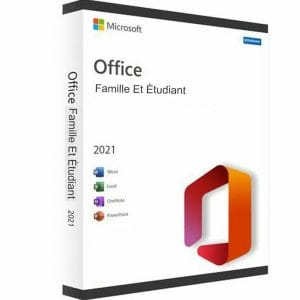
Official Office 2021 Home and Student for Mac license. Instant delivery by email. Activation on Microsoft servers. Lifetime warranty. Support...
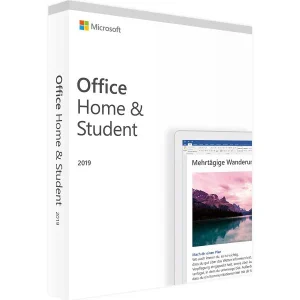
Official Office 2019 Home and Student for Mac license. Instant delivery by email. Activation on Microsoft servers. Lifetime warranty. Support...
Office 2024 LTSC Standard for Mac - Official Microsoft license. Instant delivery by email.
Vaša licenca aktivirana u 3 koraka
Među našim autentičnim ponudama pronađite licencu koja odgovara vašim potrebama.
Pogledajte ponudeKartica, Apple Pay, Google Pay ili Bancontact, plaćanje šifrirano SSL-om uz 3D Secure provjeru.
Sigurno plaćanjeKljuč stiže e-poštom u nekoliko minuta, s uputama za aktivaciju korak po korak.
Saznajte višeMicrosoft develops Office for Mac as its own edition of the suite, with Word, Excel, PowerPoint, OneNote and, depending on the edition, Outlook. Three recent generations were sold as one-time purchases: Office 2024, Office 2021 and Office 2019. You pay once, with no monthly subscription, but in 2026 these three generations are no longer equivalent, and the difference matters before you order.
| Edition for Mac | Included apps | Microsoft support | For whom |
|---|---|---|---|
| Office 2024 Home and Student | Word, Excel, PowerPoint, OneNote | Until October 2029 | Students, families, personal use |
| Office 2024 LTSC Standard | Word, Excel, PowerPoint, Outlook, OneNote | Until October 2029 | Businesses that need Outlook and a fixed feature set |
| Office 2021 Home and Student | Word, Excel, PowerPoint, OneNote | Ended 13 October 2026 | A secondary Mac, occasional document work |
| Office 2019 for Mac | Word, Excel, PowerPoint, OneNote | Ended in 2023, read-only since July 2026 | Not recommended |
Every Mac edition we offer is listed in our Mac category, with the current price on each product page.
Microsoft applies a simple rule: Office for Mac is supported on the three most recent major versions of macOS. When Apple releases a new version, the oldest one drops off the list. An older macOS release can still run the apps for a while, but outside Microsoft’s support.
A second rule has applied since July 2026. To keep its editing features, Office 2021 for Mac must run version 16.83 or later, and that version needs macOS 12 Monterey or later. Office 2024 for Mac builds already meet this threshold, but they require a recent macOS version. A Mac that cannot be updated beyond macOS 11 Big Sur is therefore no longer a good candidate for a one-time Office purchase.
On the processor side, Office 2021 and Office 2024 for Mac are Universal apps: they run natively on Apple silicon Macs (M1 and later) as well as on Intel Macs. Microsoft also asks for 4 GB of memory and about 10 GB of free disk space.
Good to know: to see your version, open the Apple menu and choose About This Mac.
File formats are identical on both platforms: a .docx, .xlsx or .pptx file created on a Mac opens unchanged on a Windows PC, layout and fonts included. The differences lie elsewhere. Access and Publisher do not exist on macOS, and Visio and Project are Windows applications, so no Mac edition includes them. There is no Professional Plus edition for Mac either: the range covers Home and Student, Home and Business and, for organizations, LTSC Standard.
A few advanced Windows features are missing on the Mac side: ActiveX controls, COM add-ins and the Power Pivot data model in Excel. VBA macros work, with some limitations for files designed on Windows. For writing, spreadsheets, presentations and everyday email, the experience is equivalent, with native macOS integration such as dark mode, iCloud Drive and system sharing.
One point to check before ordering: an Office for Mac license only activates on a Mac. If your household mixes Macs and PCs, plan one license per platform; the Windows editions are in our Office category.
Home and Student and Home and Business editions are activated through a Microsoft account: you redeem the key on your account, download the official installer from Microsoft, then sign in to Word or Excel. A free account is enough. The license stays attached to that account, which lets you reinstall Office after replacing a disk or moving to a new Mac. Business editions such as LTSC Standard come with their own installation instructions.
A license covers one Mac. If a key ever proves defective, we replace it for the lifetime of the license, and our team answers by email 7 days a week, within 2 hours on average, through the support page.
We resell genuine Microsoft licenses within the European Union. This resale is supported by the UsedSoft ruling of the Court of Justice of the European Union (case C-128/11): a software license sold in the EU can be resold, because the publisher’s distribution right is exhausted after the first sale.
In practice, you receive an original Microsoft key, activated on Microsoft’s servers, and you install the official software downloaded from Microsoft. For a Mac you plan to keep for several years, the sensible choice in 2026 is Office 2024 Home and Student for Mac, or Office 2024 LTSC Standard for Mac if you need Outlook in a business setting. If you prefer continuous upgrades, the subscription alternative is Office 365, 12 months for 5 devices, which also covers Windows PCs.
Sve što trebate znati prije narudžbe
Yes for Office 2021 and Office 2024 for Mac. Both are Universal apps that run natively on Apple silicon (M1 and later) and on Intel Macs, without going through Rosetta 2, which shows in launch times and in large Excel workbooks. Office 2019 for Mac is no longer a relevant option: since 13 July 2026 it only opens and prints documents.
For Home and Student and Home and Business editions, yes. You redeem the key on your Microsoft account, the license is attached to it, and you download the installer from Microsoft. A free account is enough and no payment card is requested. Keep your sign-in details: they let you reinstall Office later, for example after replacing your Mac.
Only to read and print. Since 13 July 2026, Office 2019 for Mac runs in reduced functionality mode: Word, Excel and PowerPoint open documents but can no longer edit, save or create files. Microsoft states that this cannot be fixed, because Office 2019 for Mac no longer receives updates. Your files are not lost: open them in a supported version such as Office 2024 for Mac.
Yes, as long as it runs version 16.83 or later, which requires macOS 12 Monterey or later. Microsoft support ended on 13 October 2026, so the suite no longer receives security updates or new features. It remains usable for documents on a secondary Mac, but for a main Mac used for years, Office 2024 for Mac is supported until October 2029.
No. Microsoft has never released Access or Publisher for macOS, and Visio and Project are Windows desktop applications. No Mac edition includes them, whatever its price, so be wary of offers that claim otherwise. To use them, you need a Windows PC or a Windows virtual machine. On a Mac, the suite covers Word, Excel, PowerPoint, OneNote and Outlook.
No. A one-time Office for Mac license activates on one Mac only, and Windows editions activate on PCs only. If you work on both platforms, buy one license per computer or consider a Microsoft 365 subscription, which covers Mac and Windows devices. File formats are the same on both sides, so your documents move freely between them.
Our team answers by email 24/7, within 2 hours on average.
Vrijeme odgovora: within 2 hours on average
Vaša košarica

