 Europska tvrtka sa sjedištem u Francuskoj
Izvrsno4.9/5Trustpilot1,800+ reviews Doživotno jamstvo zamjene
Podrška e-poštom 24/7
Europska tvrtka sa sjedištem u Francuskoj
Izvrsno4.9/5Trustpilot1,800+ reviews Doživotno jamstvo zamjene
Podrška e-poštom 24/7
Europska tvrtka sa sjedištem u Francuskoj
Izvrsno4.9/5Trustpilot1,800+ reviews Doživotno jamstvo zamjene
Podrška e-poštom 24/7
Europska tvrtka sa sjedištem u Francuskoj
Izvrsno4.9/5Trustpilot1,800+ reviews Doživotno jamstvo zamjene
Podrška e-poštom 24/7

Windows 11 Pro, Visio and Project in one bundle from 119,99 €: three genuine perpetual keys delivered by email within minutes.
Autentične Microsoft licence, isporučene e-poštom u nekoliko minuta
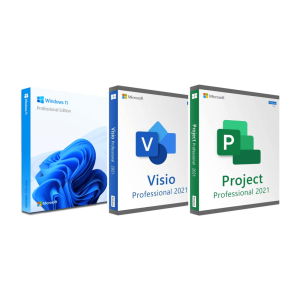
Official Windows 11 Pro + Visio 2021 Pro + Project 2021 Pro bundle license. Instant delivery by email. Activation on...
Visio 2021 Professional - Genuine Microsoft license. Instant delivery by email.
Project 2021 Professional - Official Microsoft license. Instant delivery by email.
Project 2024 Professional - Official Microsoft license. Instant delivery by email.
Vaša licenca aktivirana u 3 koraka
Među našim autentičnim ponudama pronađite licencu koja odgovara vašim potrebama.
Pogledajte ponudeKartica, Apple Pay, Google Pay ili Bancontact, plaćanje šifrirano SSL-om uz 3D Secure provjeru.
Sigurno plaćanjeKljuč stiže e-poštom u nekoliko minuta, s uputama za aktivaciju korak po korak.
Saznajte višeA project manager rarely works with a single tool, and a Visio and Project bundle covers the two that complement each other. Project keeps the schedule: work breakdown structure, milestones, critical path, resource workload and cost tracking. Visio handles the visuals: flowcharts, BPMN processes, organization charts, application maps and floor plans that anyone understands at a glance. Neither is included in Office or in a Microsoft 365 home subscription, which is why they are always bought separately.
The third element of the trio is less obvious. Visio and Project only run on Windows, and Windows 11 Pro brings exactly what a project workstation needs: BitLocker encryption for project files, the Remote Desktop host, Hyper-V to isolate a test environment, and the ability to join a domain or Microsoft Entra ID. Grouping the three licenses means one order, one delivery of keys and a consistent software generation on the PC.
Three decisions are enough: the generation (2021 or 2024), the edition (Standard or Professional) and whether you also need the operating system. Here are the options and their current prices for one PC.
| Option | Suited to | Key points | Price |
|---|---|---|---|
| Windows 11 Pro + Visio 2021 Pro + Project 2021 Pro bundle | A project workstation to equip from scratch | The system and both applications in one order | 119,99 € |
| Visio 2021 Professional | Process modeling, IT and engineering diagrams | BPMN 2.0, UML, data linking | 29,99 € |
| Visio 2021 Standard | Everyday diagrams | Flowcharts, organization charts, basic network diagrams | 34,99 € |
| Project 2021 Professional | PMO, several projects or teams | Team Planner, SharePoint sync, Project Server connection | 29,99 € |
| Project 2021 Standard | One person running internal projects | Gantt charts, critical path, reports | 29,49 € |
| Project 2024 Professional | A recent Windows 11 PC, long-term use | Supported by Microsoft until October 2029 | 32,99 € |
You can order the bundle as a single product, or combine the individual licenses that match your needs: compare the prices above before choosing. Detailed comparisons are available on our pages Visio Standard vs Professional and Project Standard vs Professional.
Visio Professional adds BPMN 2.0 and UML templates, detailed network and database diagrams, diagram validation and the linking of shapes to data from Excel and other sources. Project Professional adds the Team Planner view, synchronization with SharePoint task lists and the connection to Project Server or Project Online for shared resources. For an internal project run by one person, the Standard editions cover the essentials.
Microsoft ended support for Visio 2021 and Project 2021 on 13 October 2026. The applications keep working with no time limit, since the licenses are perpetual, but they no longer receive security updates. Project 2024, available on its own, is supported until 9 October 2029. If you are equipping a workstation for the long term, take this into account when choosing between the bundle and individual licenses.
Good to know
Visio and Project have no macOS version. On a Mac, they can only run inside a Windows virtual machine, which needs its own Windows license.
An efficient method is to scope in Visio, plan in Project, then report with both:
This back-and-forth assumes Word and Excel on the PC. If the office suite is missing, an Office 2021 Pro Plus license, from the same generation as the Visio and Project in the bundle, installs alongside them, as long as you keep the same 64-bit or 32-bit version for all three.
Visio and Project, in their 2021 and 2024 versions, require Windows 10 or Windows 11, 4 GB of RAM, about 4 GB of disk space and an architecture consistent with your existing Office, preferably 64-bit everywhere.
Each key in the bundle activates one PC. You download the installers from Microsoft’s servers, enter the key you received, and activation is completed online. These are genuine second-hand licenses, resold lawfully in Europe since the UsedSoft judgment of the Court of Justice of the European Union (case C-128/11), and every order comes with a VAT invoice. For any question before or after your purchase, our support team answers by email 7 days a week, within 2 hours on average.
Sve što trebate znati prije narudžbe
No. The Visio and Project desktop applications are not part of any Office edition or Microsoft 365 home subscription: they are sold separately, each with its own activation key. A Visio and Project bundle is therefore needed even if Word, Excel and PowerPoint are already installed. Both programs are added to the PC without uninstalling your office suite.
The Standard editions cover everyday needs: organization charts, flowcharts and Gantt schedules with the critical path. The Professional editions add, in Visio, BPMN 2.0, UML, database diagrams and linking to Excel data; in Project, the Team Planner, SharePoint synchronization and the connection to Project Server. Choose Professional if you manage several projects or several teams.
Yes, the three coexist. Visio and Project are installed alongside Office and do not replace it, provided you keep the same architecture: if your Office is 64-bit, install Visio and Project in 64-bit too. Also avoid mixing an older Office installed from an MSI package with the current installation technology; the installer warns you if there is a conflict.
The simplest approach is to export your Visio diagrams to PDF, PNG or SVG, and your Project schedules to PDF or Excel, before sharing them. Your recipients can then read your deliverables without any license. If they need to edit the original files themselves, they will need their own Visio or Project license.
Yes. Their licenses are perpetual, so the applications keep opening and working normally after 13 October 2026, the date on which Microsoft ended their support. What stopped is the publication of security updates for these versions. If long-term support matters to you, Project 2024, supported until 9 October 2029, is available as a separate license.
Our team answers by email 24/7, within 2 hours on average.
Vrijeme odgovora: within 2 hours on average
Vaša košarica

