 Európska spoločnosť so sídlom vo Francúzsku
Vynikajúce4,9/5Trustpilot1 800+ reviews Doživotná záruka výmeny
E-mailová podpora 24/7
Európska spoločnosť so sídlom vo Francúzsku
Vynikajúce4,9/5Trustpilot1 800+ reviews Doživotná záruka výmeny
E-mailová podpora 24/7
LibreOffice is free and Microsoft Office starts at 9,99 €: compare the real differences in compatibility, macros and Excel before choosing your office suite.
Originálne licencie Microsoft doručené e-mailom v priebehu niekoľkých minút
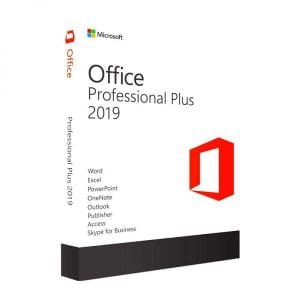
Genuine Office 2019 Professional Plus license. Instant delivery by email. Activation on Microsoft servers. Lifetime warranty. Support included.
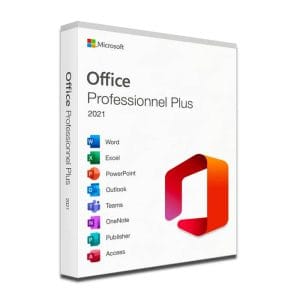
Microsoft Office 2021 Pro Plus Microsoft Office 2021 Pro Plus is the latest version of the world’s most popular office...
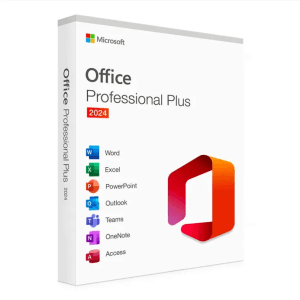
Microsoft Office 2024 Pro Plus Microsoft Office 2024 Pro Plus is the latest version of the world’s most popular productivity...
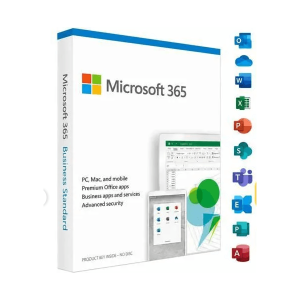
Office 365 - 12 Months / 5 Devices - Official Microsoft license. Instant delivery by email.
Vaša licencia aktivovaná v 3 krokoch
Z našich originálnych ponúk si vyberte licenciu, ktorá zodpovedá vašim potrebám.
Pozrieť ponukyKarta, Apple Pay, Google Pay alebo Bancontact, platba šifrovaná SSL s overením 3D Secure.
Bezpečná platbaKľúč vám príde e-mailom v priebehu niekoľkých minút spolu s postupom aktivácie krok za krokom.
Zistiť viacIn the LibreOffice vs Microsoft Office debate, let us say it up front: LibreOffice is excellent software. Free, open source and regularly updated, it handles everyday office work without difficulty. Microsoft Office nevertheless remains the standard in most companies, schools and public administrations in Europe, with deeper tools and native compatibility with the .docx and .xlsx files that circulate everywhere.
So the real question is not which suite wins in general, but which one fits your use. This comparison sets out what LibreOffice does well, where it reaches its limits, and how to decide, knowing that a lifetime Office license now starts at 12,90 €, so price no longer settles the matter on its own.
LibreOffice was born in 2010 as a fork of OpenOffice.org. Since then, it has concentrated active development, with several releases a year and steadily improving compatibility. Apache OpenOffice, for its part, has seen very little development in recent years. The OpenOffice vs Office question is therefore really about LibreOffice: if you choose the free route, that is the one to install.
LibreOffice is not a cut-price Office: it is a complete, mature suite.
For writing a letter, formatting a simple CV, keeping accounts or preparing a slideshow, LibreOffice does the job without asking anything in return. If spending nothing is your absolute priority, also read our guide to free Microsoft Office options, which lists the legal ways to work without a paid license.
The gap between LibreOffice and Microsoft Office does not show on a simple letter. It appears in four well-identified situations.
LibreOffice opens Word and Excel files, but converts them on the fly. On a simple document, the result is good. On a rich file, with nested styles, SmartArt, elaborate headers or linked charts, shifts appear: moved page breaks, substituted fonts, overflowing tables. That is a problem when the recipient judges the document by its presentation, such as a CV or a quote.
Word and Excel include the VBA language, which is everywhere in business files: invoicing tools, schedules, in-house tools. LibreOffice uses its own Basic and runs only part of VBA; more elaborate macros fail or behave differently. If you receive workbooks with macros, the debate is closed: you need Office.
Calc handles everyday formulas and basic pivot tables very well. But Power Query, used to import and clean data, and Power Pivot, used for large data models, have no equivalent in LibreOffice, and heavy spreadsheet users feel the difference immediately.
In most companies, schools and administrations, people exchange Word, Excel and PowerPoint files. With Office, your document looks exactly the same on the recipient’s screen as on yours. Add Outlook, the email client of many workplaces, which has no equivalent in LibreOffice.
Three everyday situations show the weight of this standard: the student who must submit a thesis in a required .docx layout, the employee who updates the team’s Excel schedule every week without breaking its formulas, and the candidate whose CV will be opened in Word by a recruiter. Each round trip through LibreOffice’s conversion adds a risk of shifts. Tracked changes, widely used to proofread a contract or a report together, also travel less smoothly between Writer and Word than between two copies of Word.
| Criterion | LibreOffice | Microsoft Office |
|---|---|---|
| Price | Free | One-time license from 12,90 €, or a subscription |
| License model | Free and open source | Perpetual one-time purchase (2019, 2021, 2024) or subscription (Office 365) |
| Word processing | Writer, very complete | Word, the de facto standard, faithful layout |
| Spreadsheets | Calc, solid for the essentials | Excel, deeper for advanced analysis |
| Presentations | Impress, correct but fewer templates | PowerPoint, richer and smoother |
| .docx and .xlsx compatibility | Good on simple documents, uneven on complex ones | Native, no conversion |
| VBA macros | Partial support | Full support |
| Power Query and Power Pivot | Not available | Built into Excel for Windows |
| No email client | Outlook included in Pro Plus editions | |
| System resources | Light, suited to older PCs | More demanding |
| Linux | Yes | No desktop version |
| Open formats (ODF) | Native | Supported |
Before choosing between LibreOffice and Office, start from your real documents rather than from principles. Ask yourself three simple questions: who sends you files, who do you send them to, and what would happen if a layout shifted or a macro failed to run? The two lists below place your case in a few seconds.
For years, the choice came down to free versus expensive. That is no longer the case. Here is how the options compare in 2026:
The one-time versions are perpetual licenses: paid once, usable for life. The key arrives by email within minutes, 48 business hours at most, and activates on Microsoft’s official servers. You pay by card, Apple Pay, Google Pay or Bancontact, with a VAT invoice. Every version is presented on our Microsoft Office page.
Our frank advice: start by trying LibreOffice if your use is simple, since it is free and you lose nothing. If you run into compatibility issues or need advanced features, an Office license settles the question without weighing on your budget.
Všetko, čo potrebujete vedieť pred objednávkou
Yes, completely. LibreOffice is free and open-source software: no purchase price, no subscription, no locked features and no advertising. You download it from the official website of The Document Foundation, the non-profit organization that develops it and is funded by optional donations. It is available for Windows, macOS and Linux.
Yes, it reads and saves .docx, .xlsx and .pptx files. On simple documents, the result is faithful. On complex files, with elaborate layouts, macros or linked charts, display differences often appear. That is its main limitation compared with Microsoft Office, which works natively in these formats without any conversion.
LibreOffice. Both projects share the same origin, but LibreOffice has concentrated active development since 2010, with frequent updates, while Apache OpenOffice has seen very little development in recent years. If you choose a free suite, install LibreOffice: it is the one whose compatibility with Office files keeps improving.
Compatibility and depth of tools. Office works natively with .docx and .xlsx files and offers full VBA support, Power Query, Power Pivot and Outlook, which LibreOffice does not have. LibreOffice, on the other hand, is free, light and based on open formats. For simple use, both are fine; for professional use, Office keeps the advantage.
Yes for the one-time versions: Office 2019 Professional Plus (12,90 €), Office 2021 Pro Plus (19,90 €) and Office 2024 Pro Plus (24,90 €) are perpetual licenses activated on Microsoft's official servers. Office 365 (9,99 €) is a 12-month subscription for 5 devices. In every case, the key is sent by email within minutes.
Yes, the two suites coexist without conflict. It is even a good way to compare them: keep LibreOffice for personal documents and use Office when compatibility is critical. Windows lets you choose the default app for each file type, so you decide which suite opens your .docx and .xlsx files.
Our team answers by email 24/7, within 2 hours on average.
Čas odpovede: within 2 hours on average
