 Európska spoločnosť so sídlom vo Francúzsku


Key features
Start menu
Navigation
- Custom pins
- Integrated search
- Recommended apps
Windows Security
Protection
- Built-in antivirus
- Firewall
- Secure browsing
Microsoft Store
Applications
- Verified apps
- Automatic updates
- Games and utilities
Multimedia
Photos and videos
- Built-in Photos
- Screenshot
- Video editor
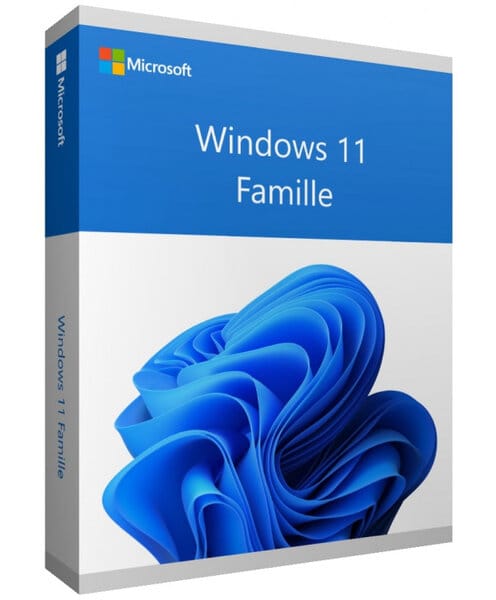
Windows 11 Home
Perpetual license - PC installation - Official Microsoft activation
Official Microsoft license verified on Microsoft servers.






Why choose Windows 11 Home?
- Modern interface with Snap Layouts and virtual desktop
- Built-in Windows security with antivirus and firewall
- Enhanced gaming experience with DirectStorage and Auto HDR
- Automatic security and feature updates
- Perpetual license, no monthly fees
- Official activation via Microsoft servers
Windows 11 Home
Windows 11 Home is the ideal operating system for everyday use. Web browsing, office work, streaming, gaming — everything runs smoothly thanks to a redesigned interface with Snap Layouts, widgets and a centered Start Menu.
Security is built in natively: Windows Defender antivirus, firewall, real-time protection. No need to buy an extra antivirus. Perpetual license, official online activation.
Individuals
A complete and intuitive system for your everyday use: web, office work, multimedia.
Students
The perfect environment for your classes, assignments and projects, with built-in Microsoft tools.
Families
Protect your loved ones with parental controls and the built-in security of Windows.
Gamers
DirectStorage, Auto HDR and Game Bar for an optimized gaming experience.
The advantages of Windows 11 Home
Snap Layouts
Organize your windows in a single click with preset layouts for multitasking.
Enhanced security
TPM 2.0, Secure Boot and Windows Hello for native hardware-level protection.
DirectStorage
Ultra-fast game loading by sending data directly from the SSD to the GPU.
Android Apps
Install and use Android apps directly on your PC.
Technical specifications
System requirements
| Processor | 1 GHz or faster, 2 cores minimum (64-bit) |
| RAM | 4 GB minimum |
| Disk space | 64 GB minimum |
| Display | 720p HD screen, 9 inches minimum |
| TPM | TPM module version 2.0 |
| Secure Boot | UEFI with Secure Boot |
| Graphics card | DirectX 12 compatible with WDDM 2.0 driver |
| Internet | Connection required for activation |
License information
| License type | Perpetual (lifetime) |
| Users | 1 user |
| Devices | 1 PC |
| Reinstallations | Unlimited on the same device |
| Language | Multilingual |
| Activation | Online via Microsoft servers |
| Support | Technical support 7 days a week |
| Updates | Security updates included |
Features of Windows 11 Home
Modernized interface
Redesigned Start menu, Snap Layouts to organize your windows and customizable widgets.
Windows Security
Built-in antivirus, firewall and real-time protection for worry-free browsing.
Entertainment
DirectStorage, Auto HDR and Xbox integration for an optimal gaming experience.
Updates
Automatic security updates and regular new features.
Recenzie zákazníkov
Windows 11 Home delivered fast by Euro Shop Key. The seller helped me solve my install problem. Ideal for the home PC. Recommend.
Bought Windows 11 Home on Euro Shop Key. Perfect for family use. Simple, quick activation. Very affordable price. Recommend.
Got my Windows 11 Home key from Euro Shop Key. Perfect service and communication. My family PC now runs Windows 11 without any issues.
Zanechajte svoju recenziu
Podeľte sa o svoju skúsenosť s týmto produktom a pomôžte ostatným zákazníkom.
Installation guide
Activating your Windows 11 Home license takes only a few minutes. Here is the step-by-step procedure to follow.
Check compatibility
First of all, make sure your computer meets the requirements for Windows 11 Home. You can use Microsoft's PC Health Check tool to verify this quickly.
Download Windows 11 Home
Go to Microsoft's official website to download the media creation tool or the ISO image of Windows 11 Home.
Install the system
Launch the installer and follow the instructions. Choose your language, accept the terms and select the type of installation you want.
Activate your license
Once the installation is complete, go to Settings > System > Activation. Click "Change product key" and enter the key you received by email.
Need help?
Ako to funguje
Získajte a aktivujte svoju licenciu Microsoft v 3 jednoduchých krokoch
Vyberte si
Vyberte si svoju Windows 11 Home licenciu alebo balík a pridajte ho do košíka.
Zaplatiť
Zaplaťte bezpečne kartou, Apple Pay, Google Pay alebo Bancontact.






Aktivujte
Kľúč dostanete okamžite e-mailom spolu s podrobným návodom na inštaláciu. V prípade potreby vám naša podpora odpovie e-mailom 24/7.
Často kladené otázky
How do I activate my Windows 11 Home license?
After your purchase, you receive your key by email within a few minutes. Go to Settings > System > Activation, click "Change product key" and enter your key. Activation is done online via Microsoft servers.
What are the limitations compared to the Pro version?
Is the Windows 11 Home license perpetual?
Can I reinstall Windows 11 Home after formatting?
What happens if I have a problem during activation?
Mohlo by sa vám páčiť
Windows 11 Pro for Workstations
Windows 11 Pro for Workstations - Genuine Microsoft license. Instant delivery by email.
Windows 11 Professional N
Windows 11 Professional N - Genuine Microsoft license. Instant delivery by email.
Windows 10 IoT Enterprise 2019 LTSC
Windows 10 IoT Enterprise 2019 LTSC - Genuine Microsoft license. Instant delivery by email.
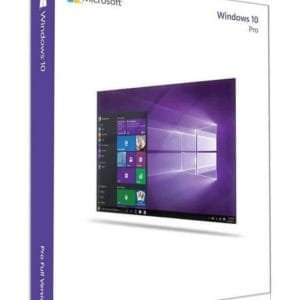
Windows 10 Professional N
Windows 10 Professional N - Official Microsoft license. Instant delivery by email.
