 Európska spoločnosť so sídlom vo Francúzsku
Vynikajúce4.9/5Trustpilot1,800+ reviews Doživotná záruka výmeny
E-mailová podpora 24/7
Európska spoločnosť so sídlom vo Francúzsku
Vynikajúce4.9/5Trustpilot1,800+ reviews Doživotná záruka výmeny
E-mailová podpora 24/7
Európska spoločnosť so sídlom vo Francúzsku
Vynikajúce4.9/5Trustpilot1,800+ reviews Doživotná záruka výmeny
E-mailová podpora 24/7
Európska spoločnosť so sídlom vo Francúzsku
Vynikajúce4.9/5Trustpilot1,800+ reviews Doživotná záruka výmeny
E-mailová podpora 24/7


Genuine Windows 11 licenses from 8,90 €: Home, Pro or Pro for Workstations, delivered by email within minutes and activated on Microsoft's servers.
Originálne licencie Microsoft doručené e-mailom v priebehu niekoľkých minút
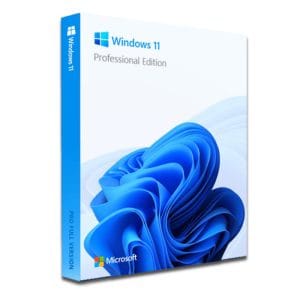
Windows 11 Pro – The Ultimate Professional Operating System Windows 11 Pro is the latest version of Microsoft’s operating system,...
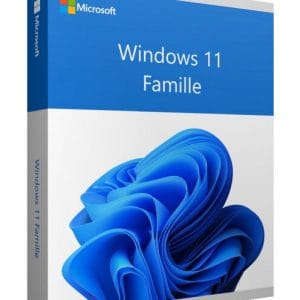
Windows 11 Home - Genuine Microsoft license. Instant delivery by email.
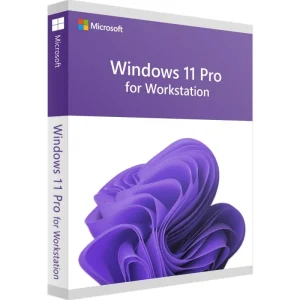
Windows 11 Pro for Workstations - Genuine Microsoft license. Instant delivery by email.
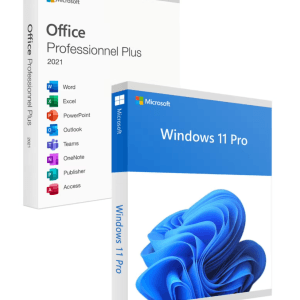
Official Windows 11 Pro + Office 2021 Pro Plus bundle license. Instant delivery by email. Activation on Microsoft servers. Lifetime...
Vaša licencia aktivovaná v 3 krokoch
Z našich originálnych ponúk si vyberte licenciu, ktorá zodpovedá vašim potrebám.
Pozrieť ponukyKarta, Apple Pay, Google Pay alebo Bancontact, platba šifrovaná SSL s overením 3D Secure.
Bezpečná platbaKľúč vám príde e-mailom v priebehu niekoľkých minút spolu s postupom aktivácie krok za krokom.
Zistiť viacLooking for a Windows 11 key to set up a new PC, reinstall a computer or replace a Windows 10 system that has left standard support? This page covers everything to check before you buy: the differences between Home, Pro and Pro for Workstations, the hardware requirements and TPM 2.0, the move from Windows 10, step-by-step activation and what to do if a key does not activate.
The process is the same for every edition: the key is sent by email within minutes, it activates on Microsoft’s official servers, and it is a one-time purchase. You pay once, with no subscription and no renewal date.
| Edition | Ideal for | What it brings | Price (1 PC) |
|---|---|---|---|
| Windows 11 Home | Personal PC, office work, study, gaming | All everyday features, DirectX 12 and Auto HDR for games, up to 128 GB of RAM | 8,90 € |
| Windows 11 Pro | Remote work, freelancers, small businesses | BitLocker encryption, Remote Desktop, Hyper-V virtualization, domain join, up to 2 TB of RAM | 9,90 € |
| Windows 11 Pro for Workstations | Workstations for intensive computing | ReFS file system, persistent memory, up to 4 processors and 6 TB of RAM | 17,99 € |
For a family computer, office work, study or gaming, a Windows 11 Home key covers every need. As soon as the machine is used for work (data to encrypt, remote access, virtual machines, a company network), a Windows 11 Pro key adds the tools that Home lacks. Pro for Workstations is only worthwhile on machines with several processors or persistent memory: professional workstation hardware, not a standard PC.
Still hesitating between the two consumer editions? Our comparison Windows 11 Home vs Pro goes through every difference, feature by feature.
Many reinstalled PCs also need an office suite. The Windows 11 Pro + Office 2021 Pro Plus bundle, from 24,90 €, combines the system with Word, Excel, PowerPoint and Outlook, both as one-time purchase licenses delivered by email.
Before you buy Windows 11, a two-minute check spares you any unpleasant surprise. Microsoft sets stricter requirements than for Windows 10, but most PCs sold since 2018 meet them without difficulty.
Good to know
Windows 11 Home requires an internet connection and a Microsoft account during the very first setup. Plan for it before installing the system on a PC without network access.
The TPM (Trusted Platform Module) is a security chip, or more often a function built into the processor, that stores encryption keys and checks the integrity of the system at startup. It is what makes BitLocker and device encryption possible, and it blocks some attacks before Windows even loads.
The good news: most recent PCs have a TPM 2.0, sometimes switched off at the factory. If your machine is reported as incompatible, open the BIOS/UEFI settings and look for “fTPM” (AMD processors) or “Intel PTT” (Intel processors): once the option is enabled, the verdict often changes completely.
Standard support for Windows 10 ended on 14 October 2025. Microsoft has extended its Extended Security Updates (ESU) program for personal devices until 12 October 2027, but Windows 11 remains the long-term path, with new features and security updates for years to come. The move is simpler than it looks.
In both cases, back up your documents to an external drive or to the cloud first: a backup costs nothing.
The upgrade keeps the same edition: Windows 10 Home moves to Windows 11 Home, Windows 10 Pro to Windows 11 Pro. To move up to Pro at the same time, for BitLocker, Remote Desktop or Hyper-V, simply buy a Windows 11 Pro license, from 9,90 €, and enter the new key once the migration is complete.
Ordering is fully online. You pay securely by card, Apple Pay, Google Pay or Bancontact, then your key arrives by email within minutes (48 business hours at most), with the activation instructions and a VAT invoice. Activation then takes only a moment:
After this first activation, the license is remembered for your PC: if you reinstall Windows on the same machine, it reactivates by itself as soon as it is online. Every step is explained with screenshots in our guide how to activate Windows 11 with a product key.
An activation error almost always has a simple cause that you can fix in a few minutes. Check these points in order:
If the problem persists, write to our support team with your order number and a screenshot of the error message. We reply by email 7 days a week within 2 hours on average, and a defective key is replaced free of charge for the lifetime of the license.
The prices on this page are well below Microsoft’s list price because these are genuine licenses resold on the European second-hand software market. In its UsedSoft judgment (case C-128/11, 2012), the Court of Justice of the European Union ruled that a perpetual software license sold in the EU may be resold, provided the original owner no longer uses it.
The product does not change: you get Windows 11, activated and validated by Microsoft’s official servers, with the same features and the same security updates as a license bought at full price. No third-party tool or “activator” is involved, and every order comes with a VAT invoice.
Všetko, čo potrebujete vedieť pred objednávkou
Yes. These are genuine pre-owned licenses: usage rights that were acquired and then resold, a practice the Court of Justice of the European Union confirmed as lawful in its UsedSoft judgment (C-128/11). The key activates on Microsoft's official servers and receives the same updates as a license bought at full price. It is a simple way to get Windows 11 for less without giving anything up.
A one-time purchase. Windows 11 Home, Pro and Pro for Workstations are perpetual licenses: no subscription, no renewal and no expiry date. Once activated, the license stays with your PC, which keeps receiving Windows updates. If a key we delivered turns out to be defective, we replace it free of charge for the lifetime of the license.
Officially, no: TPM 2.0 is part of Microsoft's requirements. Before concluding that your PC is incompatible, check the BIOS/UEFI settings: the chip is very often present but disabled, under the name fTPM on AMD or Intel PTT on Intel. Workarounds exist for unsupported hardware, but we advise against them: Microsoft does not support such installations, which can affect updates.
Yes, for the same edition: a Windows 10 Home license activates Windows 11 Home and a Windows 10 Pro license activates Windows 11 Pro, provided the PC meets the hardware requirements. To change edition at the same time, for example from Home to Pro, you need a Windows 11 Pro key, available here from 9,90 €.
An email with your 25-character product key, the activation instructions and your VAT invoice. Most orders are delivered within minutes of payment, and the maximum delivery time is 48 business hours. If you cannot find the email, check your spam folder, then write to our support team with your order number: we reply within 2 hours on average, 7 days a week.
Yes, on the same PC. Microsoft's servers remember the activation for your machine: after a reinstall, Windows 11 reactivates automatically as soon as it is connected to the internet. If it does not, simply enter the key from your email again in Settings, System, Activation. After a motherboard replacement, activation may be requested again: our support team will guide you.
Our team answers by email 24/7, within 2 hours on average.
Čas odpovede: within 2 hours on average
