 Európska spoločnosť so sídlom vo Francúzsku
Vynikajúce4.9/5Trustpilot1,800+ reviews Doživotná záruka výmeny
E-mailová podpora 24/7
Európska spoločnosť so sídlom vo Francúzsku
Vynikajúce4.9/5Trustpilot1,800+ reviews Doživotná záruka výmeny
E-mailová podpora 24/7
Európska spoločnosť so sídlom vo Francúzsku
Vynikajúce4.9/5Trustpilot1,800+ reviews Doživotná záruka výmeny
E-mailová podpora 24/7
Európska spoločnosť so sídlom vo Francúzsku
Vynikajúce4.9/5Trustpilot1,800+ reviews Doživotná záruka výmeny
E-mailová podpora 24/7


Microsoft 365 from 9,99 €: Word, Excel, PowerPoint and Outlook, always up to date, for 12 months on up to 5 devices, delivered by email.
Originálne licencie Microsoft doručené e-mailom v priebehu niekoľkých minút
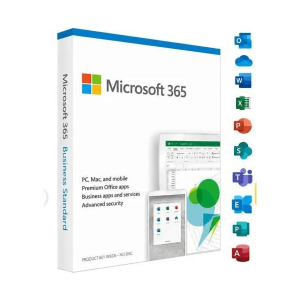
Office 365 - 12 Months / 5 Devices - Official Microsoft license. Instant delivery by email.
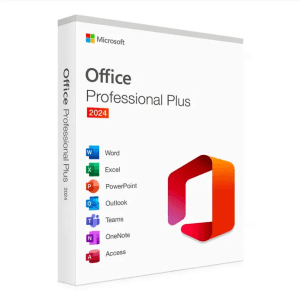
Microsoft Office 2024 Pro Plus Microsoft Office 2024 Pro Plus is the latest version of the world’s most popular productivity...
Office 2024 Home - Genuine Microsoft license. Instant delivery by email.
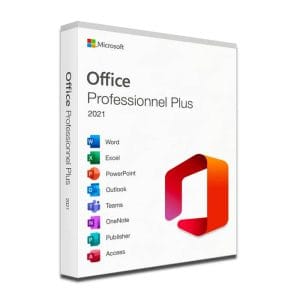
Microsoft Office 2021 Pro Plus Microsoft Office 2021 Pro Plus is the latest version of the world’s most popular office...
Vaša licencia aktivovaná v 3 krokoch
Z našich originálnych ponúk si vyberte licenciu, ktorá zodpovedá vašim potrebám.
Pozrieť ponukyKarta, Apple Pay, Google Pay alebo Bancontact, platba šifrovaná SSL s overením 3D Secure.
Bezpečná platbaKľúč vám príde e-mailom v priebehu niekoľkých minút spolu s postupom aktivácie krok za krokom.
Zistiť viacWhen you buy Microsoft 365, you are not buying software once and for all: you get a subscription that gives access to the Office applications for as long as it is active. The offer on this page covers 12 months on up to 5 devices. Office 365 is the former name of Microsoft 365, which is why our product card still uses it.
The applications install locally, on the devices of your choice:
This is the fundamental difference with a perpetual license: you pay for the use of the software over a given period, not for the software once and for all.
The right calculation is not based on the displayed price alone, but on how long you plan to use Office and on how many devices you need to equip. Here are the benchmarks, at the prices currently shown in our catalog:
| Option | Duration | Devices | Updates | Price |
|---|---|---|---|---|
| Microsoft 365, 12 months | 1 year, renewable | Up to 5 (PC, Mac, mobile) | New features and security fixes | from 9,99 € |
| Office 2024 Professional Plus | Lifetime | 1 Windows PC | Security fixes until 9 October 2029 | from 24,90 € |
| Office 2024 Home | Lifetime | 1 computer | Security fixes until 9 October 2029 | from 109,99 € |
| Office 2021 Professional Plus | Lifetime | 1 Windows PC | Security fixes ended on 13 October 2026 | from 19,90 € |
The rule of thumb is simple: over several years on a single computer, a perpetual license usually works out cheaper; for a shorter need, or as soon as three or more devices are involved, Microsoft 365 often takes the lead. We detail this calculation in our article Microsoft 365 vs Office 2024: subscription or lifetime license?
The subscription is particularly suited to four situations:
Conversely, if you work on a single desktop computer, need little more than a word processor and a spreadsheet, and keep your computers for five years, a perpetual license will be more rational: our page on the Office 2024 key compares the lifetime editions.
Your Microsoft 365 access details arrive by email, usually within minutes, together with step-by-step activation instructions. You then install the applications from Microsoft’s official website and sign in on each device with the account linked to the subscription. Changing computers does not use up an extra installation: you simply sign out of the old device.
When the 12 months are over, nothing is deleted: your files stay on your disk. The applications switch to read-only mode, which lets you open and print documents but not edit them, until a new subscription is activated. To keep working without interruption, order your renewal before the end date; our support team explains the steps by email, 7 days a week, with a reply within 2 hours on average.
Good to know
The subscription follows the account, not the machine. An internet connection is needed at least once a month to check the subscription, but daily work can be done offline.
Všetko, čo potrebujete vedieť pred objednávkou
The subscription gives access to Word, Excel, PowerPoint, Outlook and OneNote in full versions installed on your computer, plus Access on Windows and the mobile apps for iOS and Android. The applications are updated continuously for as long as the subscription is active, so you always work with the current version, with no new license to buy.
Yes. Microsoft 365 lets you stay signed in on up to five devices at the same time, split freely between Windows PCs, Macs, tablets and smartphones. You do not need to sign out of one device to use another. The list of devices is managed from the account: you can sign out of a device remotely at any time to free up a place.
By email, usually within minutes: you receive your access details and step-by-step activation instructions. You install the applications from Microsoft's official website, then sign in with the account linked to the subscription on each device you want to use. If anything is unclear, our support team answers by email 7 days a week, within 2 hours on average.
Your files are neither deleted nor locked: they remain readable and exportable. The applications switch to read-only mode, so editing and creating documents is suspended until a new subscription is activated. Activating a new subscription restores all the features, usually without reinstalling the applications already on your devices.
It depends on how long you keep Office and on how many devices you equip. For one computer used for several years, a lifetime license such as Office 2024 Professional Plus, from 24,90 €, usually costs less in total. For several devices, a mix of Windows and Mac, or a need of one or two years, the subscription from 9,99 € is often the better fit.
Our team answers by email 24/7, within 2 hours on average.
Čas odpovede: within 2 hours on average
